Promoção Musical
How to Add Music to Instagram Profile (Guide for Music Artists)

Azfar
Atualizado · 12 min de leitura
Trying to figure out how to add music to Instagram profile? Let me show you some ways to make your song available through distributors and promote it further.


Whether it’s Olivia’s “Drivers License” or Tesher’s “Jalebi Baby,” you’ve seen how Instagram can flip an artist’s career from quiet to undeniable. The proof is already in your feed.
This page shows you exactly how to get your music into Instagram’s library.
You’ll also learn practical ways to feature your tracks in your bio, your reels, and across your profile so more listeners actually hear you.
Ready? Let's get started!
Understanding Instagram Music for Artists
Reels pull in about 43 percent more engagement than regular video posts. They are also the most shared format on the app. Add music stickers and the effect gets stronger because sound makes your content more memorable.
Since about 70 percent of users watch Stories every day, placing your music there gives you instant visibility and keeps your name in the conversation.
Instagram also introduced Profile Music, giving artists a way to place a signature track at the top of their page. It plays the moment someone visits your profile, which creates an instant audio identity.
Here is a quick overview of how the main features work together for artists.
|
Feature |
How it Works |
Why it Helps |
|---|---|---|
|
Reels |
Record a short clip and choose your song or a trending one |
Reels appear heavily in Explore so new listeners can find you |
|
Stories |
Add music through the sticker with lyrics or artwork |
Stories hold attention and make sharing your track effortless |
|
Profile Music |
Add a song to your profile so visitors hear it right away |
Gives fans an instant feel for your sound |
|
Spotify or Apple Music Links |
Add streaming links to your bio or Notes |
Fans can jump to your newest release in seconds |
Source: SQMagazine, Amraandelma, Spotify Newsroom
How to Add Music to Your Instagram Profile
Method 1: Add Music to Instagram Bio (Indirect Method)
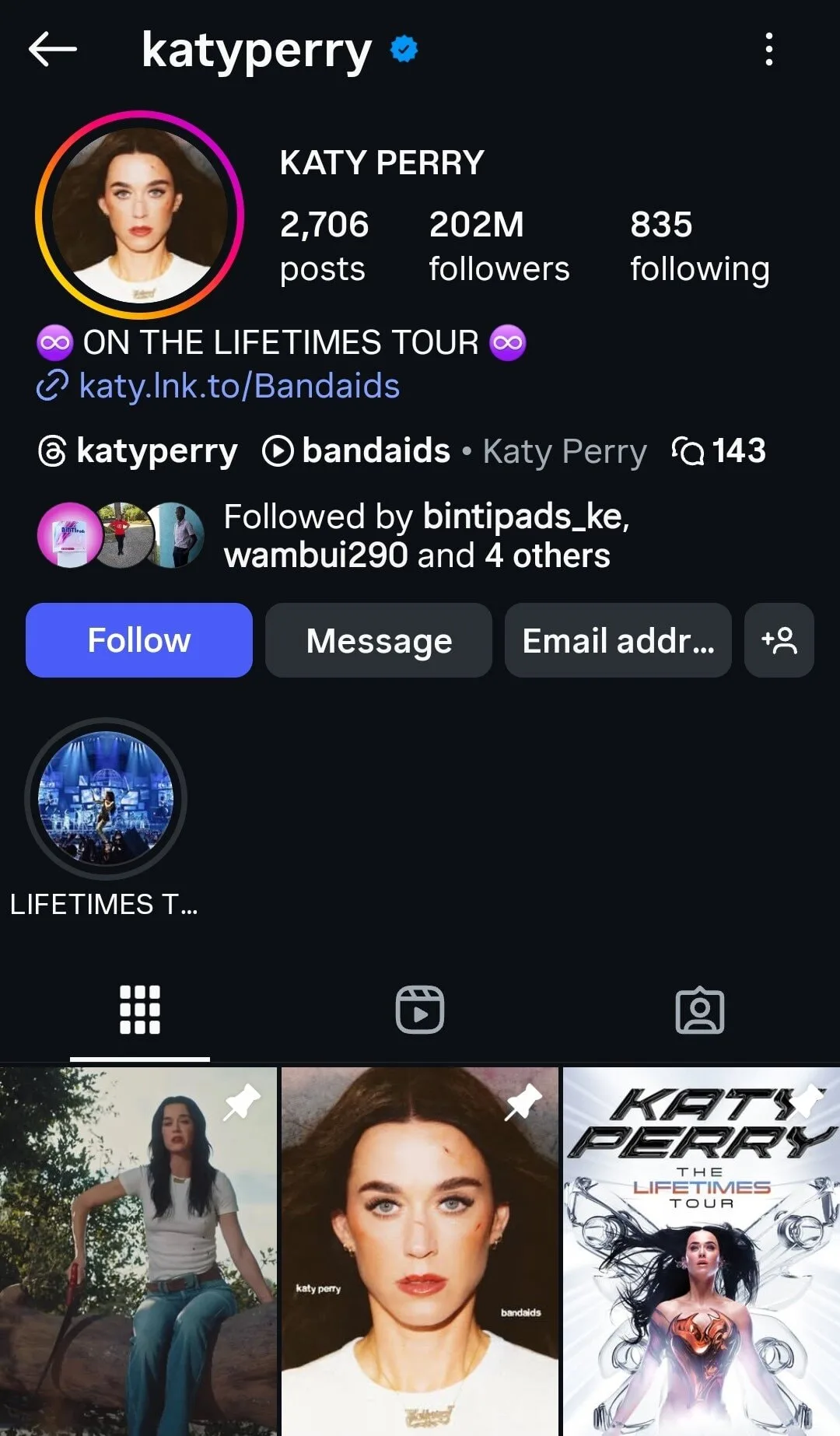
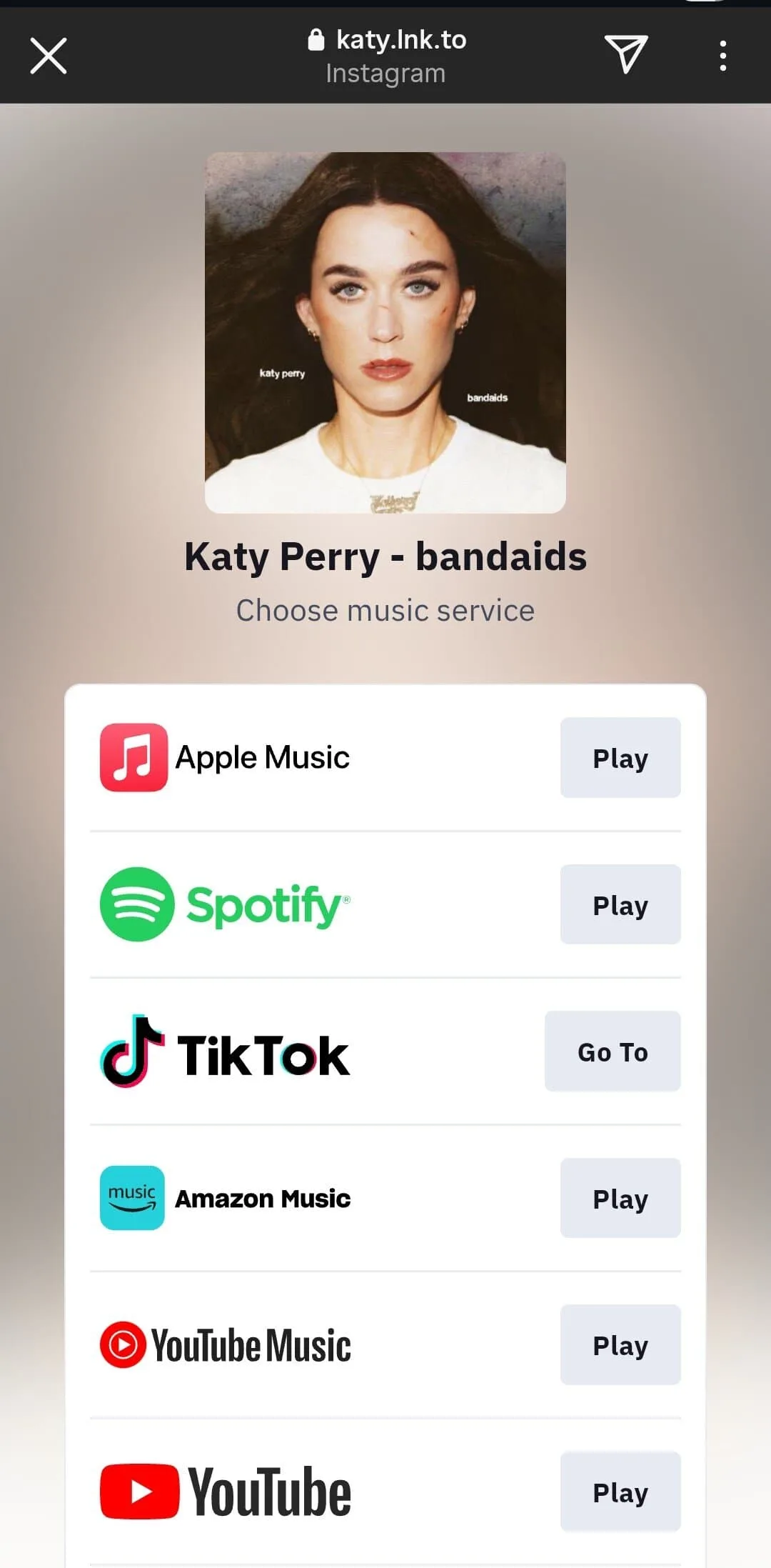
The easiest move is to drop your smart link in your bio. One tap and your fans can see everything you want them to check out.
Just copy your Spotify or Apple Music link and paste it into the “Website” field on your profile. Anyone who visits your page can head straight to your music.
Take Katy Perry for example. It works, but it’s pretty basic. Honestly, her profile wouldn't stand out at all if she wasn't famous.
Now look at Britney Spears:
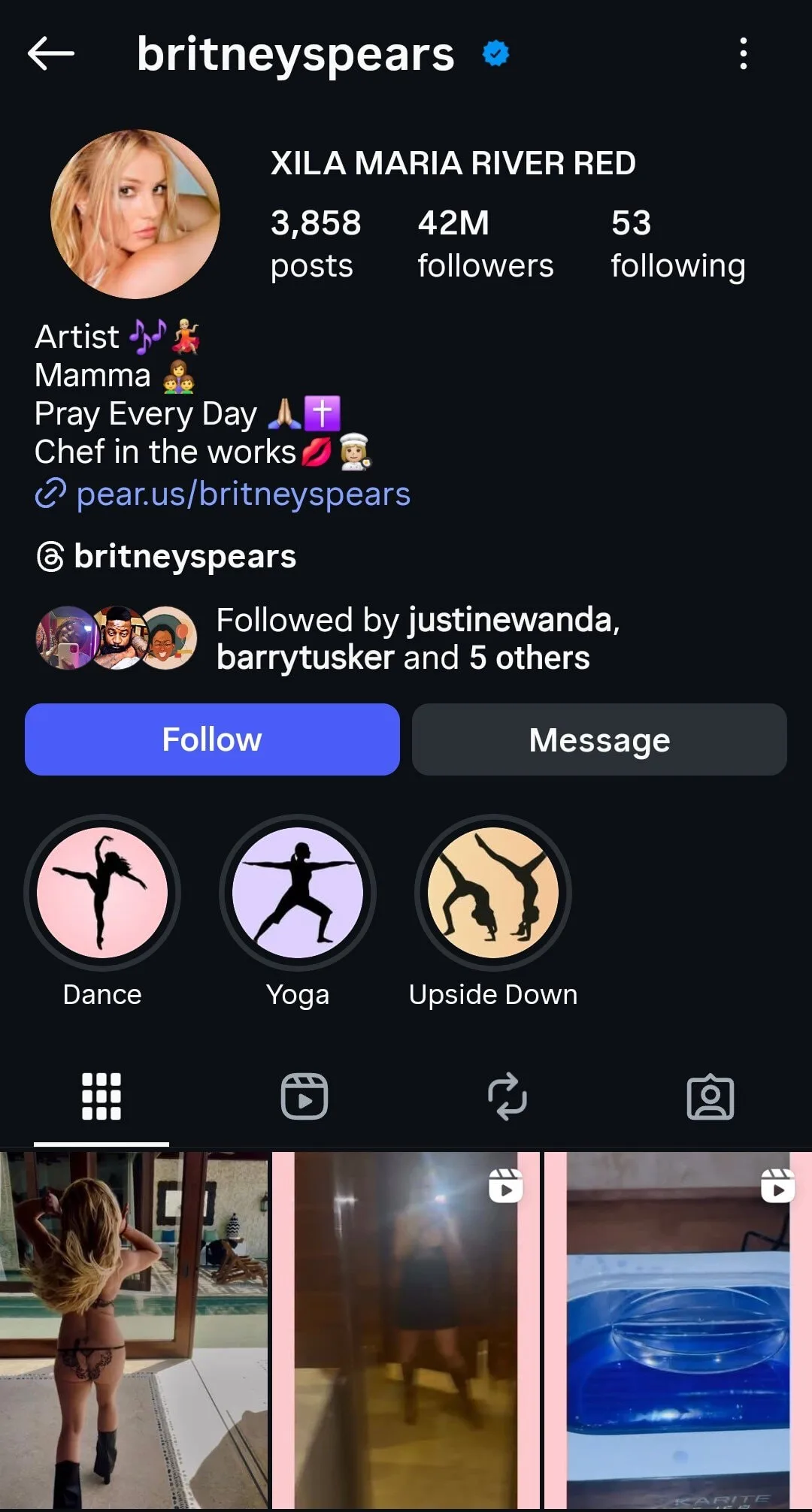
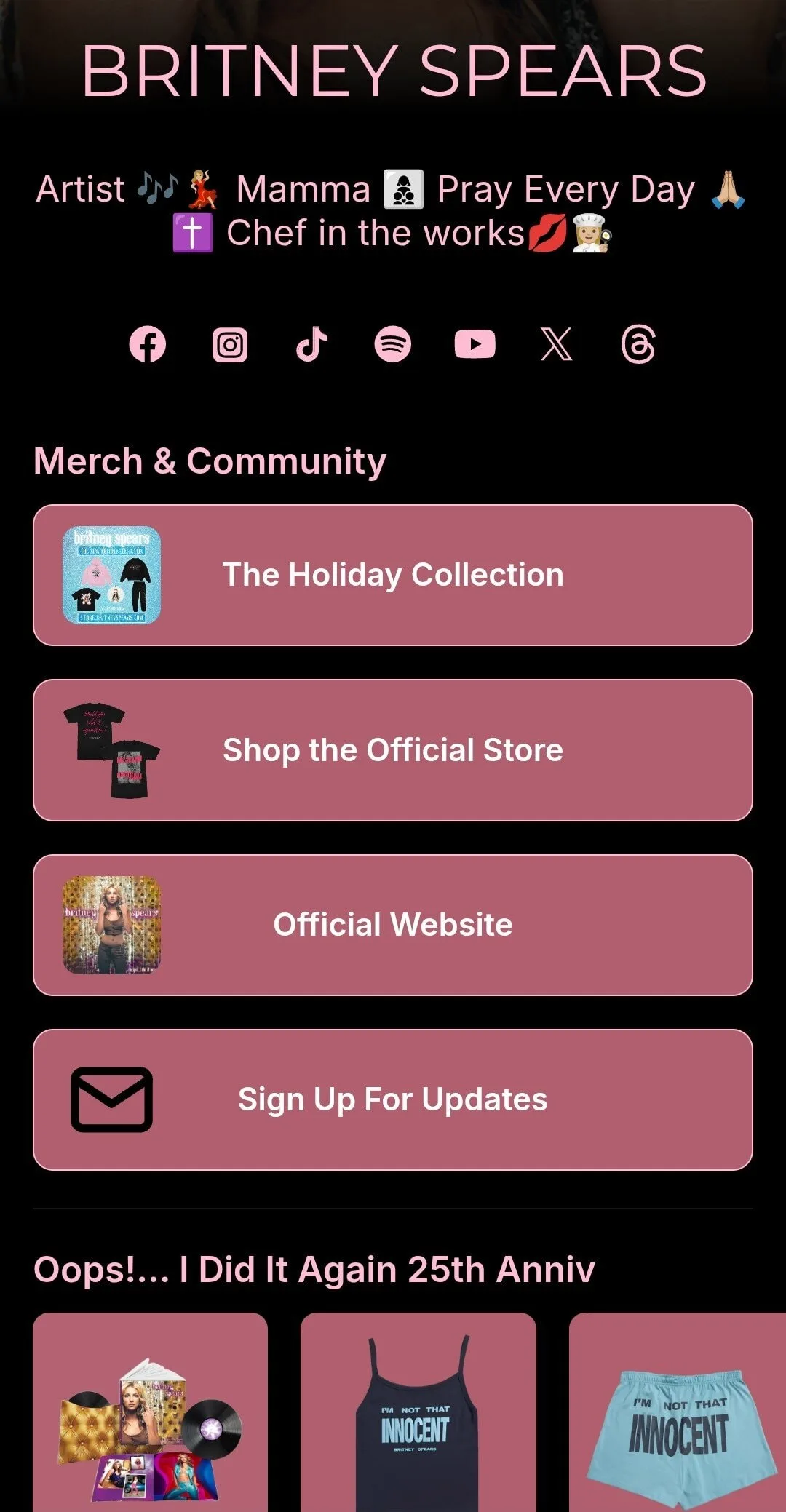
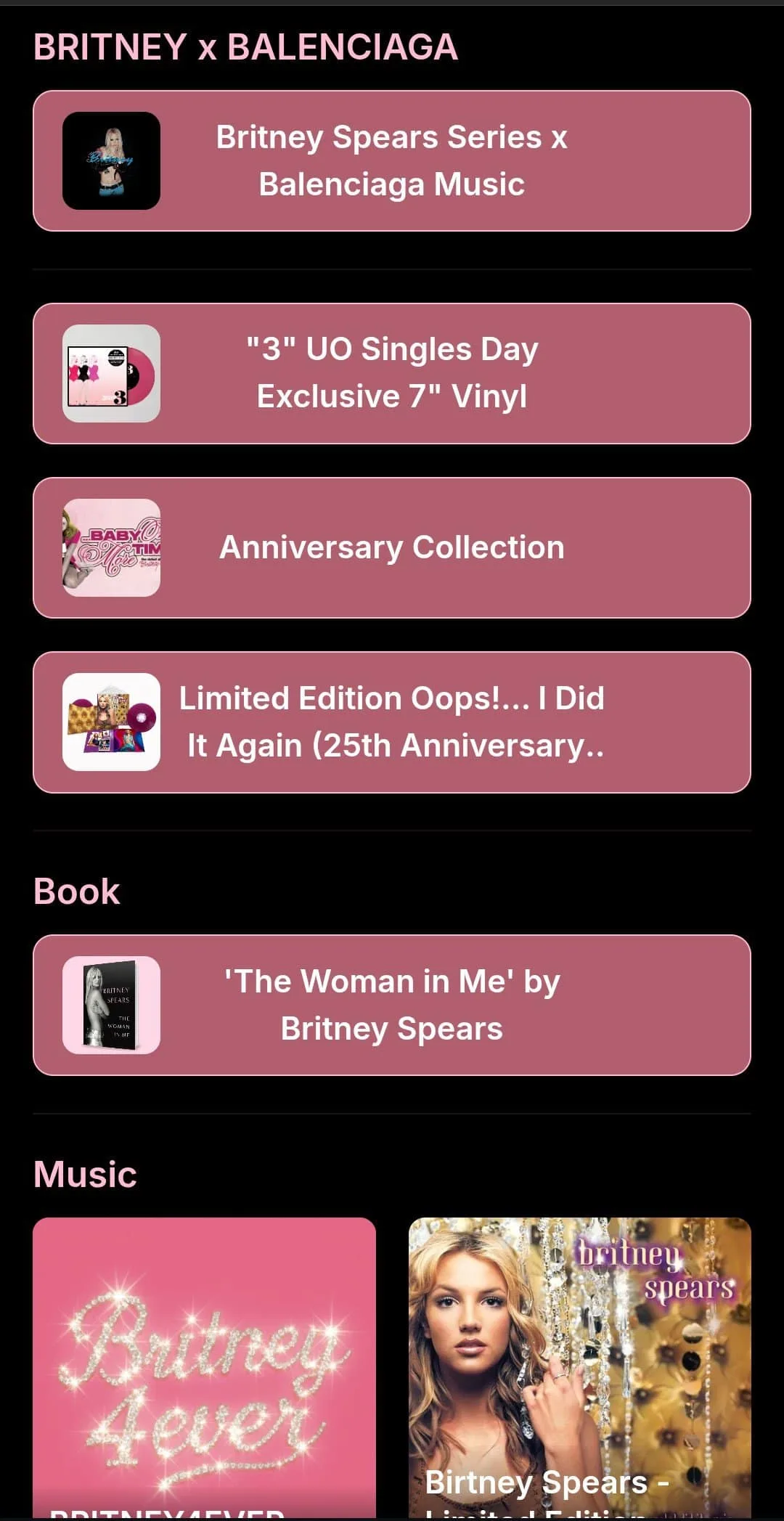
She has her music, book, videos, website, and of course her merch, all in one place. That’s what a link in bio should actually look like.
She pulls it off with what I like to call a “link in bio tool.” There are tons out there: Linktree, Beacons AI, LnkBio, Push.fm, Campsite, Carrd, Tap Bio, and so many more.
But honestly, you don't need to overthink it. SoundCampaign's SoundLink makes things simple with a clean landing page that boosts your streams, pre saves, and pre adds on all major platforms.
Method 2: Add Music via Instagram Reels
Adding music to Instagram Reels is like placing your own mini radio show on your profile. Here is a simple guide you can follow:
Tap the plus sign to create a 'Reel.'
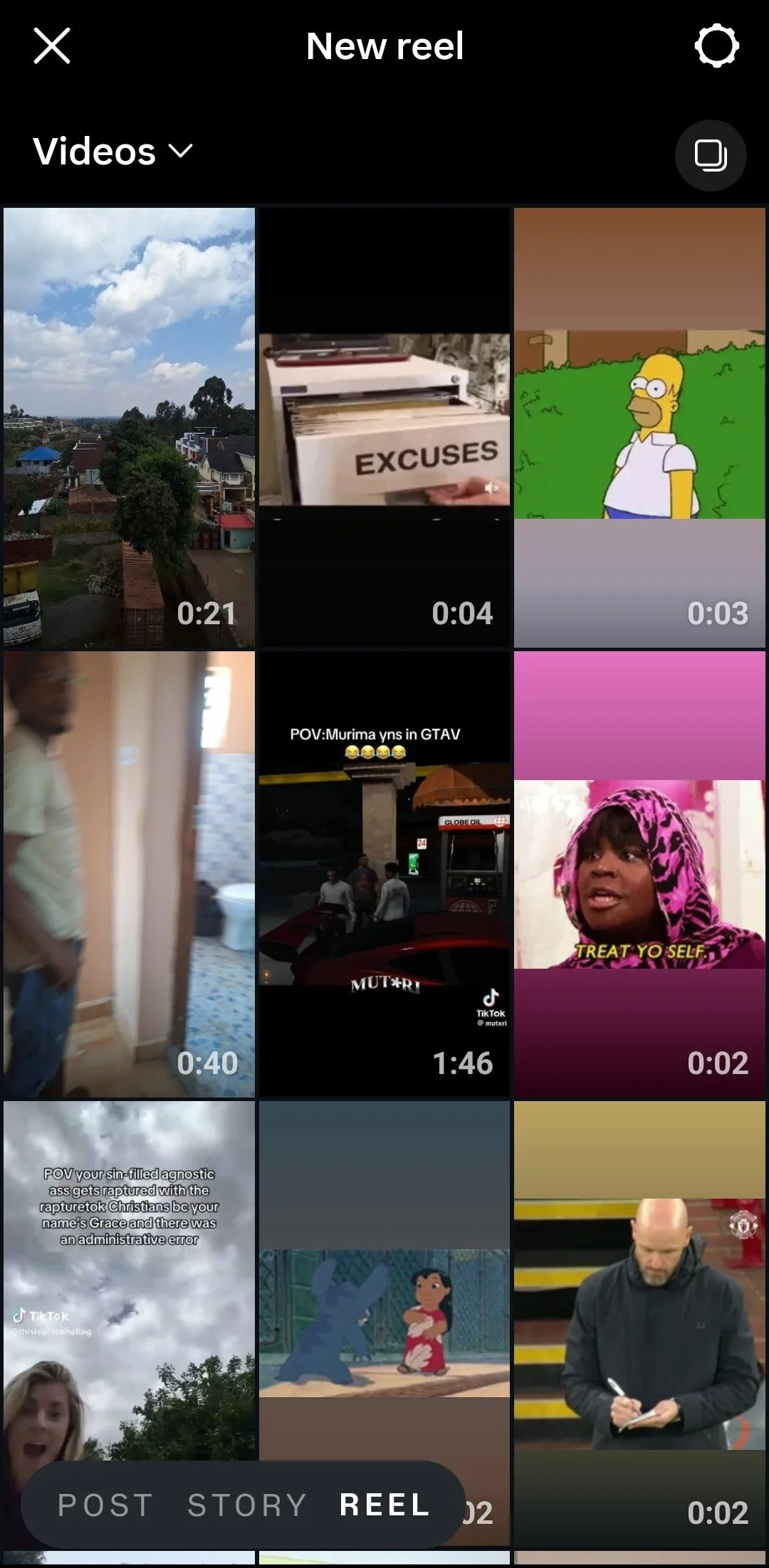
Record or upload your video.
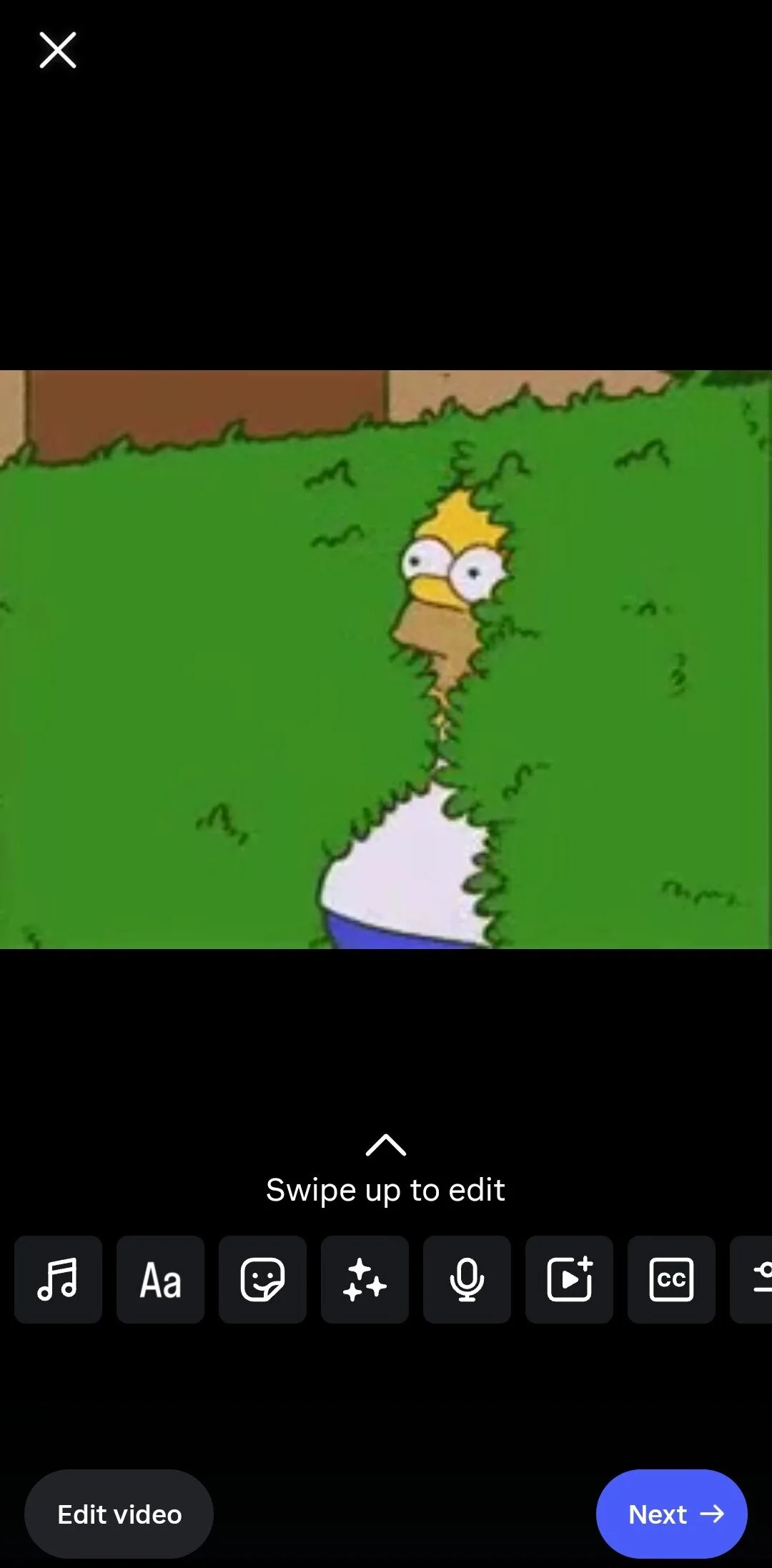
Tap the music note icon to add audio.
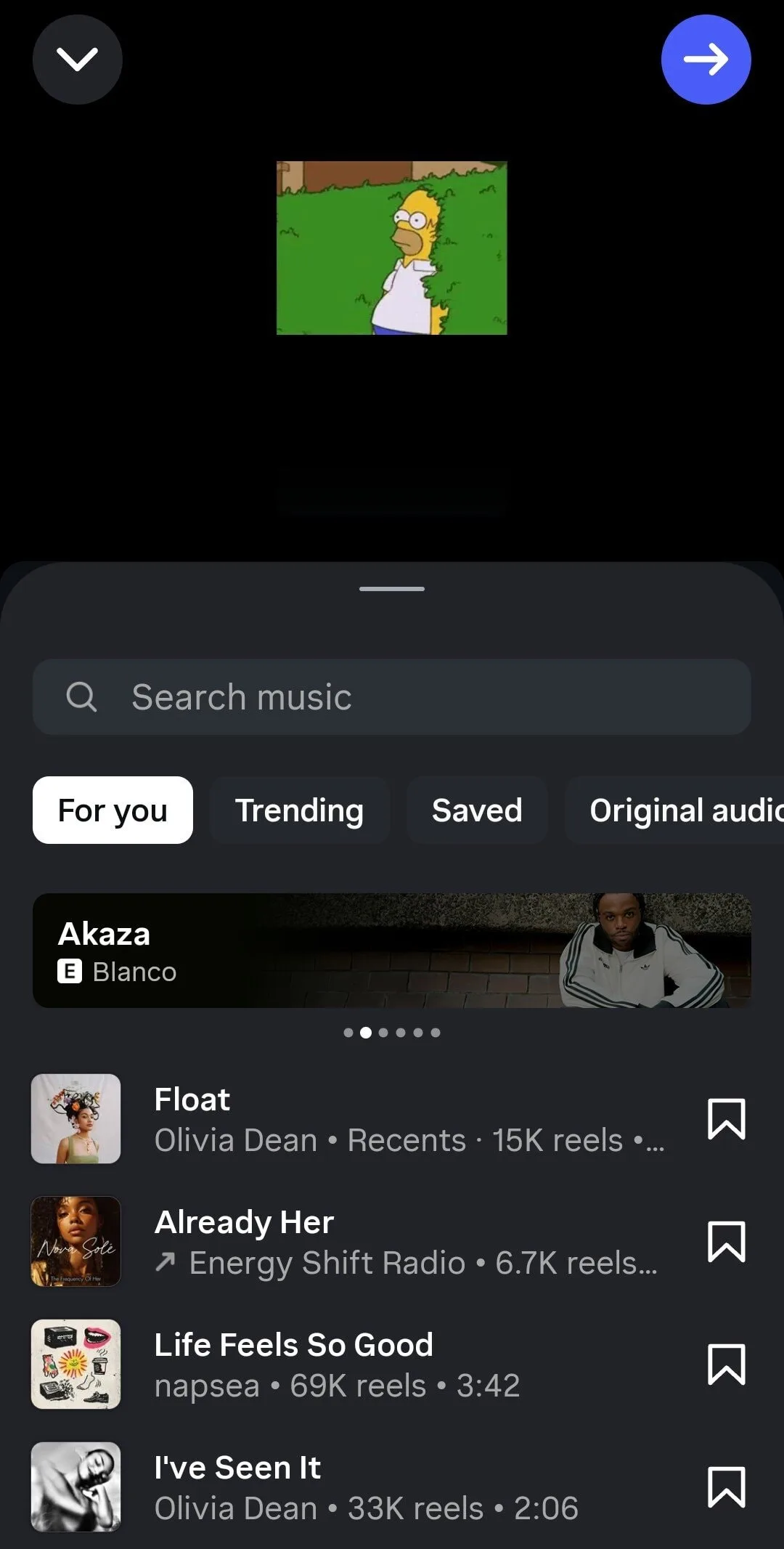
Search for the song you want to put up there. Of course, you're gonna select your own.
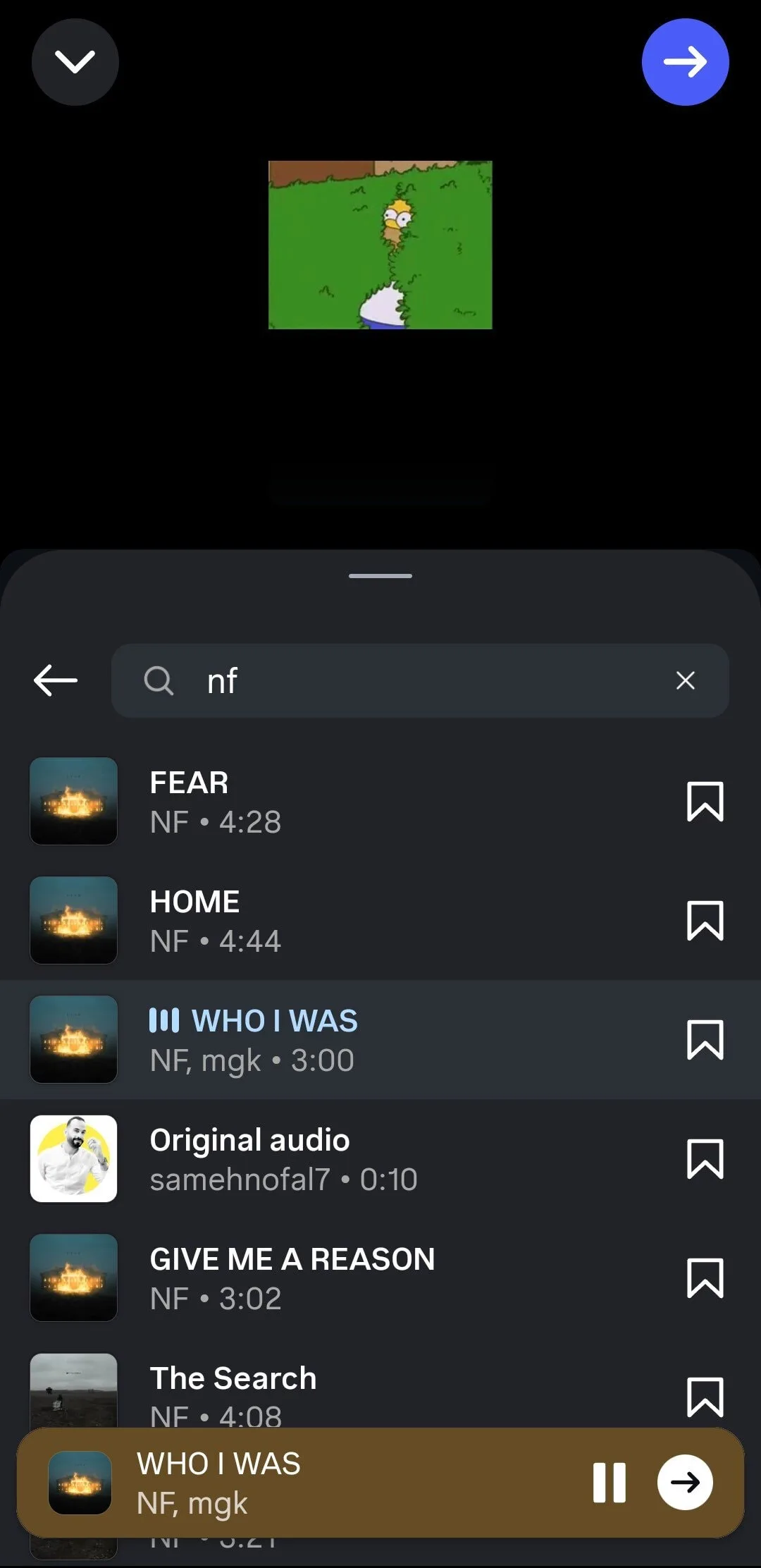
Choose your track and select the part of the song you want by sliding the audio bar.
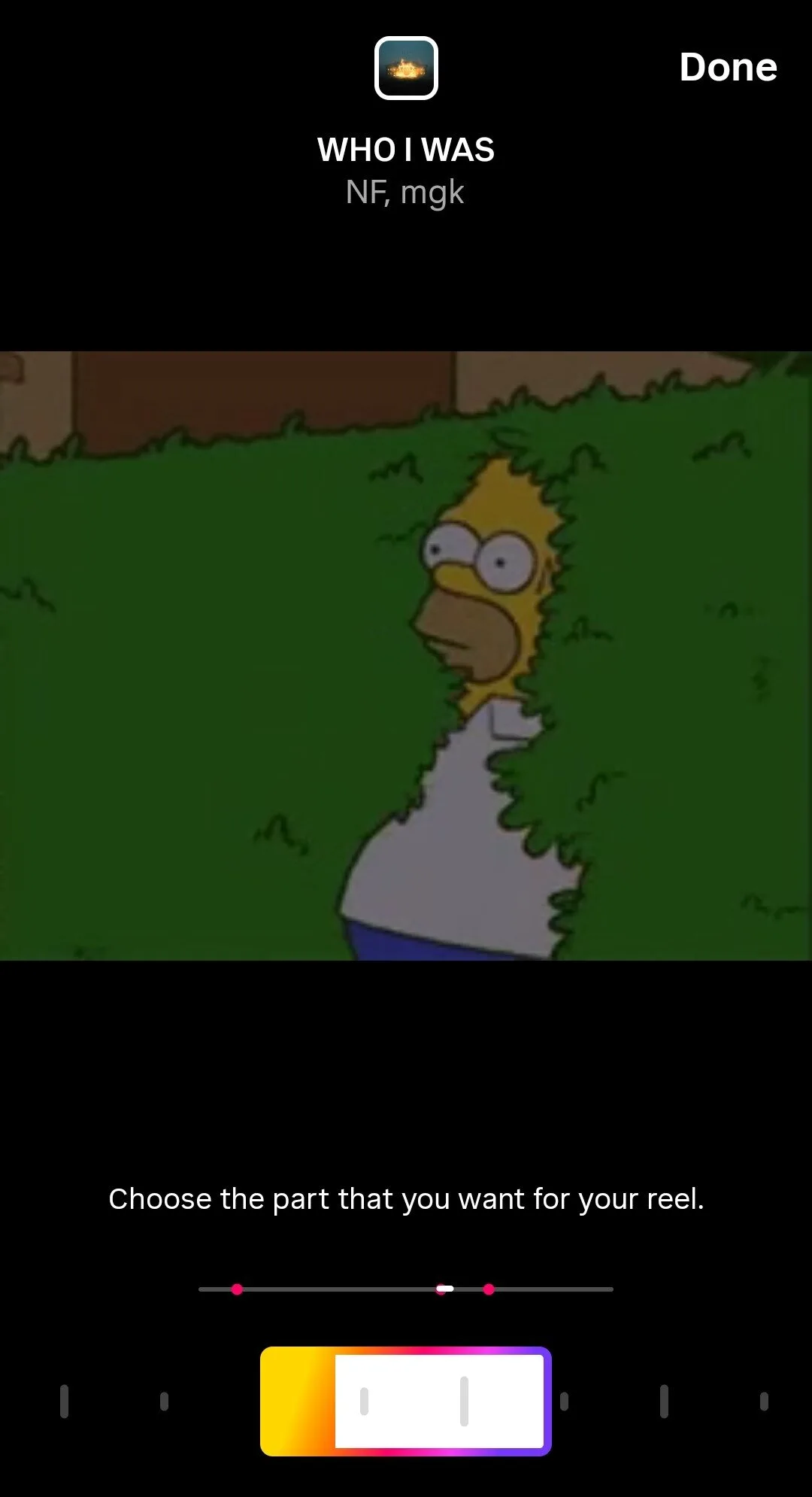
Adjust the timing so the music matches your video and add effects, text, or stickers if you want.
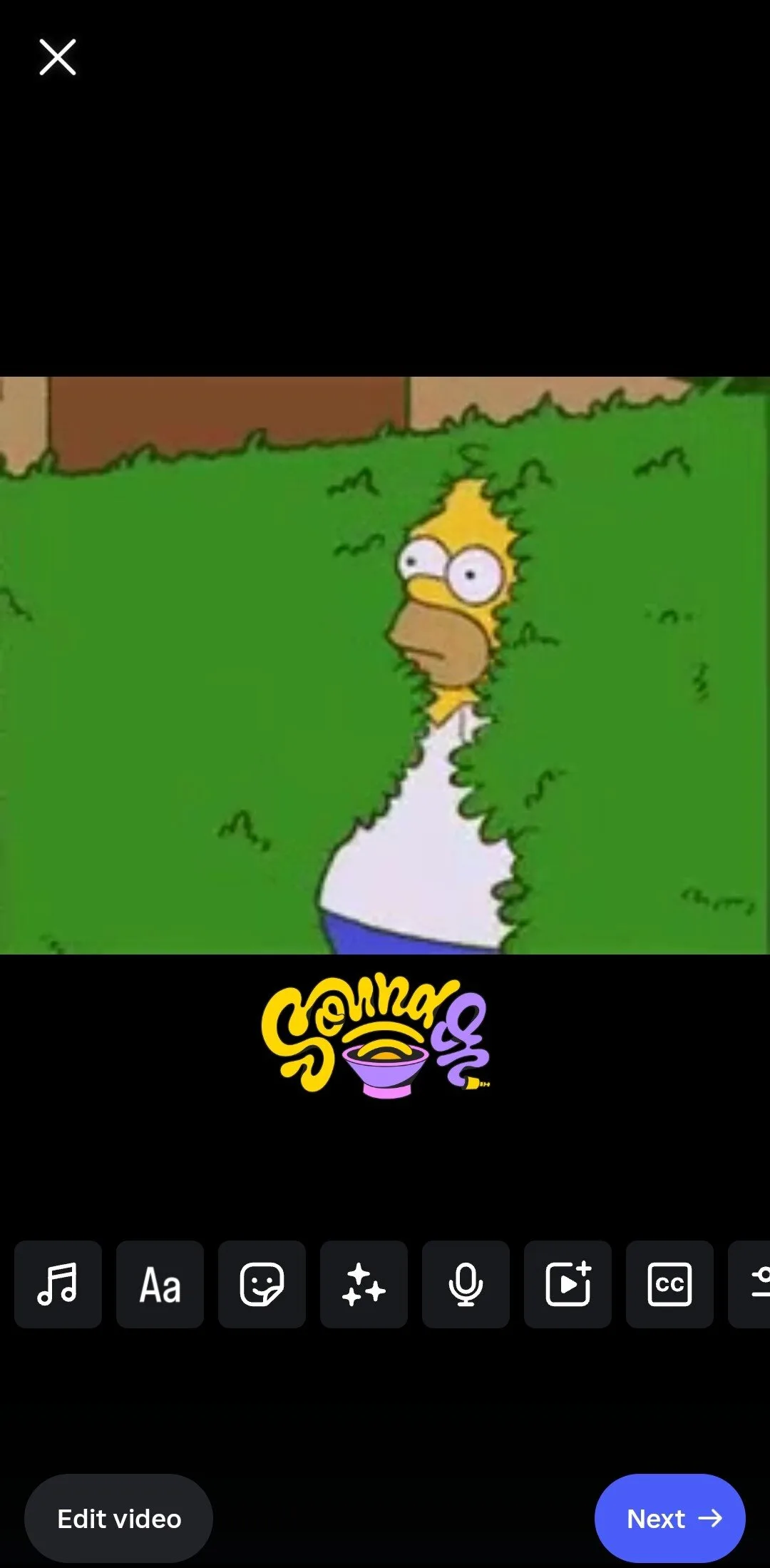
Once you click 'next' and proceed further, your Reel will be uploaded. Pin it to your profile for more views.
The right visuals and music make your Reel memorable and keeps listeners coming back. A great challenge for many artists is syncing their songs with the visuals.
My advice: Time it just right, like when there's a beat drop or catchy lyrics. Slide the audio clip left or right to fit key moments, play with it till you get the perfect Reel.
RAYE is a good example. She often posts Reels where her songs match strong, eye catching visuals.
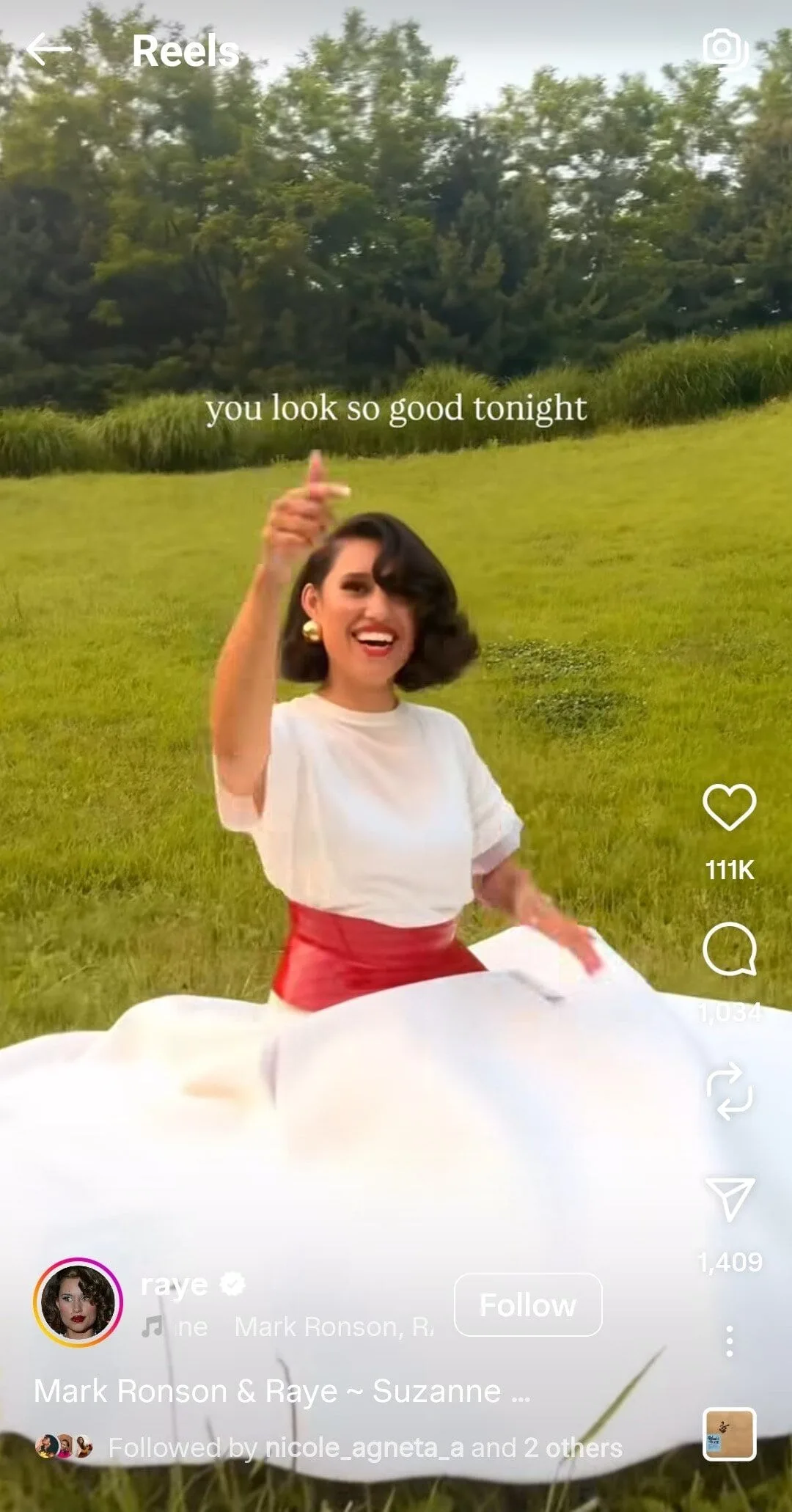
Pro Tip: You can also tag your own song.
Just search your song in the music picker and select it. Instagram will tag you automatically, showing your name and the song title.
Fans can tap the tag to reach your music page on Instagram Music and your streaming platforms.
Method 3: Use the “Profile Music” Feature (If Available)
Go to your profile and tap 'Edit' Profile.
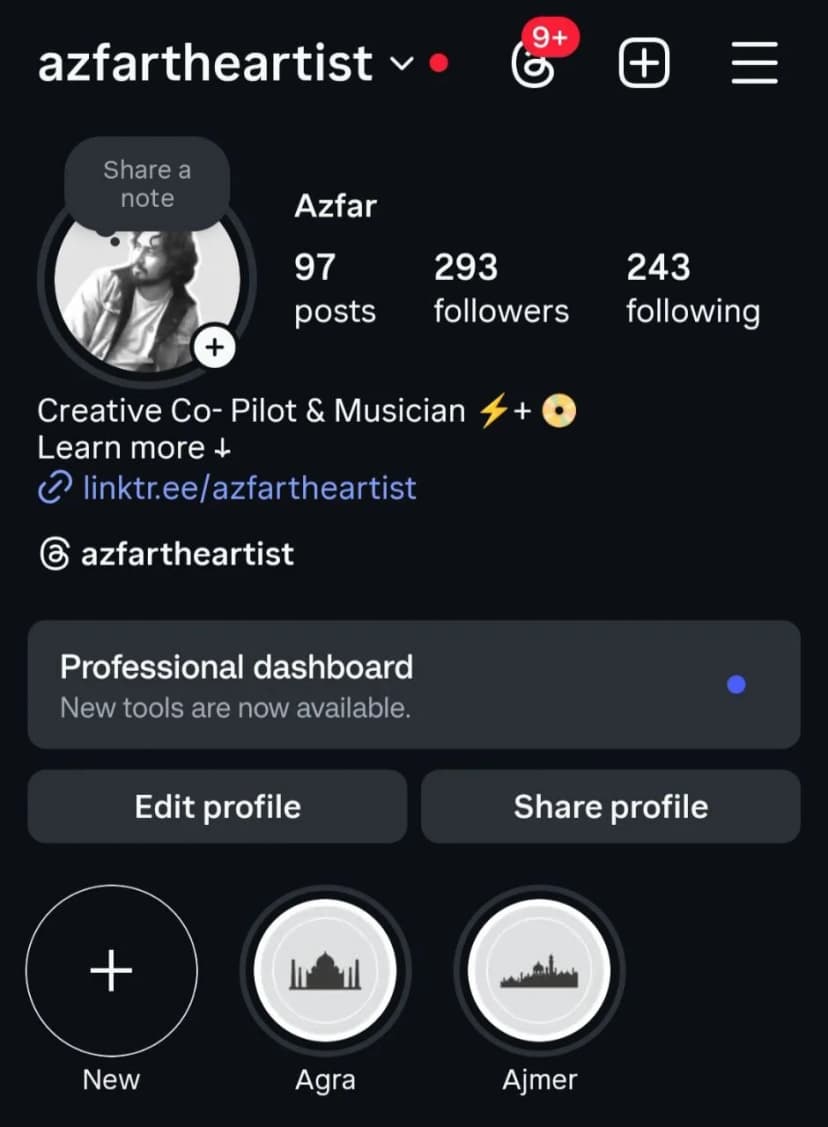
In some profiles, music feature might not be available. If it's available, it will look like this:
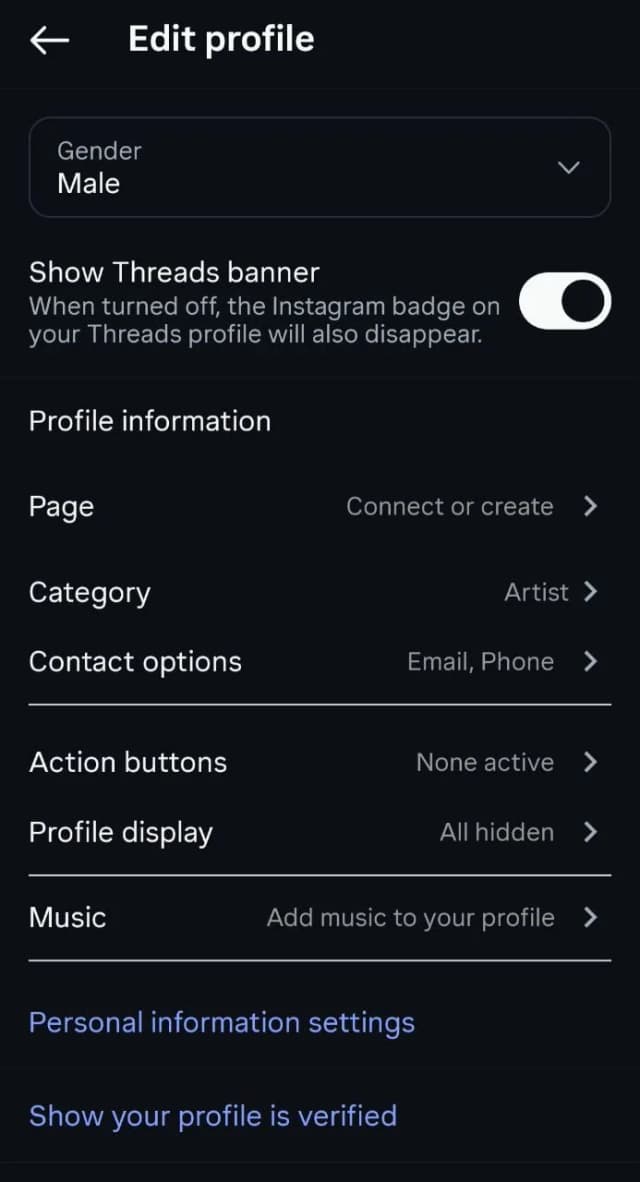
Tap on 'Add music to your profile' and select your song. Let's say I pick one of the NF's latest songs here.
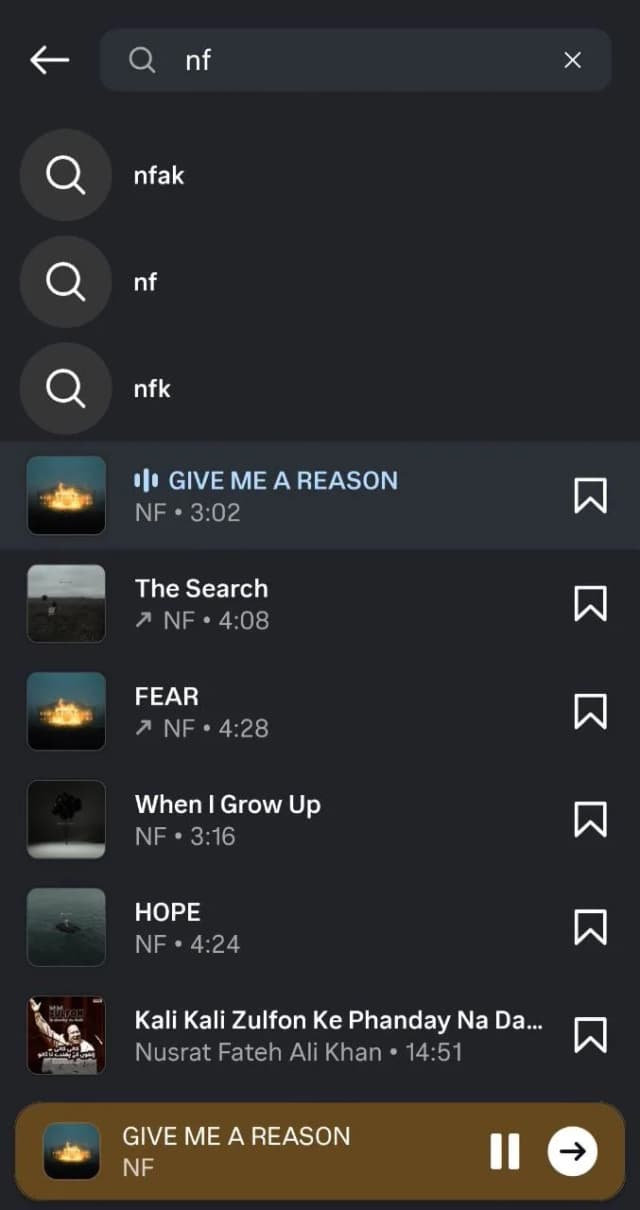
Choose a short snippet, usually fifteen seconds, so you can preview it
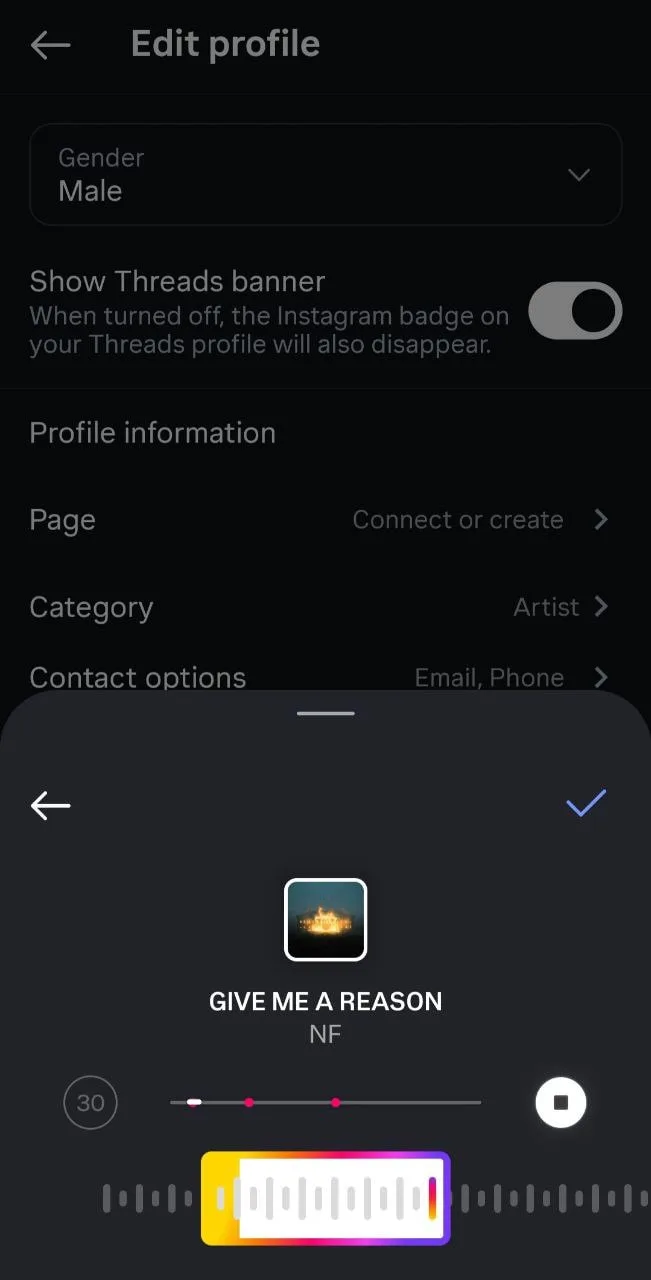
When you're done choosing your favourite part, click on the 'tick' button and you'll eventually see the music on your profile.
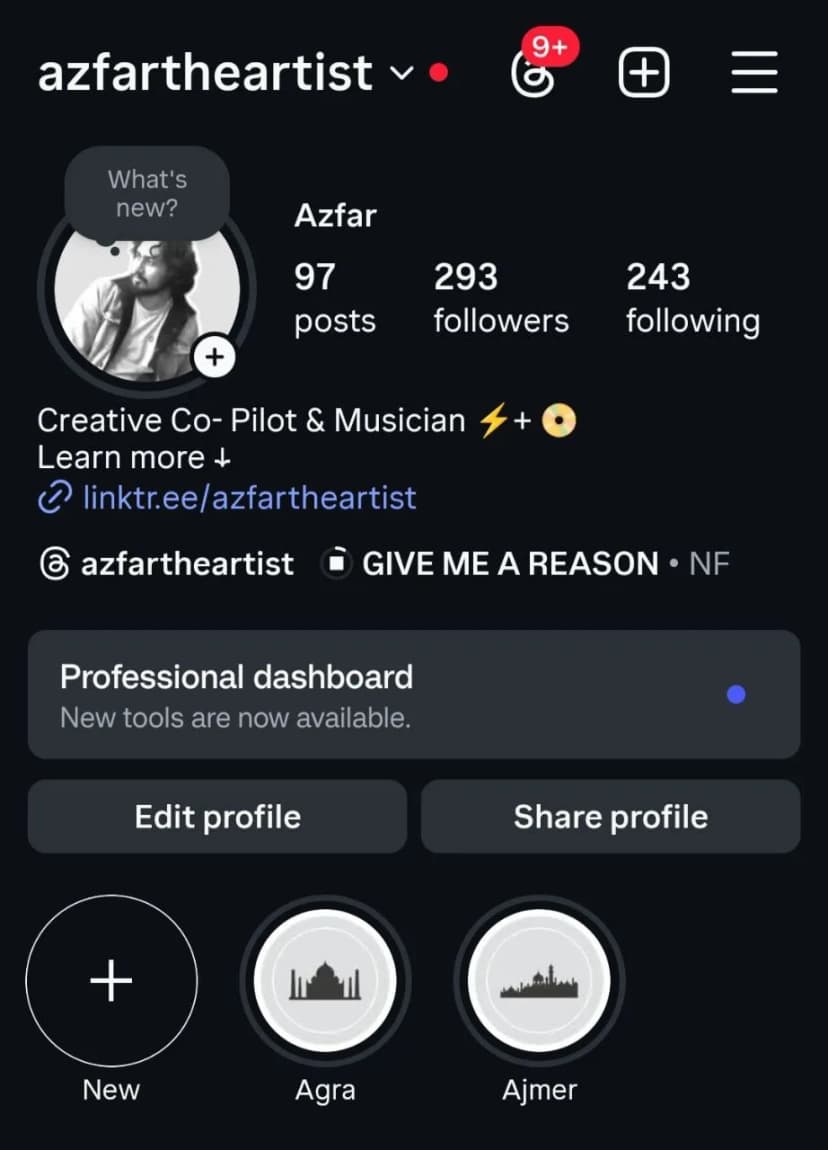
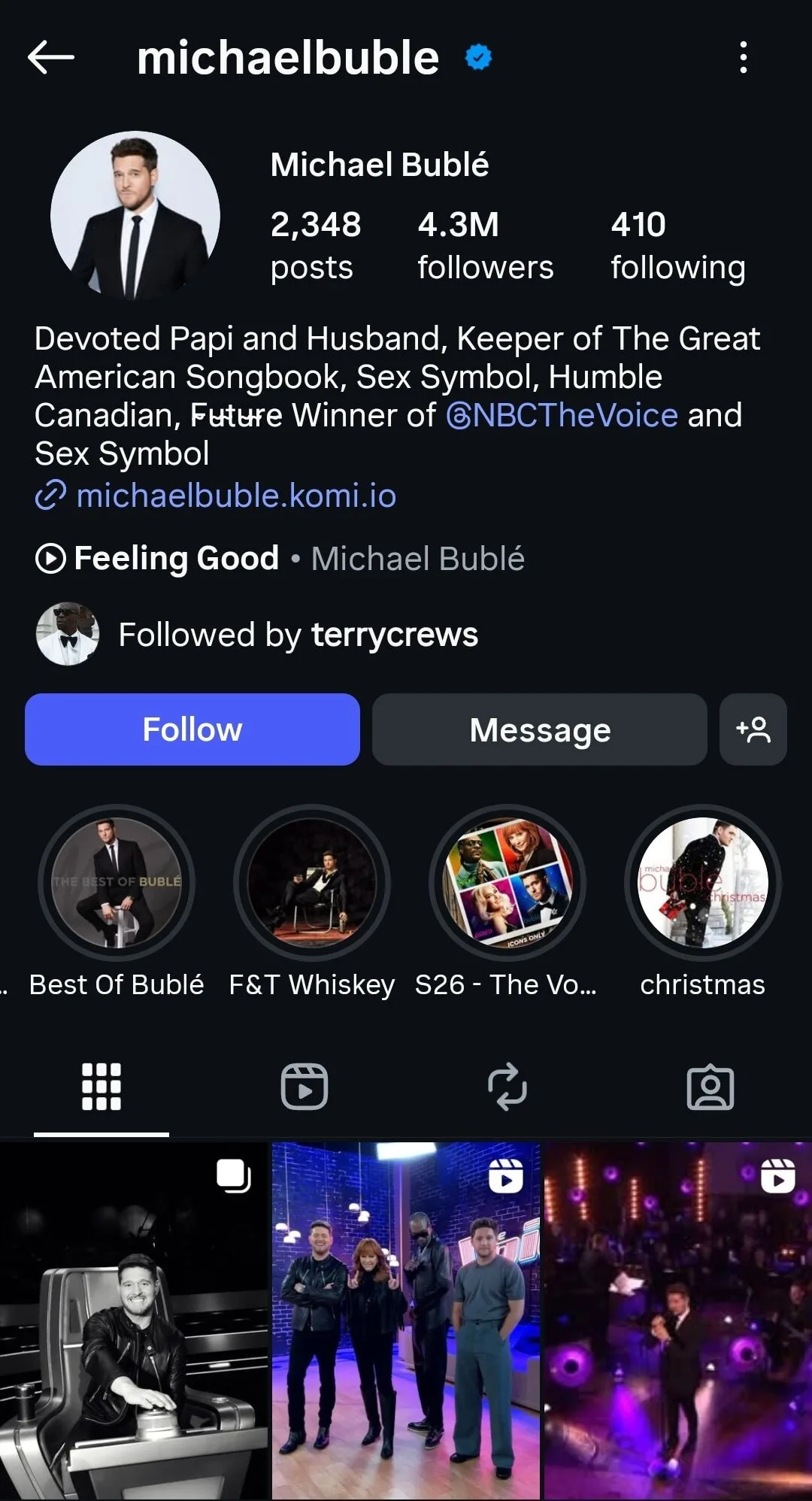
This feature is a big help for artists. It puts your music right at the top of your profile. Fans can listen immediately instead of digging through posts or stories.
Michael Bublé does the same stuff:
Here are some common issues you might face:
- Feature Not Showing Up: Instagram releases new tools slowly in different regions and for different account types. Update your app and check again later if you do not see it.
- Missing Songs: If your song does not appear in the search bar, your distributor may not have sent it to Instagram’s music library, or the song might be restricted in some countries due to licensing rules.
- Short Clip Limits: You can only pin short audio clips, usually up to 15 seconds. This can be limiting for artists who want people to hear more.
- Account Type: Some business accounts have restricted access. Switching to a creator or artist account often helps.
- Regional Rules: Music access varies by country because of licensing. Fans in some places might not be able to hear your pinned track.
How to Get Your Music Available on Instagram
Understanding Music Distribution
Music distributors do more than just upload your songs.
Top distributors like DistroKid, TuneCore, and CD Baby also send your song details and licensing information to music libraries, including Instagram. This makes your songs searchable in Instagram’s music feature so fans can add them to stories, reels, or profiles.
Simply put: no distributor, no Instagram Music. Easy as that.
Getting your songs on Instagram isn’t automatic after uploading to Spotify or Apple Music. You need to follow a few key steps:
- Pick the right distributor: Most distributors deliver to Instagram, but check their music library partnerships to be sure.
- Complete your metadata: Include correct song titles, artist names, ISRC codes, and cover art that meets platform specifications.
- Enable social media licenses: Make sure your distributor has the rights to distribute your song on platforms like Instagram. This allows users to share your music legally.
- Be patient: Songs can take a few weeks to appear in Instagram’s catalog due to processing and regional rollouts.
If your song is still not showing up on Instagram Music, here are the most common reasons and how to fix them.
|
Issue |
What It Means |
How to Fix It |
|---|---|---|
|
Distributor Delays or Errors |
Your distributor may not have delivered the track yet or metadata issues might be blocking it |
Contact your distributor to confirm delivery and correct any metadata problems |
|
Regional Restrictions |
Instagram Music rolls out by country and some songs have limited rights in certain regions |
Check if the feature is available in your region and confirm your song is licensed for global use |
|
Account Type Limits |
Some account types do not have full access to music features |
Switch to a creator or business account to unlock music tools |
|
Outdated App Version |
Missing features often appear when the app is not updated |
Update Instagram to the latest version |
|
Copyright or Licensing Issues |
Your track may not be cleared for social media use, so Instagram removes or blocks it |
Make sure your distributor has secured all rights and licenses needed for Instagram |
Tagging and Crediting Your Music Properly
With over 100,000 songs dropping every day, making sure your music is properly tagged and credited is really important. It helps fans find you on Instagram when they use your song.
Metadata is basically the “info card” for your music.
When your track gets uploaded to streaming platforms and Instagram’s music library, this metadata tells the system who you are and what the song is.
If it’s missing or wrong, your music might not link to your profile. Fans could hear your song but have trouble finding or following you. Even worse, someone else could get credit for your streams.
Here’s how to make sure your profile shows up:
- Find a reliable distributor to send your music to Instagram library with the correct metadata. That way, your artist's name, track title, and credits are all accurate
- Double-check your metadata before your release. Make sure your artist's name matches your Instagram handle or verified artist page exactly
- Whenever you make Reels or Stories with your own music, tag your profile. It officially credits you and increases the chances your profile pops up when fans click the song
- Ask your audience to tag you when they use your songs. Their engagement boosts your reach and helps Instagram link your profile to your music
- Reach out to your distributor to fix missing or incorrect credits so your music links correctly to your profile
Creative Ways to Promote Your Music on Instagram
Create Reels that Feature Your Own Song
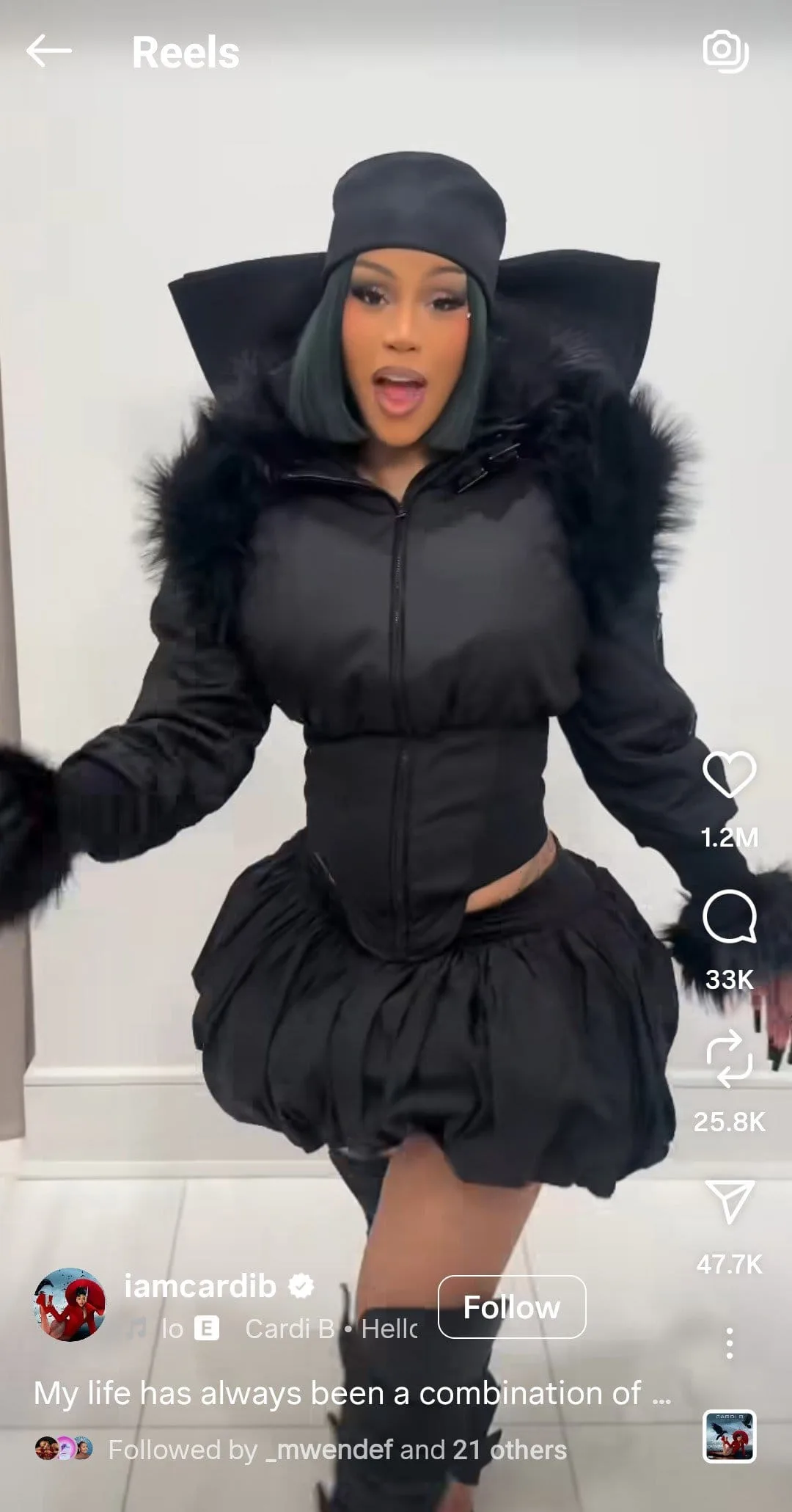
Cardi B has been doing that since the launch of her new album which is now RIAA certified 3x Platinum. Talk about being your own biggest cheerleader!
Fans enjoy seeing what happens behind the scenes, so why not tell a story when sharing your music?
Here are some ideas:
- Show the Story Behind the Song: Share quick clips about what inspired your song. Keep it real and relatable.
- Studio Moments: Film snippets from recording or producing your song. It’s a cool way to show the creative process.
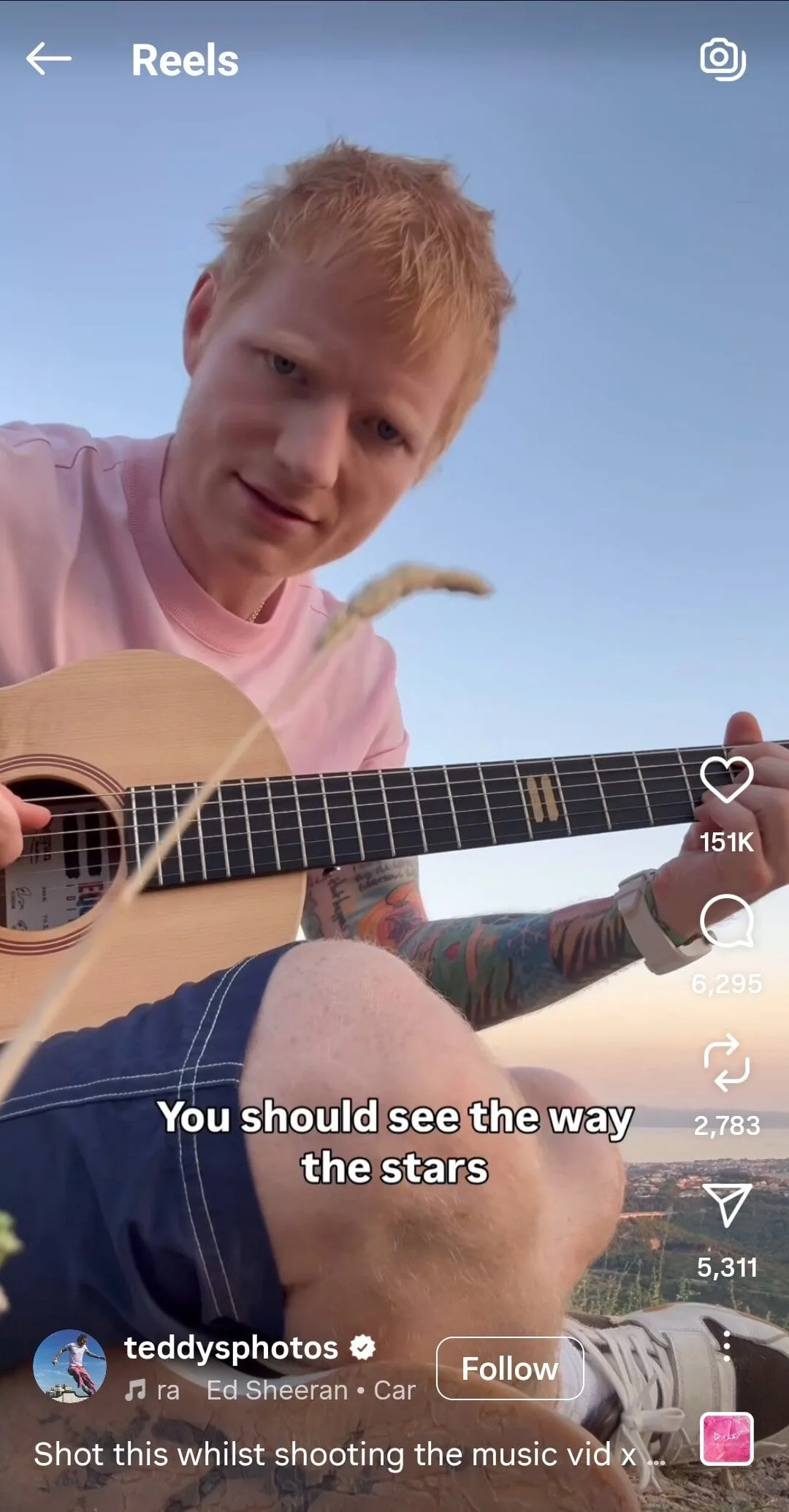
- Live Performance Clips: Share energetic clips from rehearsals, gigs, or even your bedroom jam sessions. Ed Sheeran is a master at sharing these, and they hit every time.
- Lyric Videos: Make fun, animated lyric reels with your song. Easy to do but powerful for engagement.
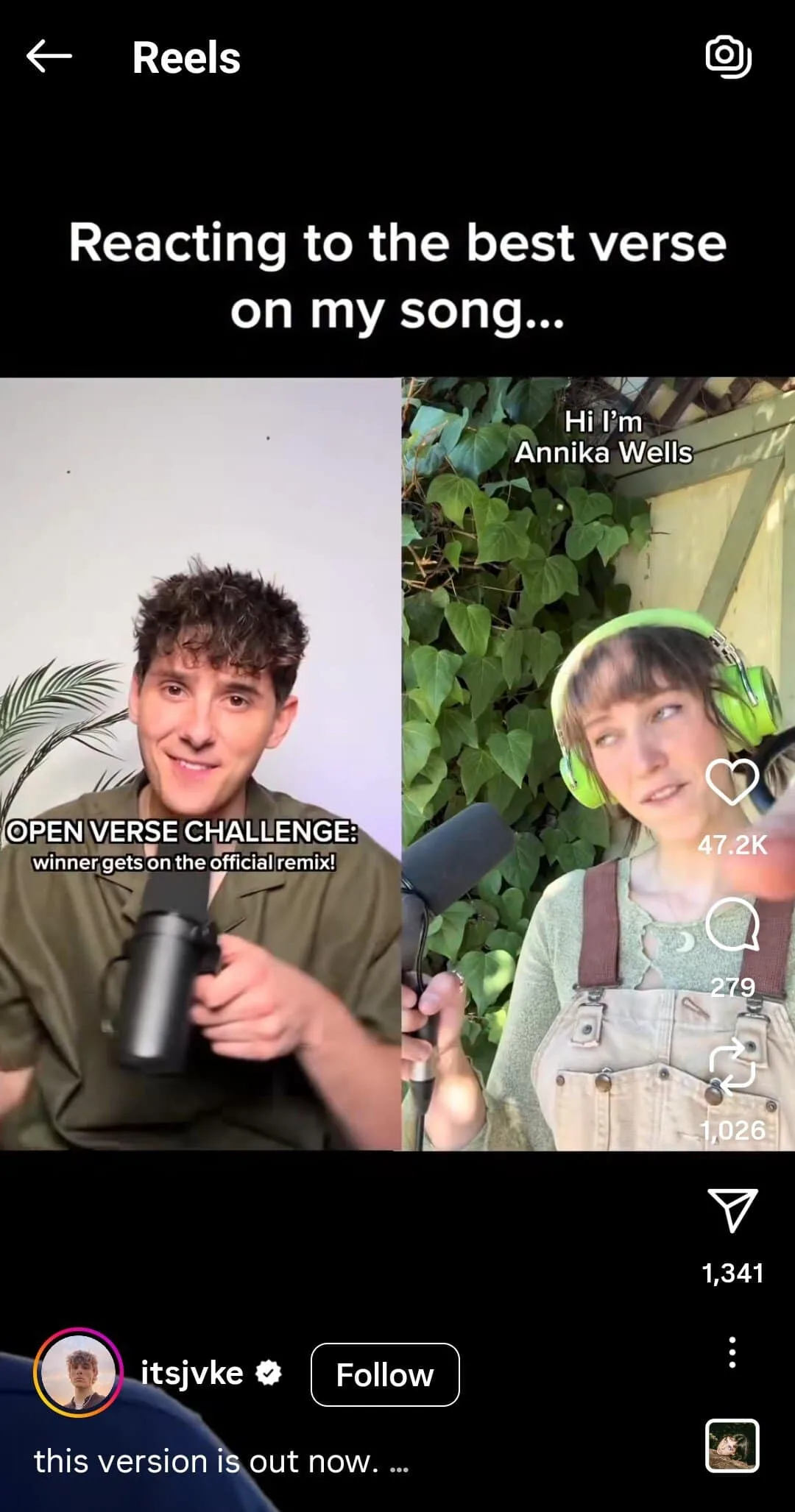
- Fan Reactions: Feature fans singing along or dancing to your track. Nothing sells music like happy listeners. For example, JVKE had an open verse challenge and also released that version of the song.
Rolling with trends is also a smart move. Here’s how to mix your music with trending sounds:
- Find Trending Sounds: Open the Reels editor and check the trending section in the music library.
- Blend Your Track: Make your song the main audio and add trending sounds as intros, outros, or background effects.
- Create Mashups or Challenges: If your song fits a trending vibe, combine it with popular sounds. Invite followers to make Reels using both tracks.
- Use Viral Formats: Replace trending dialogues, memes, or formats with your music to reach a wider audience.
Use Instagram Stories to Tease New Releases
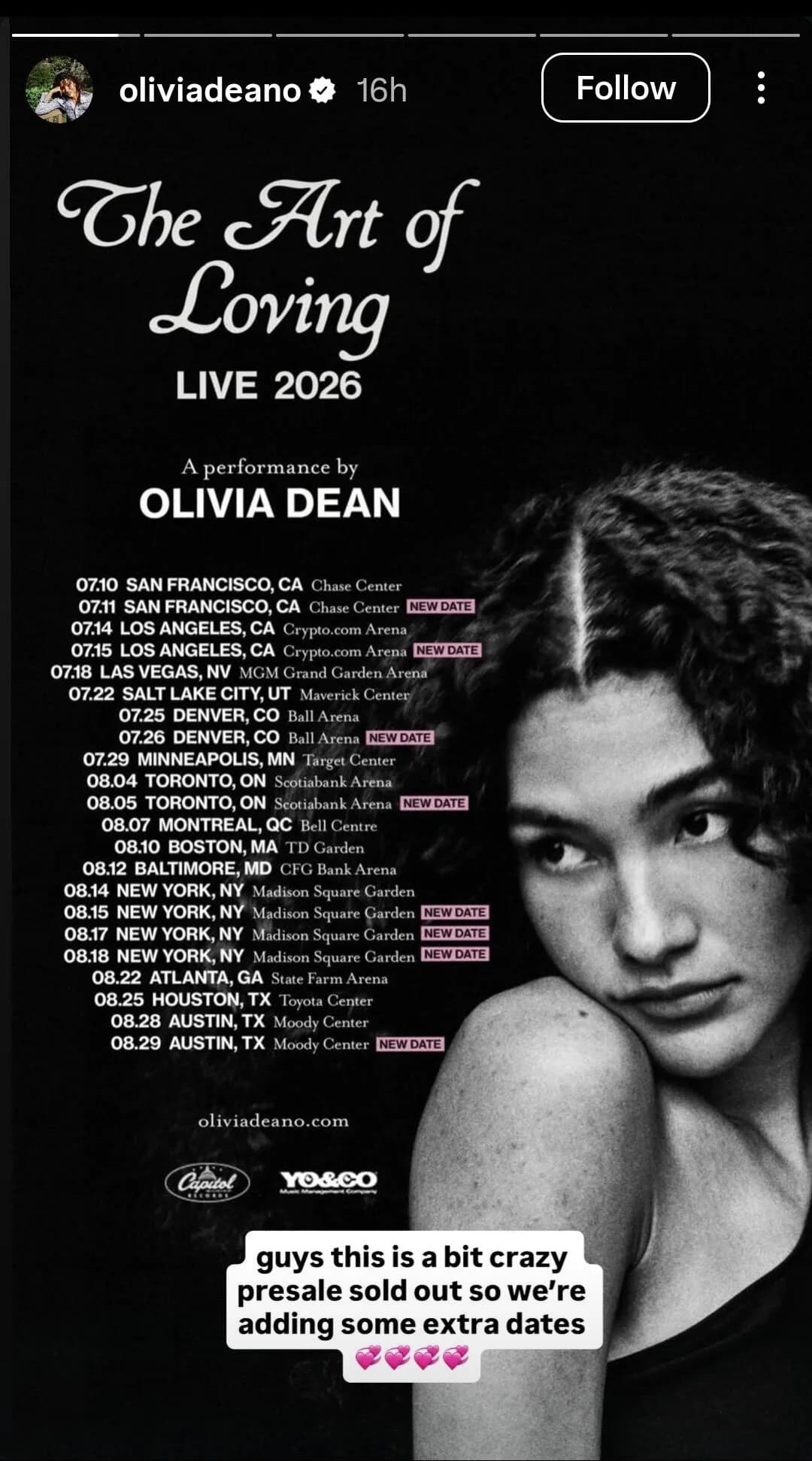
Stories are a quick and fun way to build hype and give your audience a behind the scenes look at your music.
Like with Olivia Dean announcing extra tour dates on Stories:
Or Tate McRae announcing when the music video for her new song is coming out:
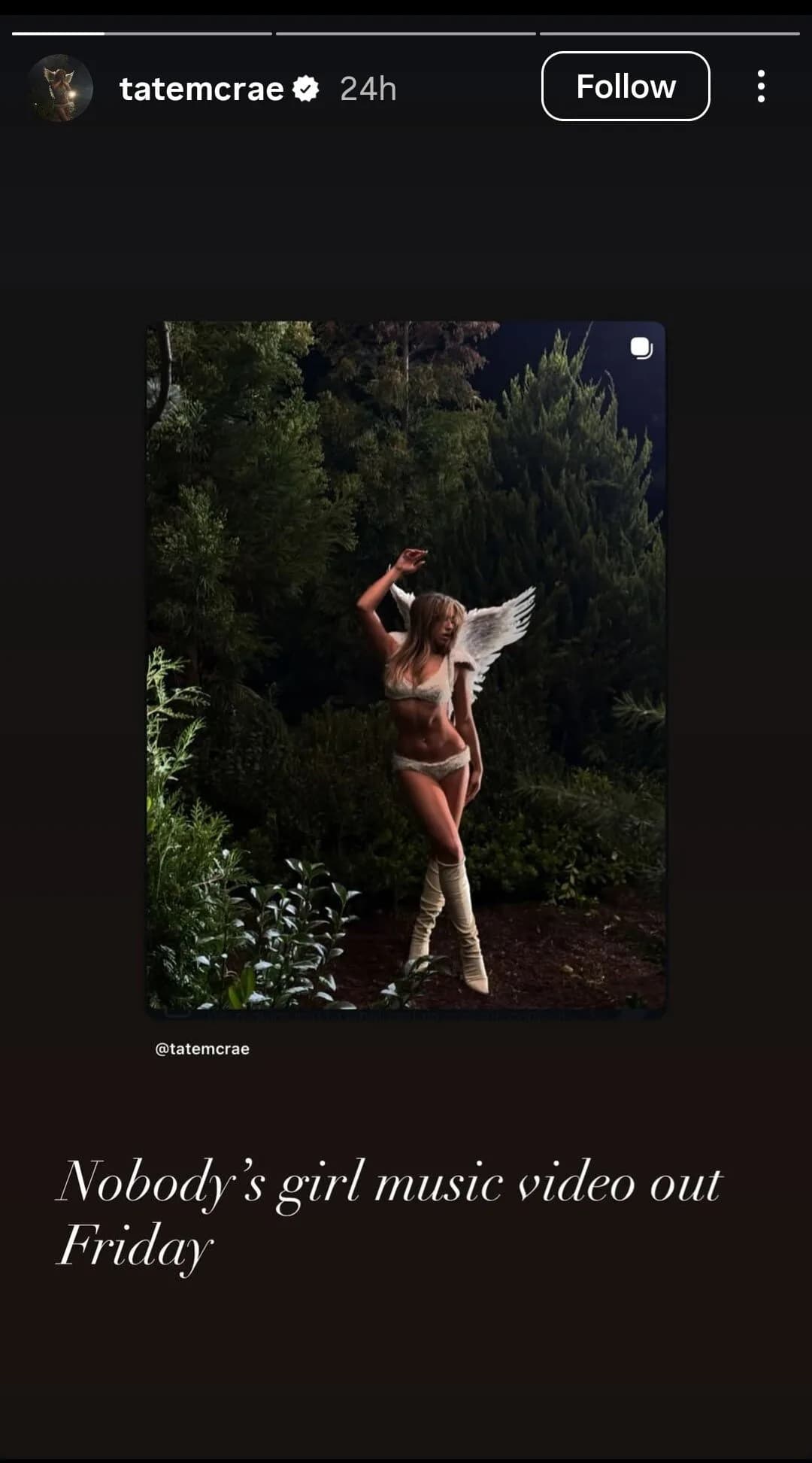
In my opinion, a countdown sticker would have been so much better for the fans' FOMO.
What other Instagram features can you take advantage of?
Polls, Q&As, caption contests aren’t just for fun, they’re engagement gold. The more people interact, the more Instagram pushes your posts. I’ve seen indie artists double their reach just by asking, “What’s your favorite song on the album?”
I’ve seen Livingston doing this a lot:
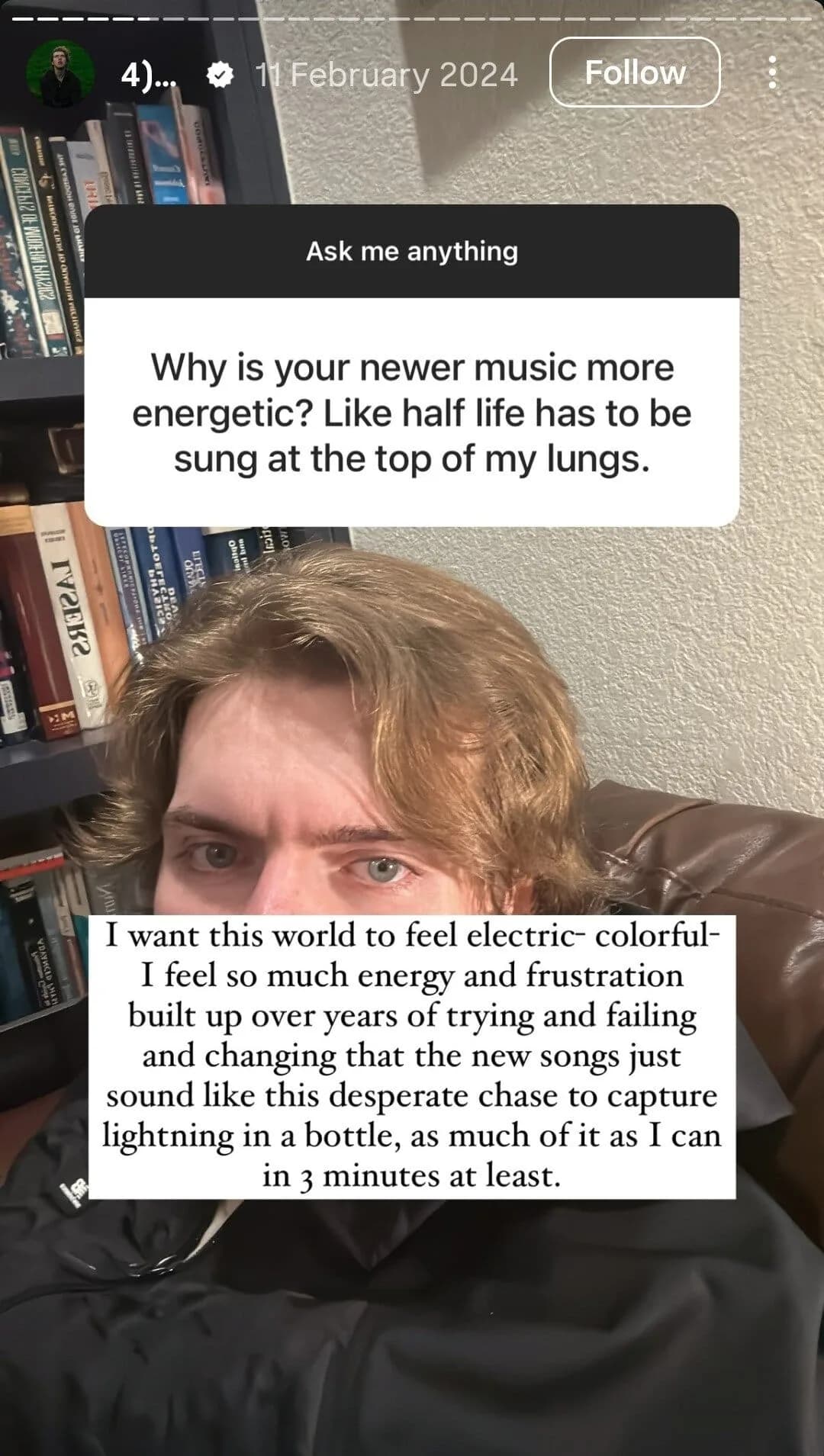
You can also use the Link Sticker to send people to your streaming or pre save pages. It sits under the Sticker icon and replaced swipe up links, so now everyone can use it.
Repost fan covers, dance videos, or fan art. When you hype up your fans, they hype you up too. Amanda Nolan did this by sharing a fan review on her Stories.
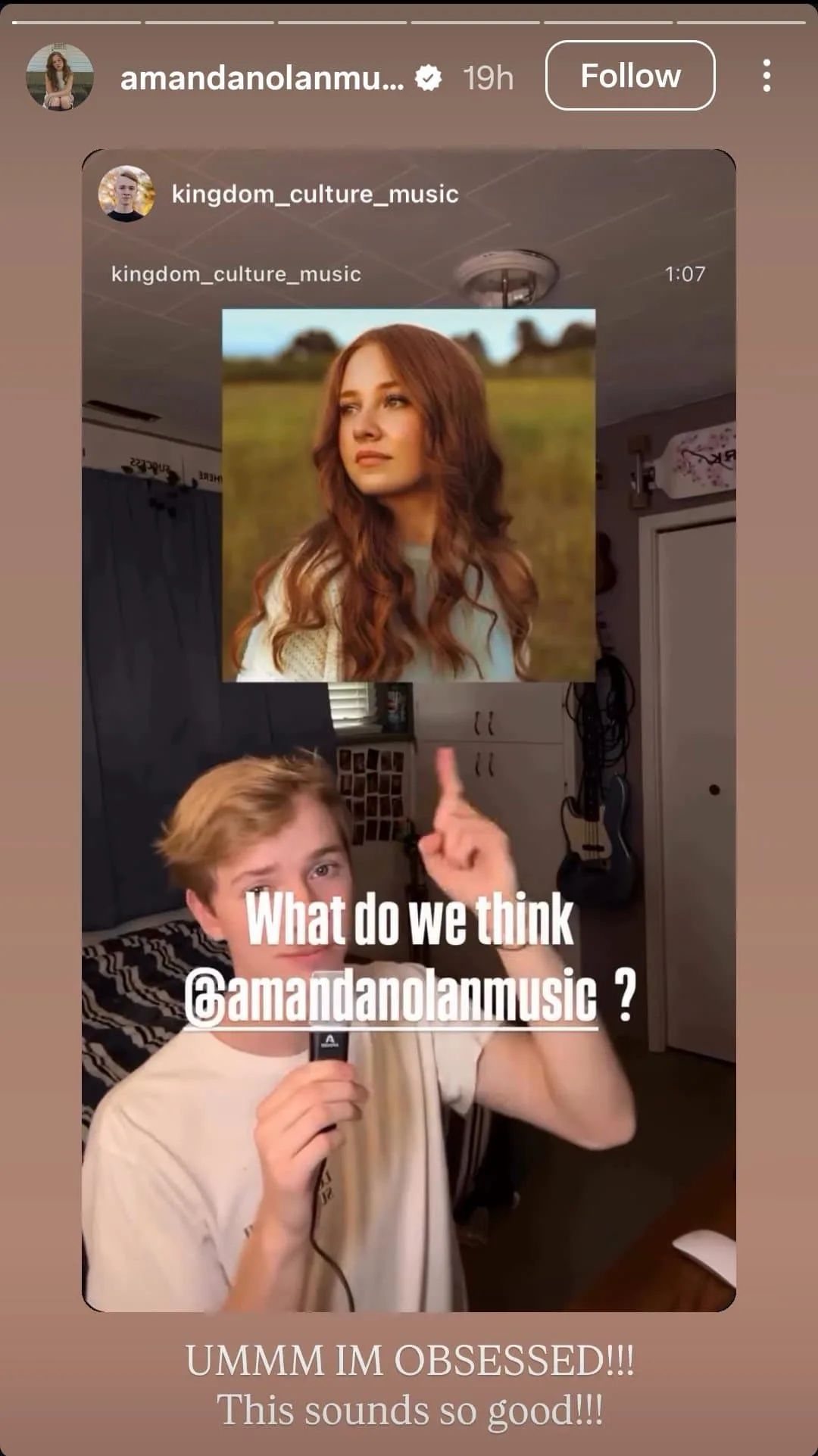
If you collab with another artist, make sure to show them some love. You can even try story takeovers where fans or other artists share posts for a day. It helps you reach new people and makes your community feel more connected.
Link Your Playlists & Campaigns
When Mariah Carey shares about her releases on her Instagram highlights, her fans listen.
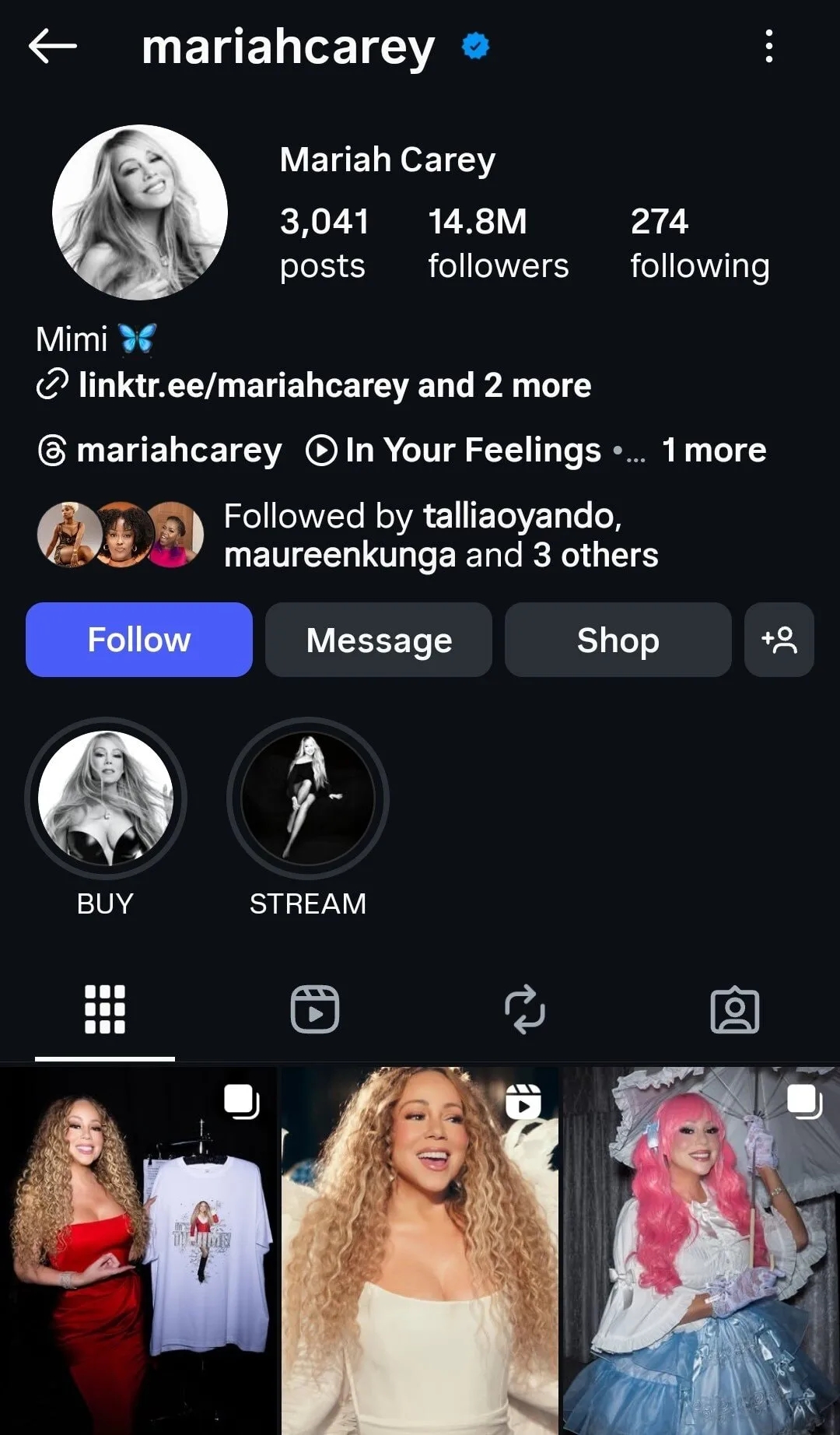
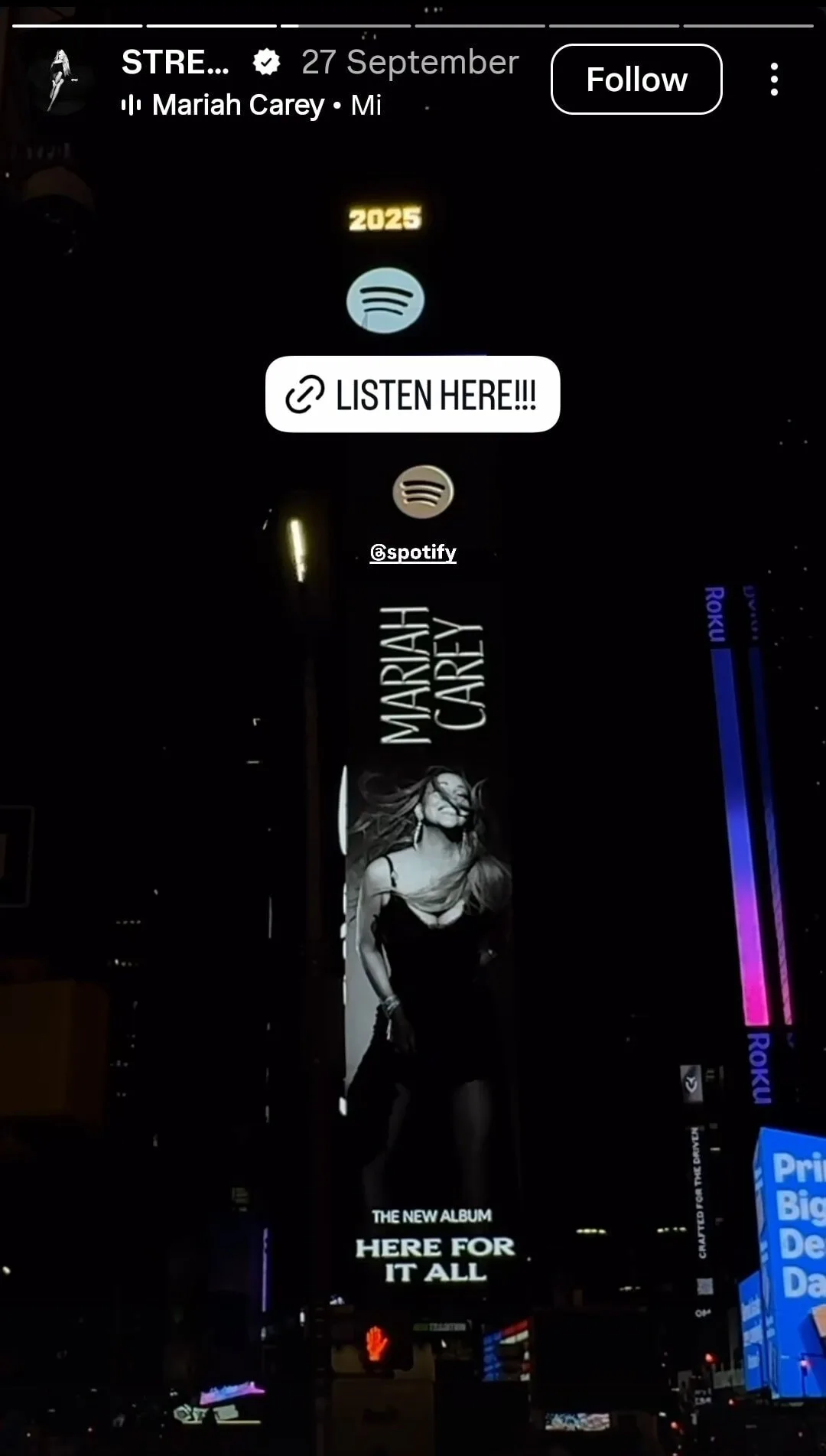
Just imagine, a single share on story is an immediate promo in front of her 14.8M followers.
Unfortunately, this strategy only works for those who have got some following. If you don't have any, you can still leverage it with the help of paid influencers.
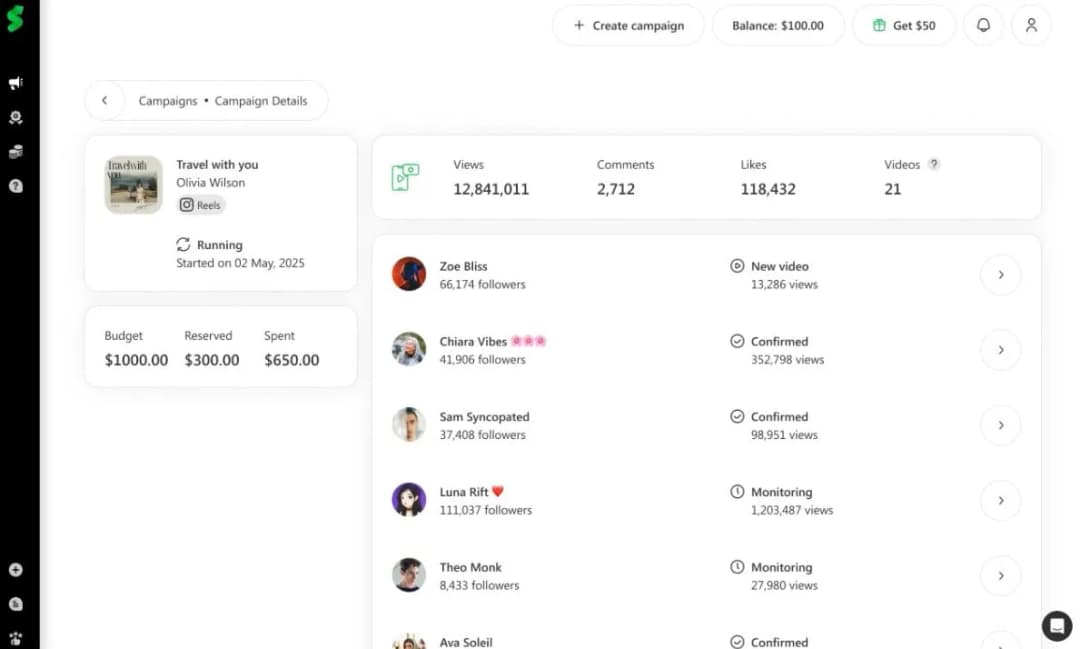
In fact, SoundCampaign helps you team up with influencers so that you can run your Instagram music promotion campaign effortlessly.
As you can see here, one of our artists, Olivia Wilson, got some strong numbers after promoting her track with us:
Common Problems When Adding Music to Instagram
“Why can’t I find my song?”
Possible causes and solutions:
- Regional restrictions: Your song may not be available in certain countries. Ask your distributor to confirm where your track is live.
- Account type limitations: Some business accounts have limited access to Instagram’s music library. Switching to a creator account can fix this.
- Technical issues: Metadata delays, platform syncing problems, or recent uploads can cause temporary gaps. Give it some time or recheck your release settings.
When to contact your distributor:
Reach out if your song is missing for more than a few days, appears under the wrong artist name, has incorrect metadata, or is not available in the regions you selected.
How SoundCampaign Helps Artists Grow Beyond Instagram
SoundCampaign connects you with active Spotify playlist curators who review your music and place it where it fits best.
I mean, the numbers speak for themselves:
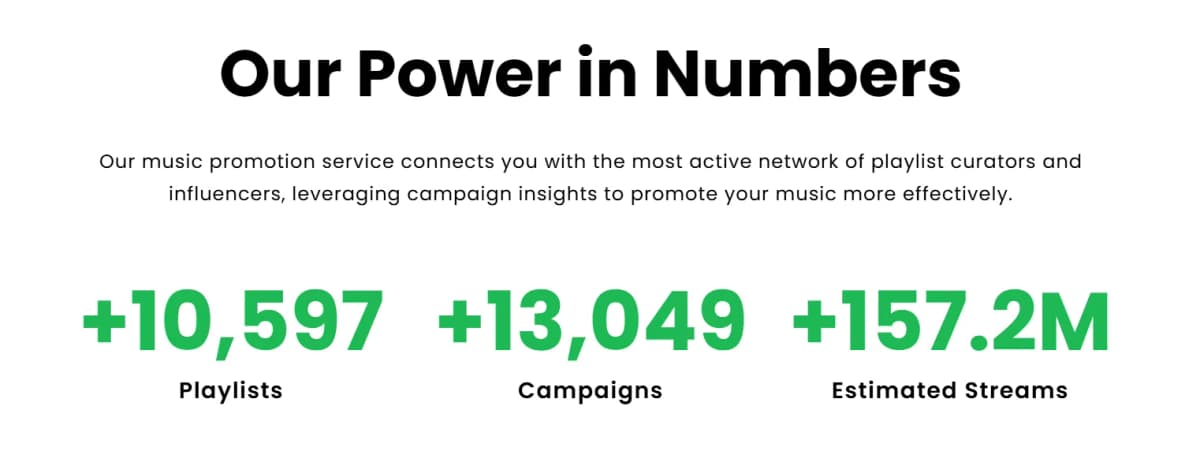
Your songs reach listeners on major streaming platforms like Spotify and Apple Music, helping you grow beyond a single channel.
Instead of guessing where your music belongs, you get focused pitching that matches your sound with the right playlists and audiences.
Just in case you're curious to find more on this, you should read some success stories of our artists here.
Conclusion
Adding music to your Instagram profile really makes a difference.
When people visit your profile and get a taste of your music right away, they’re more likely to connect and stick around.
But don’t stop there. Combine your Instagram activity with smart playlist campaigns. When social posts and playlist placements work together, you 2X your exposure.
This approach is gonna help artists breakthrough in 2026, and you can do it too.
Start your first SoundCampaign today and get your music heard everywhere.

Cabeça de marketing, coração de escritor, alma de músico. Na SoundCampaign cuido de SEO, destravo qualquer gargalo de marketing que apareça e escrevo o que realmente ajuda os artistas a avançar. Também sou músico, então quase tudo que escrevo vem dos dois lados. Quando não estou fazendo nada disso, estou no meu estúdio bagunçado, escrevendo e produzindo, ainda atrás de um som que talvez um dia chegue às paradas.
Promova sua música
Posicionamentos reais em playlists, vídeos no TikTok e anúncios no Meta

A confiança de mais de 100.000 artistas e gravadoras
Nunca usamos bots.
Caso real
Como a SoundCampaign Colocou Grant Knoche na Frente de 460.587 Ouvintes com WOOHOO
Ler a história completa
Pronto para fazer sua música ser ouvida?
Junte-se a milhares de artistas independentes que usam a SoundCampaign para alcançar playlists, creators e fãs reais, com feedback honesto em cada etapa do caminho.
- Nunca usamos bots
- Programa de Proteção ao ArtistaSe um curador ou creator não avaliar sua faixa, devolvemos seu crédito. Seu orçamento está sempre protegido.
- Fique com 100% dos seus royaltiesSomos um serviço de promoção, não uma gravadora. Nunca ficamos com uma parte dos seus streams ou royalties.