Promoção no Spotify
Spotify Clips: How to Upload Videos to Spotify as an Artist

Azfar
Atualizado · 11 min de leitura
Spotify Clips are short vertical videos artists can upload directly to their profile. Here's how to use them to boost visibility without leaving the app.


On this page
- What Are Spotify Clips?
- Who Can Upload Spotify Clips?
- How To Upload Videos to Spotify Using Spotify Clips
- Best Practices for High-Performing Spotify Clips
- How Spotify Clips Help Boost Your Streams
- How SoundCampaign Helps Increase Visibility for Your Clips
- Examples of Effective Spotify Clips
- Common Mistakes to Avoid
- Conclusion
Ever notice the small video next to the 'Follow' button on some Spotify artist profiles? That is a Spotify Clip.
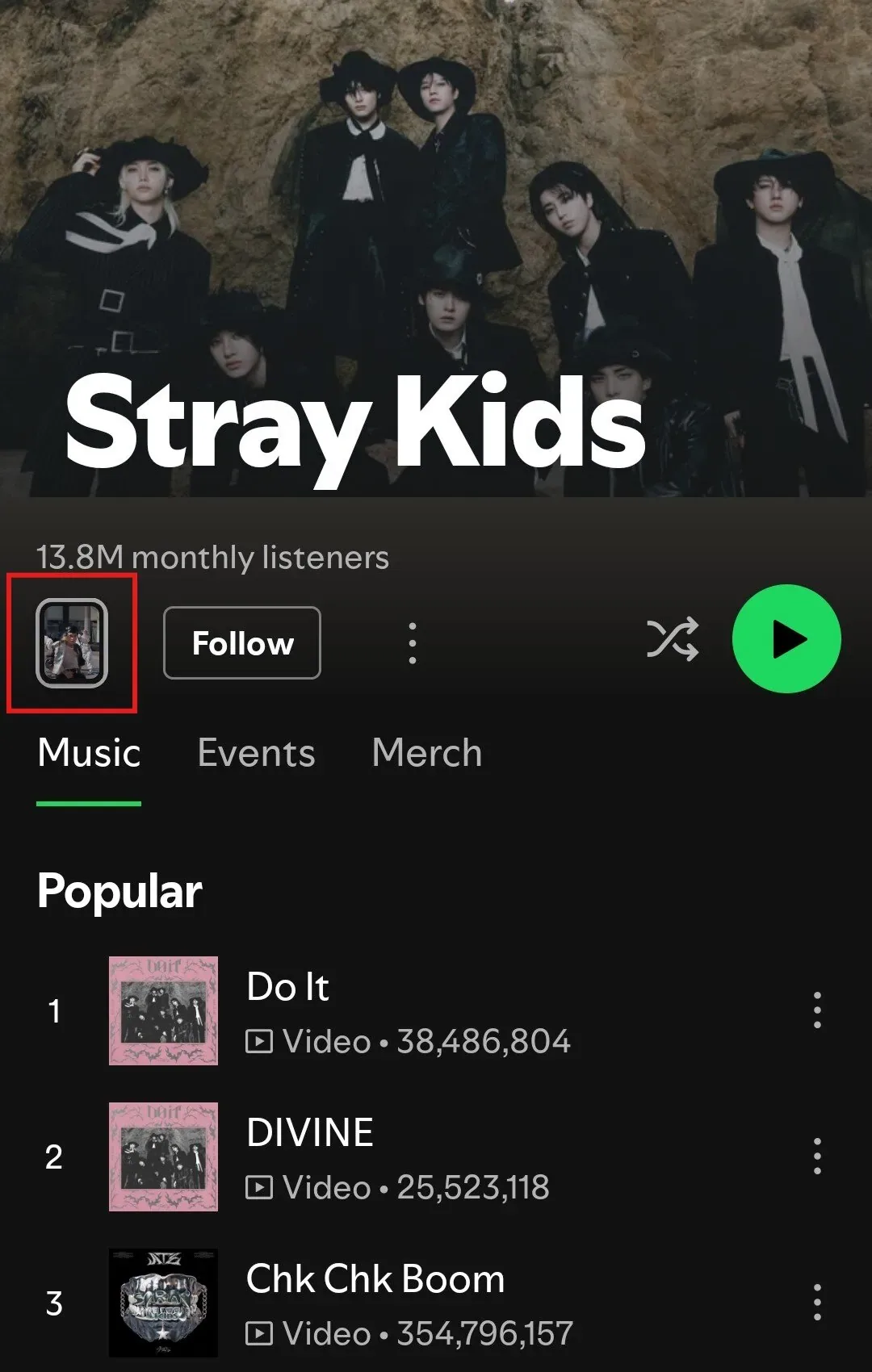
Spotify Clips are short, vertical videos artists can upload directly to Spotify. They appear on artist profiles, release pages, and the Home feed, giving listeners a quick visual connection to your music.
Spotify added Clips to keep fans engaged inside the app. Instead of sending attention to TikTok or Instagram, you can highlight releases, show personality, and support discovery directly on Spotify.
Clips help drive engagement by encouraging saves, replays, and deeper interaction. When used consistently, they support long-term streaming growth.
And when you pair Clips with SoundCampaign playlist promotion, you reach new listeners and strengthen your results on Spotify.
Getting started is easy. You need access to Spotify for Artists, a short vertical video, and a track or release to attach it to.
In this guide, we will walk you through how to upload Spotify Clips, turn them into more streams, and some examples of Clips that actually work. Let’s get started.
What Are Spotify Clips?
A New Short-Form Video Feature for Artists
Spotify Clips are short, vertical videos that you can upload directly through the Spotify for Artists platform.
Unlike traditional music videos, Clips are designed to be quick, informal, and mobile-first, similar to short-form content on social platforms.
Where Clips Appear on Spotify
Clips appear in multiple high-visibility areas across the app, including artist profiles, release pages, and selected discovery surfaces.
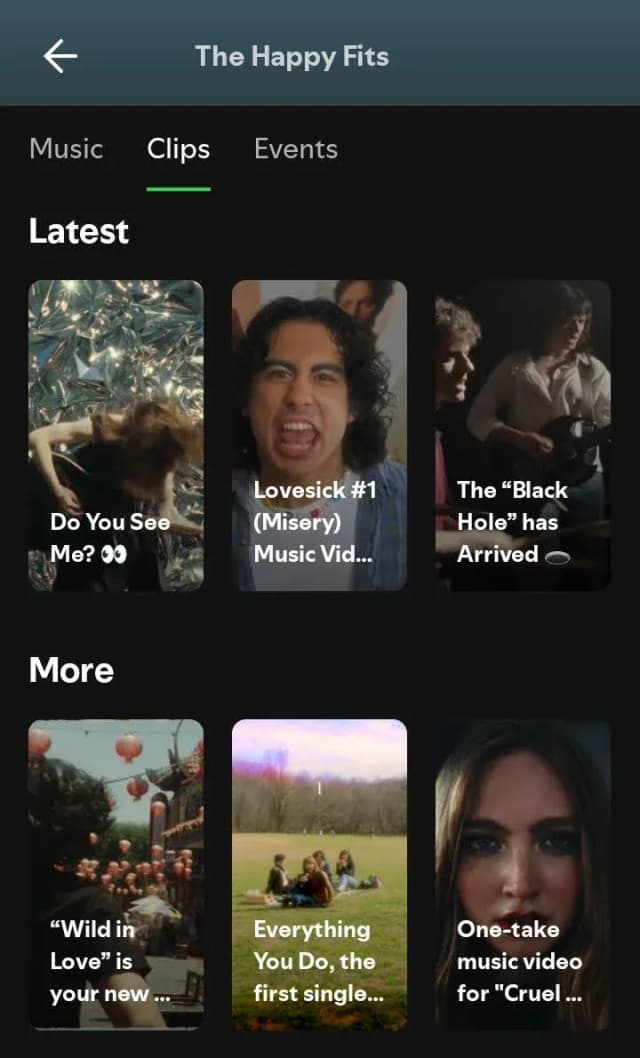
They are integrated directly into the listening experience, meaning fans can watch a Clip and immediately stream, save, or explore more music without leaving Spotify.
How Spotify Clips Differ from Music Videos
Clips are faster to produce, more flexible in style, and optimized for attention rather than narrative depth.
Unlike full-length music videos, Clips are not meant to replace visual storytelling at scale. Instead, these short, loopable videos function as promotional and engagement tools.
What Artists Can Use Clips for
With Clips, you can:
- Promote new singles or albums
- Tease an upcoming release
- Highlight key tracks
- Announce tours or milestones
- Share behind-the-scenes moments
- Introduce yourself to new listeners
When paired with strong hooks or visuals, Clips help turn passive listeners into active fans by adding personality, context, and immediacy to a release.
Who Can Upload Spotify Clips?
Access Requirements in Spotify for Artists
Spotify Clips are available to artists who have access to Spotify for Artists and control over an eligible artist profile.
To upload Clips, artists must be logged into Spotify for Artists, have at least one live release on Spotify, and meet Spotify’s current eligibility and content guidelines.
Access is being rolled out gradually, so availability may vary by region and account.
Eligible Artist Profiles and Releases
Clips can only be uploaded by the primary artist or authorized team members managing the profile. Typically, Clips are attached to active artist pages, specific tracks, EPs, or albums.
Fan accounts, listeners, and unofficial profiles cannot upload Clips, ensuring that all video content is artist-approved and directly tied to official releases.
Regional and Account Availability
Not all artists may see Clips enabled immediately. Spotify has introduced Clips in phases, meaning availability can depend on factors such as location, account status, and release history.
If you still don't have Clips access, regularly check Spotify for Artists for updates as the feature continues to expand.
How To Upload Videos to Spotify Using Spotify Clips
Step-by-Step Instructions for Adding a Clip
Open Spotify for Artists.
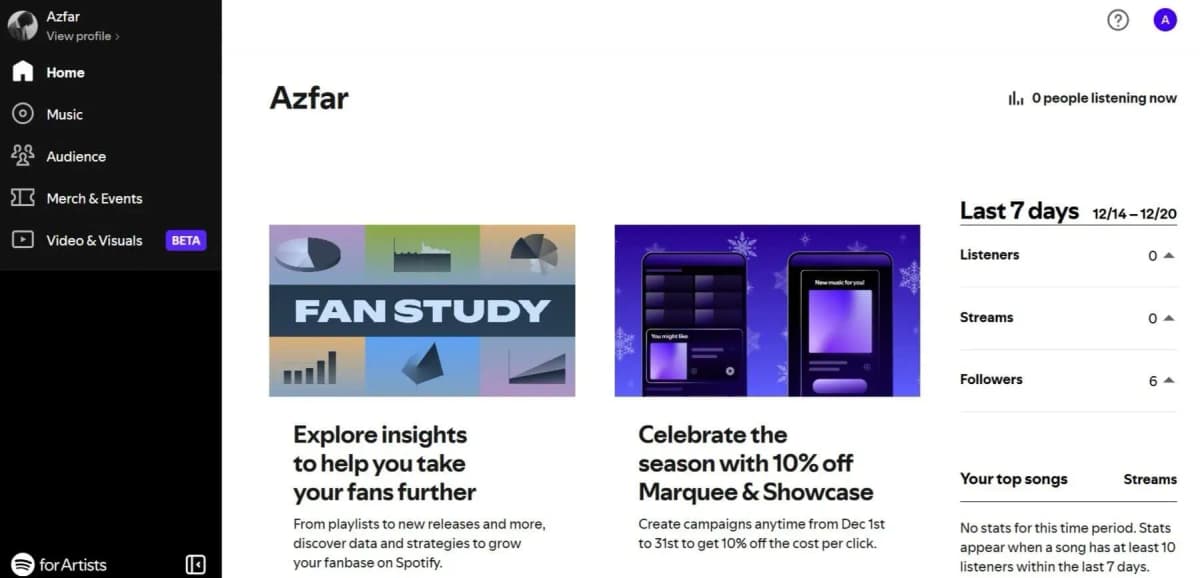
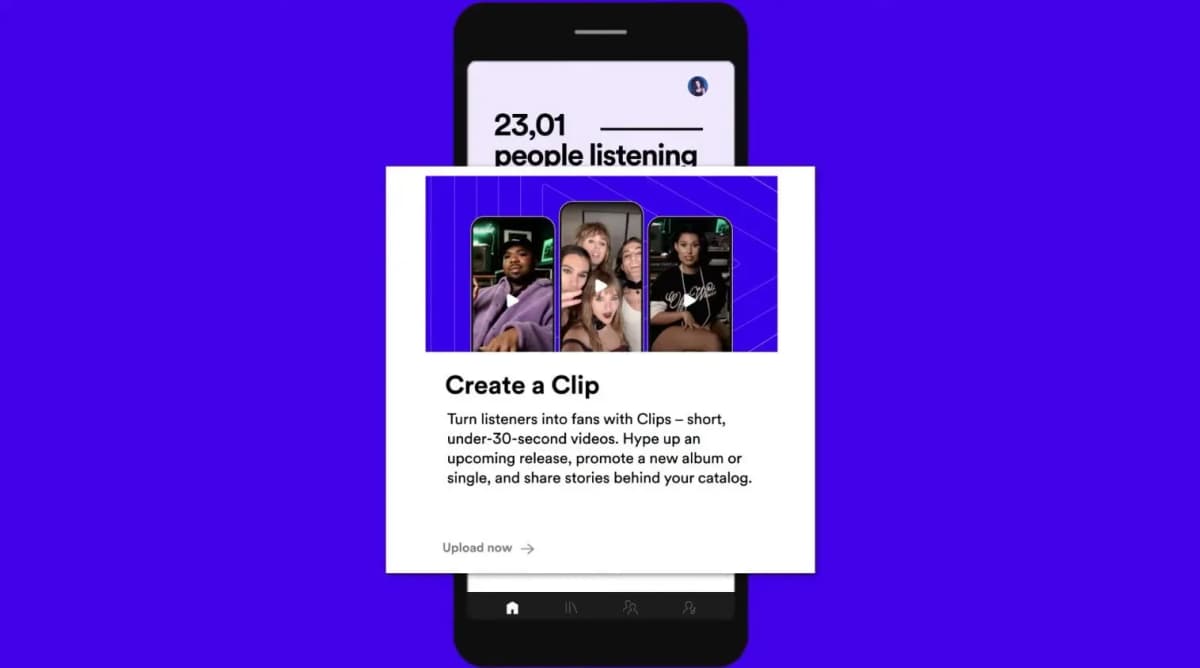
Click or tap on Create a Clip.
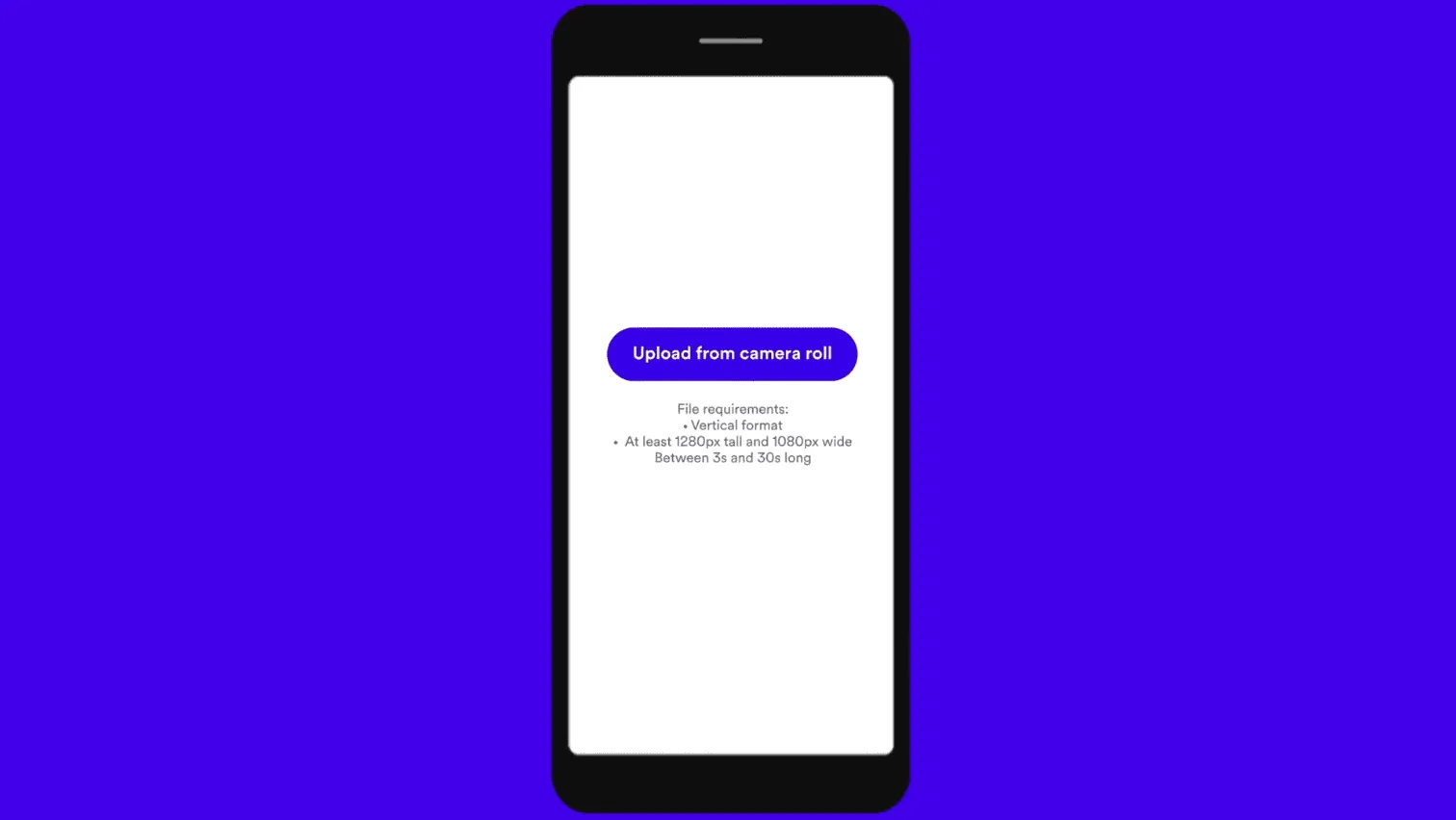
Upload 30-second video (vertical format).
Pick a song, add a caption, and choose your thumbnail.
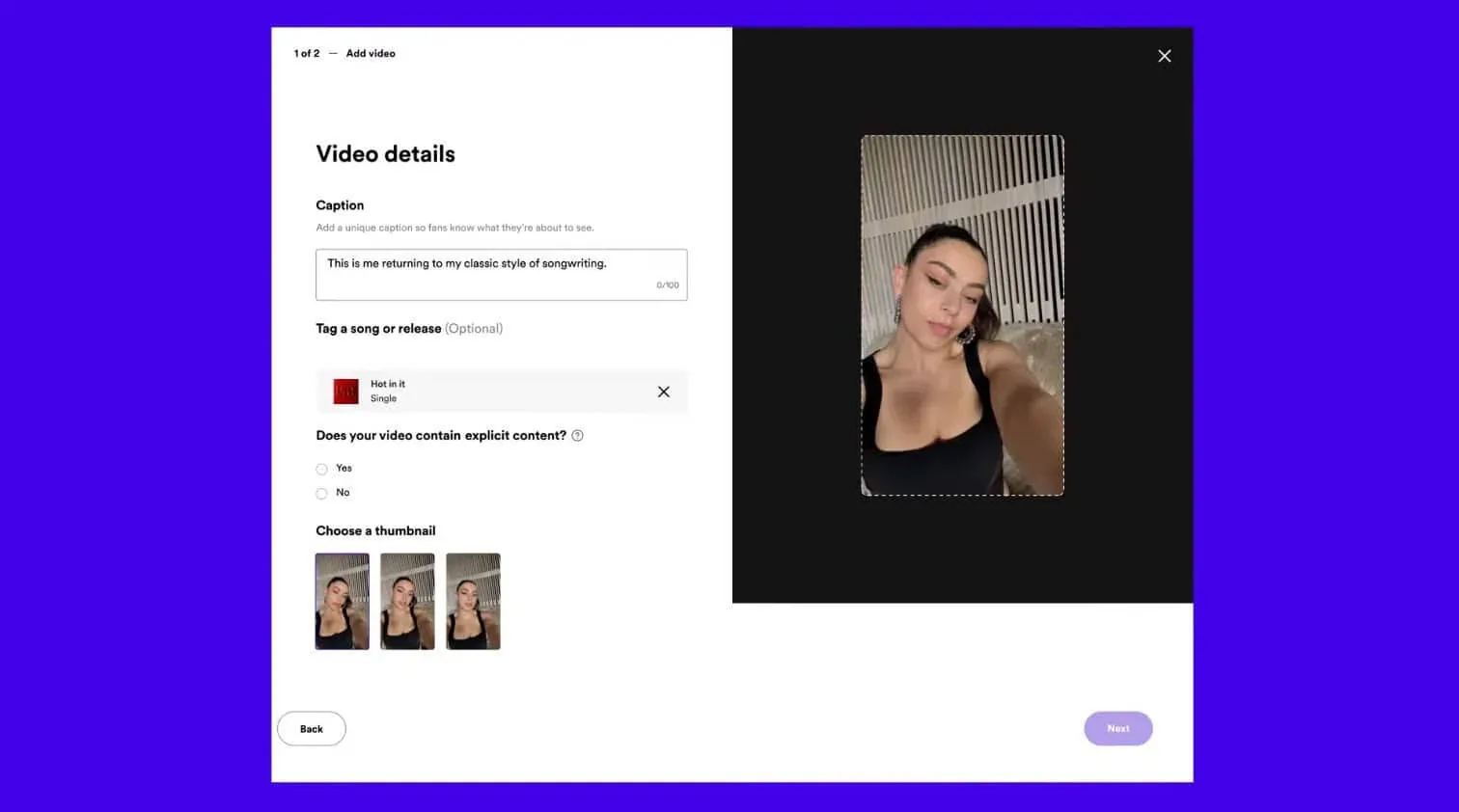
Confirm your details and post. That’s it.
Technical Requirements (Specs, Formats, Length)
Spotify Clips are designed for mobile-first viewing and should have:
|
Requirement |
Description |
|---|---|
|
Video format |
Vertical video (9:16) |
|
Visual quality |
Clear visuals with good lighting |
|
File format |
Common formats supported, such as MP4 |
|
Video length |
Short length optimized for quick viewing |
|
File size |
Reasonable size for smooth upload and playback |
|
Audio quality |
Clean audio with no distortion (if included) |
Please Note: These specs may change over time, so always check Spotify for Artists for the latest technical requirements.
Content Guidelines and Review Process
Clips must follow Spotify’s content policies and community guidelines. You need to read and agree to the terms and conditions before uploading a clip.
What to avoid: Copyrighted material you don’t own, misleading claims, or visuals that conflict with platform rules.
Once uploaded, Clips may go through a brief review before appearing publicly, and Spotify reserves the right to remove content that doesn’t comply.
Publishing, Editing, and Managing Clips
After publishing, Spotify Clips can be updated or replaced to keep releases fresh. Regular updates help maintain visibility and give listeners new reasons to engage with your music.
You can experiment with different visuals over time, such as lyric highlights or behind-the-scenes footage, and track engagement signals inside Spotify for Artists.
Best Practices for High-Performing Spotify Clips
Hook Viewers in the First Few Seconds
Attention spans are short, especially with vertical videos. Start your Clip with something eye-catching, such as movement, bold visuals, or on-screen text that shows what the video is about right away.
Whether it’s a beat drop, lyric highlight, or expressive moment, the opening seconds should make listeners want to keep watching and listening.
Keep Clips Short, Clear, and Focused
The best Spotify Clips are short and sweet. Stick to one idea per video, like promoting a single track, highlighting a lyric, or introducing a new release.
Don’t overload your Clip with too much text or information, as it can make it less effective. Plus, no one's reading all that. Visuals are enough.
Design for Vertical, Mobile Viewing
Spotify Clips are made for vertical viewing, so make sure your visuals are framed that way. Use good lighting, keep your subjects clear, and make any text easy to read on the screen.
Align Clips with the Music Moment
Your Clip should match what the listener is hearing or about to hear. Highlight key moments like the hook or chorus, sync the visuals to the music, and make sure the vibe of the video fits the song.
When your Clip lines up well with the track, it encourages listeners to play, save, and come back for more.
Refresh and Experiment Regularly
Keeping your Clips updated helps your profile stay active and fresh. Try different types of videos such as behind-the-scenes moments, performance clips, lyric visuals, or short personal messages to see what your audience likes best. You should also check engagement trends in Spotify for Artists and use that to plan your next Clips.
How Spotify Clips Help Boost Your Streams
Increase Attention at Discovery Points
How can you make your artist profile grab attention and get listeners to hit play? Spotify Clips give your music a visual boost, helping it stands out when people browse artist profiles or release pages.
Turn Passive Listeners Into Active Fans
Clips provide context and personality behind a song or release. Seeing the artist, a lyric highlight, or a creative moment helps listeners form a stronger connection. This makes them more likely to save tracks, follow your profile, and return for repeat streams.
Improve Engagement Signals on Spotify
When more people visit your profile, save your songs, or replay your tracks, it can help Spotify notice your music more. Clips might not directly boost streams, but the engagement they generate can improve how your songs get recommended on the platform.
Keep Listeners Inside the Spotify Ecosystem
Unlike other social platforms, Spotify Clips keep listeners inside the app. This makes it easy for them to go straight from watching a Clip to playing the full track or checking out more of your music.
Support Long-Term Release Performance
Spotify Clips can be updated over time, giving you a simple way to keep both new and older releases fresh. By combining short videos with ongoing promotion, Clips help a track stay visible and keep streams coming long after its release week.
Spotify highlights artists like Charli XCX, Griff, Chappell Roan, Meghan Trainor and T-Pain, who are already using Spotify Clips as part of their release strategies.
Their stories show how short-form video is helping artists reach new listeners, boost engagement, and improve streaming performance across their music.
How SoundCampaign Helps Increase Visibility for Your Clips
Drive Traffic to Your Spotify Clips
Now that you've put out music, the next step is to look for listeners.
SoundCampaign’s Spotify playlist promotion puts your music in front of real listeners who are already active on the platform.
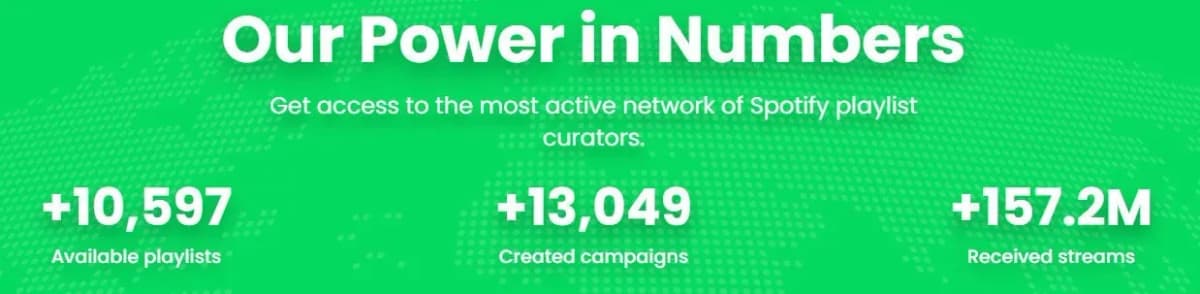
Check out these case studies to see how our artists have successfully used this strategy.
As new listeners discover your tracks through playlists, they naturally land on your artist profile, increasing the number of people who see and interact with your Spotify Clips.
More Streams Lead to More Clip Engagement
Increased streams signal growth to Spotify’s algorithm. As more listeners play, save, and revisit your music, your Clips gain more exposure and engagement, reinforcing momentum across your profile and releases.
Combine Clips with a Release Campaign for Maximum Impact
Spotify Clips work best when used with a release campaign. Pairing them with SoundCampaign playlist promotion puts your music in front of more listeners, increases engagement, and helps new releases perform better.
Our process is simple:
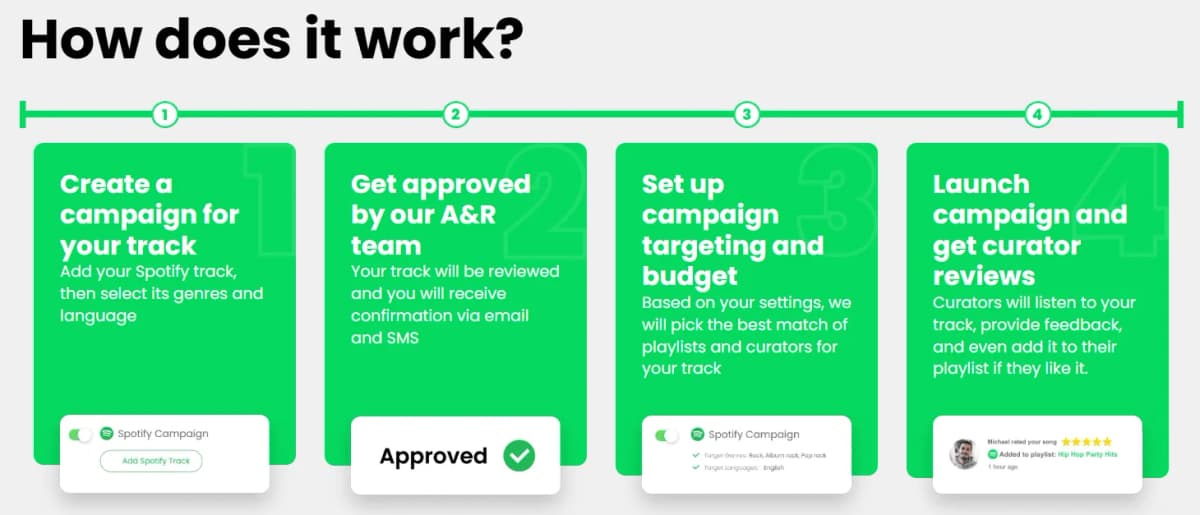
Ready to start your first campaign? For as low as $80, it can run for 14 days with a guarantee of at least 6 reviews.
For best results, these resources can be helpful:
Examples of Effective Spotify Clips
Billie Eilish – Visual Mood Teasers
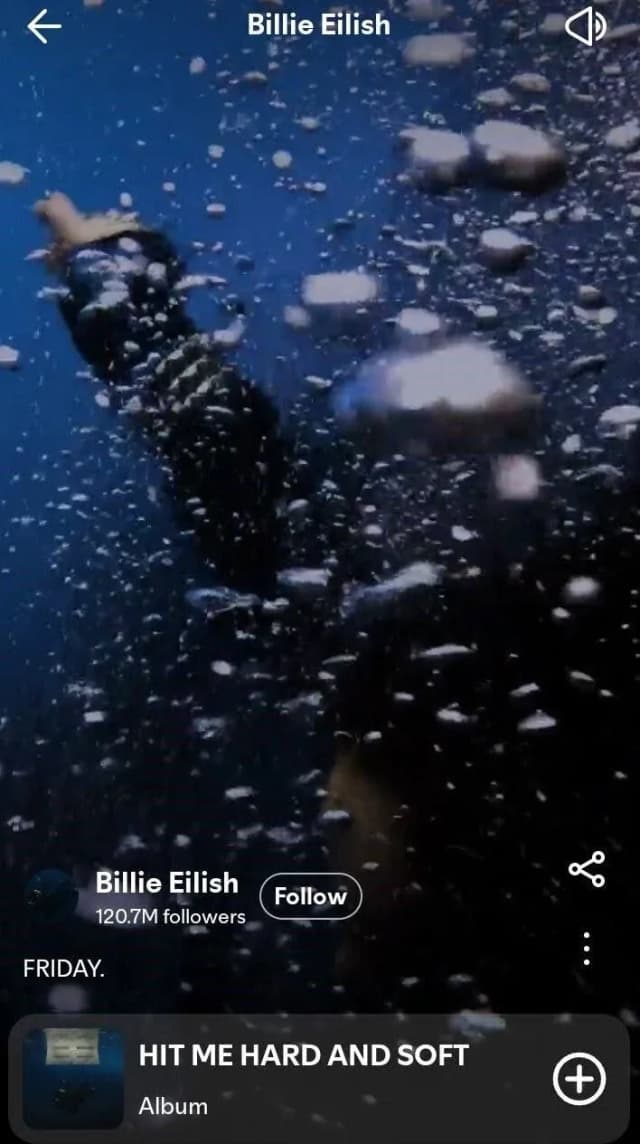
Billie Eilish usually shares short, moody video clips that match the vibe of her music. These videos highlight her expressions, minimal movement, and dark, atmospheric lighting. It helps fans feel the song and encourage them to listen the full track.
Taylor Swift – Lyric-Centered Storytelling
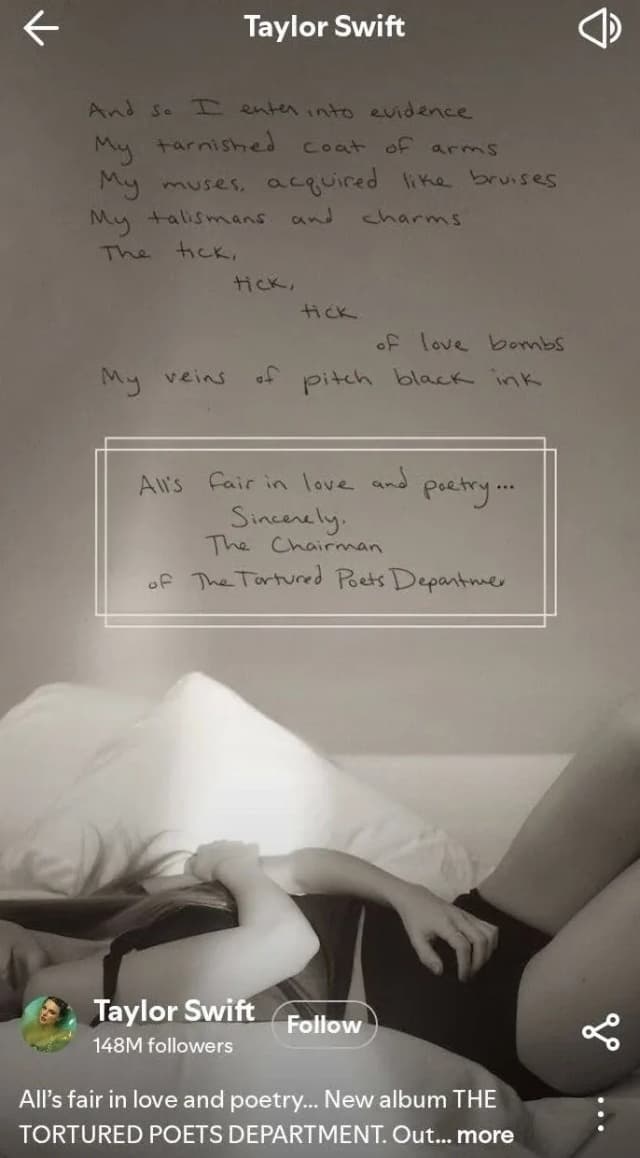
Taylor Swift Spotify Clips often focus on key lyrics or moments in the song. By highlighting lines that hit emotionally, these Clips give listeners a quick sense of the story and make them more likely to connect with the track.
Travis Scott – High-Energy Performance Moments
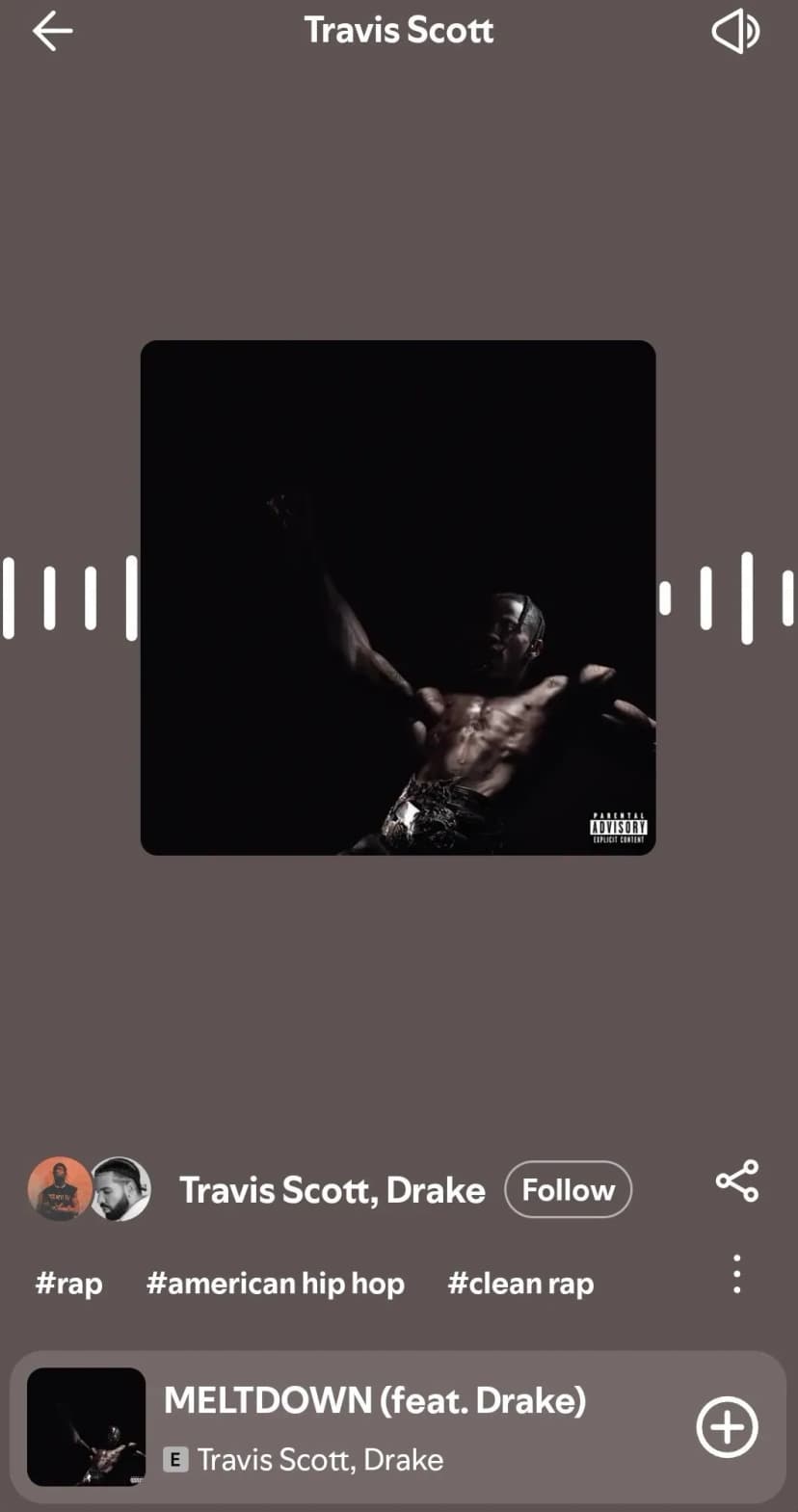
Travis Scott uses lively performance footage with crowd shots, movement, and intense visuals to capture energy and scale. These Clips are especially effective for hip-hop and trap releases, turning live excitement into streaming interest.
Olivia Rodrigo – Raw, Personal Clips
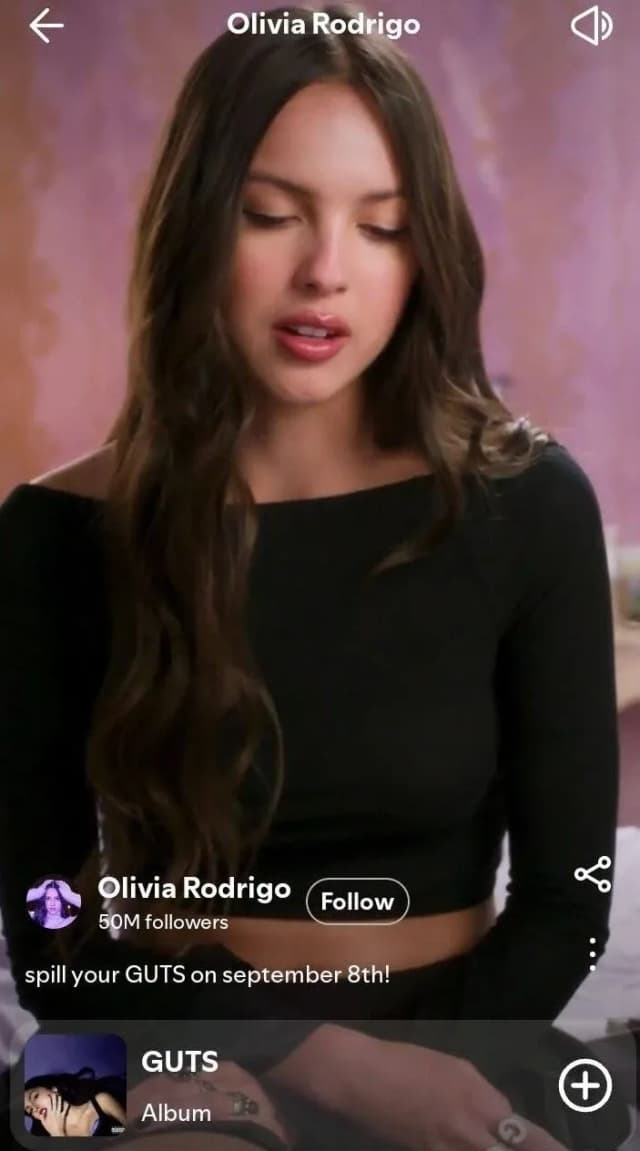
Olivia Rodrigo focuses on being real and authentic, with close-up shots, simple editing, and expressive delivery. This kind of content connects with younger audiences and helps turn casual listeners into fans who really care about your music.
Bad Bunny – Culture-Driven Visuals
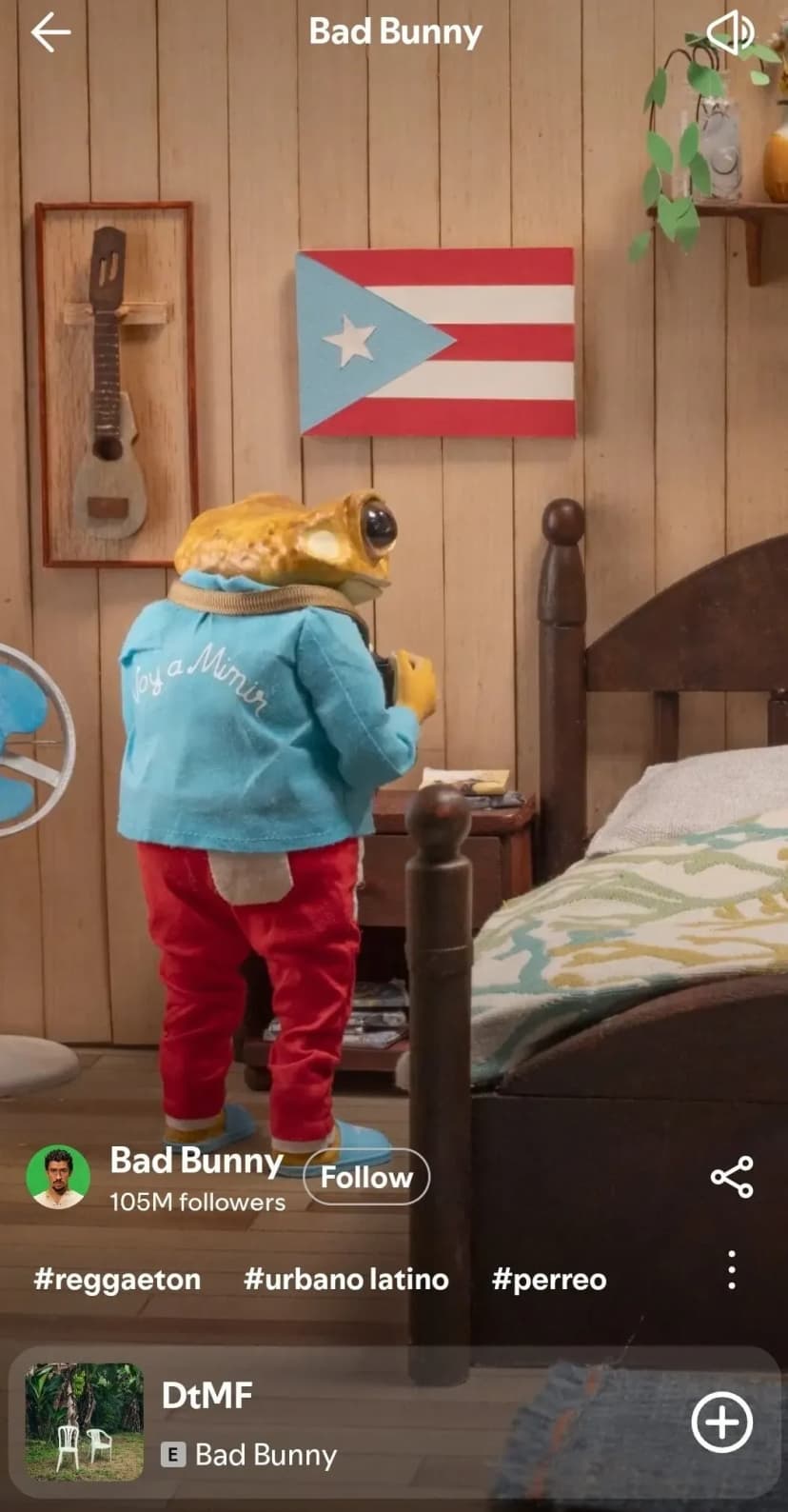
Bad Bunny’s Clips often mix cultural references, fashion, and eye-catching visuals that match the vibe of his music. They grab attention, show off his brand, and make fans want to come back for more, helping both discovery and repeat streams.
These examples show that high-performing Spotify Clips don’t follow one formula; they succeed by matching the artist’s identity, genre, and audience expectations.
Common Mistakes to Avoid
Treating Clips Like Full Music Videos
Spotify Clips are meant to be short, attention-grabbing previews, not polished, long-form music videos. Overproducing or trying to tell a full story can dilute the impact. Simple, authentic visuals often perform better in this format.
Starting Without a Clear Hook
If nothing compelling happens in the first few seconds, viewers are likely to skip. Avoid slow intros, blank frames, or delayed text. The opening moment should immediately signal why the Clip is worth watching.
Ignoring Vertical Video Best Practices
Uploading horizontal footage, poorly cropped videos, or hard-to-read text can hurt performance. Clips should be designed specifically for vertical, mobile viewing with clear framing and legible visuals.
Posting Clips That Don’t Match the Music
Visuals that clash with the song’s mood, genre, or message can confuse listeners. Make sure your Clip reinforces the sound and identity of the track rather than distracting from it.
Uploading Once and Forgetting About It
Relying on a single Clip and never updating it is a missed opportunity. Clips perform best when refreshed over time and tested with different styles. Regular updates signal activity and keep listeners engaged with your profile.
Conclusion
- Use Spotify Clips to add short, vertical videos to your releases
- Focus on fast, attention grabbing visuals
- Match each Clip to the song’s mood and genre
- Post consistently to keep your profile active
- Test formats to see what works
- Design for vertical, mobile viewing
- Use Clips to support saves, profile visits, and repeat streams
Spotify Clips help add visual context inside Spotify and keep listeners engaged after release day. They are not a replacement for music videos, and they will not drive streams on their own.
For real impact, pair Clips with SoundCampaign Spotify promotion to reach new listeners and strengthen results.

Cabeça de marketing, coração de escritor, alma de músico. Na SoundCampaign cuido de SEO, destravo qualquer gargalo de marketing que apareça e escrevo o que realmente ajuda os artistas a avançar. Também sou músico, então quase tudo que escrevo vem dos dois lados. Quando não estou fazendo nada disso, estou no meu estúdio bagunçado, escrevendo e produzindo, ainda atrás de um som que talvez um dia chegue às paradas.
Promova sua música
Posicionamentos reais em playlists, vídeos no TikTok e anúncios no Meta

A confiança de mais de 100.000 artistas e gravadoras
Nunca usamos bots.
Caso real
Como a SoundCampaign Colocou Grant Knoche na Frente de 460.587 Ouvintes com WOOHOO
Ler a história completa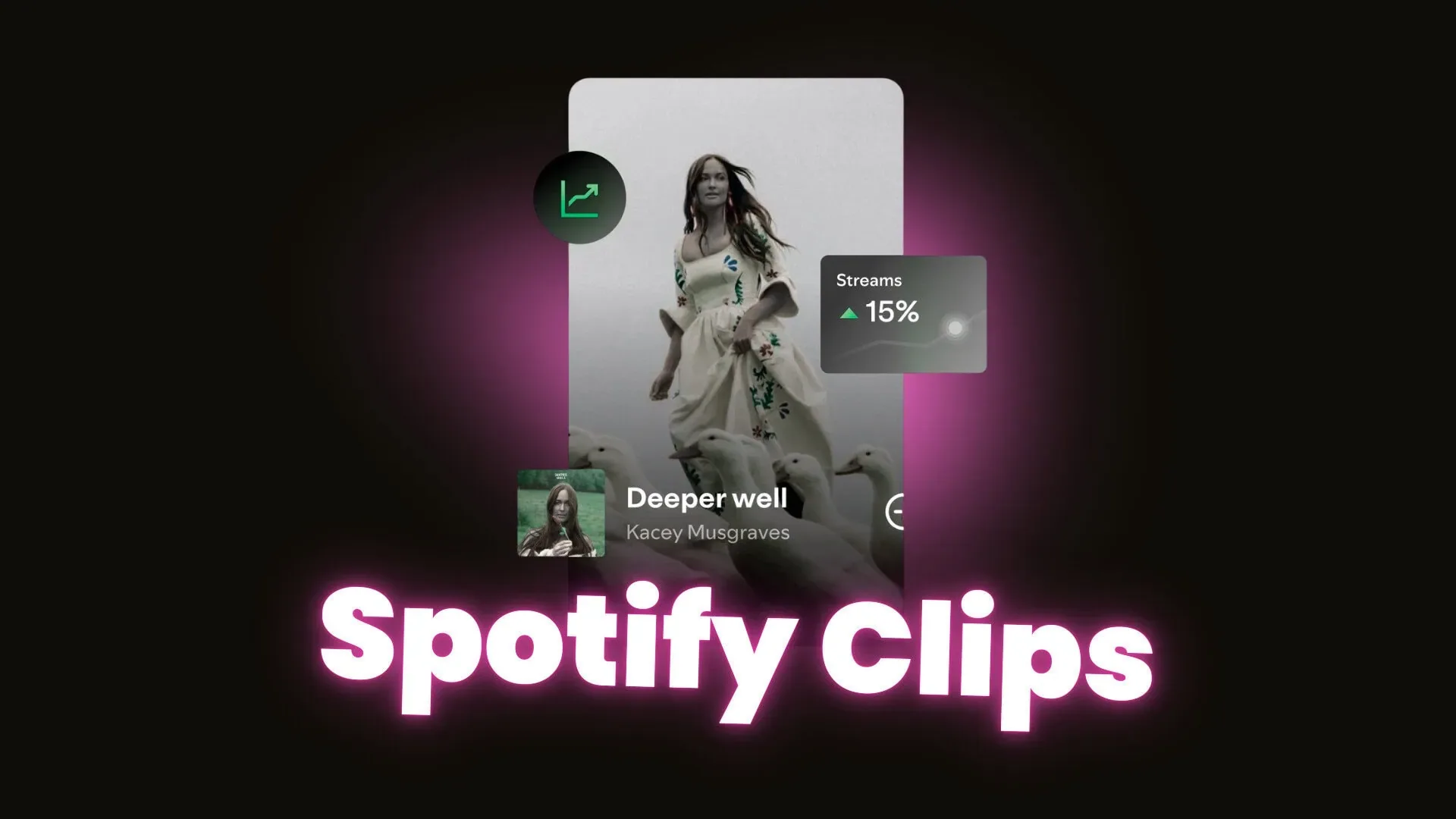
Pronto para fazer sua música ser ouvida?
Junte-se a milhares de artistas independentes que usam a SoundCampaign para alcançar playlists, creators e fãs reais, com feedback honesto em cada etapa do caminho.
- Nunca usamos bots
- Programa de Proteção ao ArtistaSe um curador ou creator não avaliar sua faixa, devolvemos seu crédito. Seu orçamento está sempre protegido.
- Fique com 100% dos seus royaltiesSomos um serviço de promoção, não uma gravadora. Nunca ficamos com uma parte dos seus streams ou royalties.