Industria Musical
10 Best DAWs for Artists in 2026

Nadav Peleg
Actualizado · 9 min de lectura
Every DAW can handle the basics, but the right one keeps your creative flow smooth. Here are the best DAWs for artists in 2026, tested in real production.


On this page
- Our Top DAW Picks
- #1 - FL Studio: The Absolute Beginner
- #2 - Logic Pro: The All-Rounder
- #3 - Ableton Live: The Electronic Producer & Performer
- #4 - Serato Studio: The Sample-Based Beatmaker
- #5 - Avid Pro Tools: The Studio Professional
- #6 - Cockos Reaper: The Budget-Conscious DIYer
- #7 - Fender Studio Pro: The Workflow Optimizer
- #8 - Steinberg Cubase: The Film & TV Composer
- #9 - Bitwig Studio: The Sound Designer
- #10 - BandLab: The On-the-Go Collaborator
- Final Thoughts
Look, on paper, every best DAWs out there can do the basics. The real difference is how they feel when you’re actually making music. Some spark your creativity, others just slow you down. The right DAW keeps your flow smooth, from that first spark to the final mix.
I’ve used and tested all the DAWs on this list in real-world recording and production. You’ll find one here that fits your style.
Our Top DAW Picks
|
DAW |
Editor Rating (out of 5) |
Best For |
Why It Made the List |
|---|---|---|---|
|
Ableton Live |
5.0 |
Producers and live performers |
Fast idea capture, live performance focus, and flexible workflows with steady updates |
|
FL Studio |
4.5 |
Beatmakers and solo creators |
All-in-one creation, lifetime free updates, speed, and independence |
|
Logic Pro |
4.5 |
Songwriters and Apple users |
Complete suite with instruments, beat tools, and Apple Intelligence features |
|
Pro Tools |
4.0 |
Studio recording and mixing |
Professional production software with tiered plans for artists and studios |
|
Cubase |
4.0 |
Full-spectrum music production |
Trusted for composition, MIDI, recording, and mixing from start to finish |
#1 - FL Studio: The Absolute Beginner
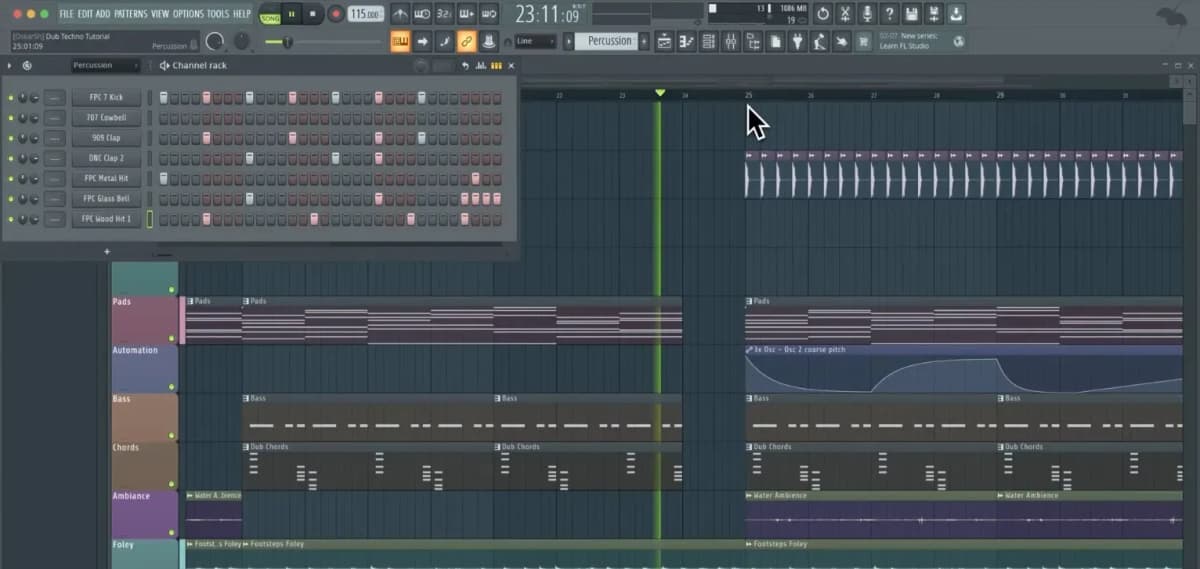
FL Studio is built to get you making music fast. Its interface is all about visual feedback and pattern-based creation.
This lowers the fear factor that kills many first-timers.
FL Studio isn’t trying to turn you into an engineer right away. It just wants you to create.
Specs
Minimum to run FL Studio smoothly:
- Windows 10+ or macOS 10.15+
- Intel/AMD CPU with SSE2, Apple Silicon supported
- 4 GB RAM
- About 4 GB storage (more for plugins/content)
- 1280×800 screen or higher
Recommended for comfy production:
- 8 GB RAM or more
- SSD for faster loading
Pros
- Lifetime free updates, buy once, no recurring fees
- Multiple editions let you start cheap and upgrade later
- Fast, creator-first design focused on getting ideas down
Cons
- Entry editions limit features; can feel tight
- Workflow differs from traditional DAWs, making switching tricky
My Take
If you want to jump straight into making music without drowning in complexity or subscriptions, FL Studio is a perfect choice. It rewards momentum and curiosity, the two things beginners need most.
#2 - Logic Pro: The All-Rounder
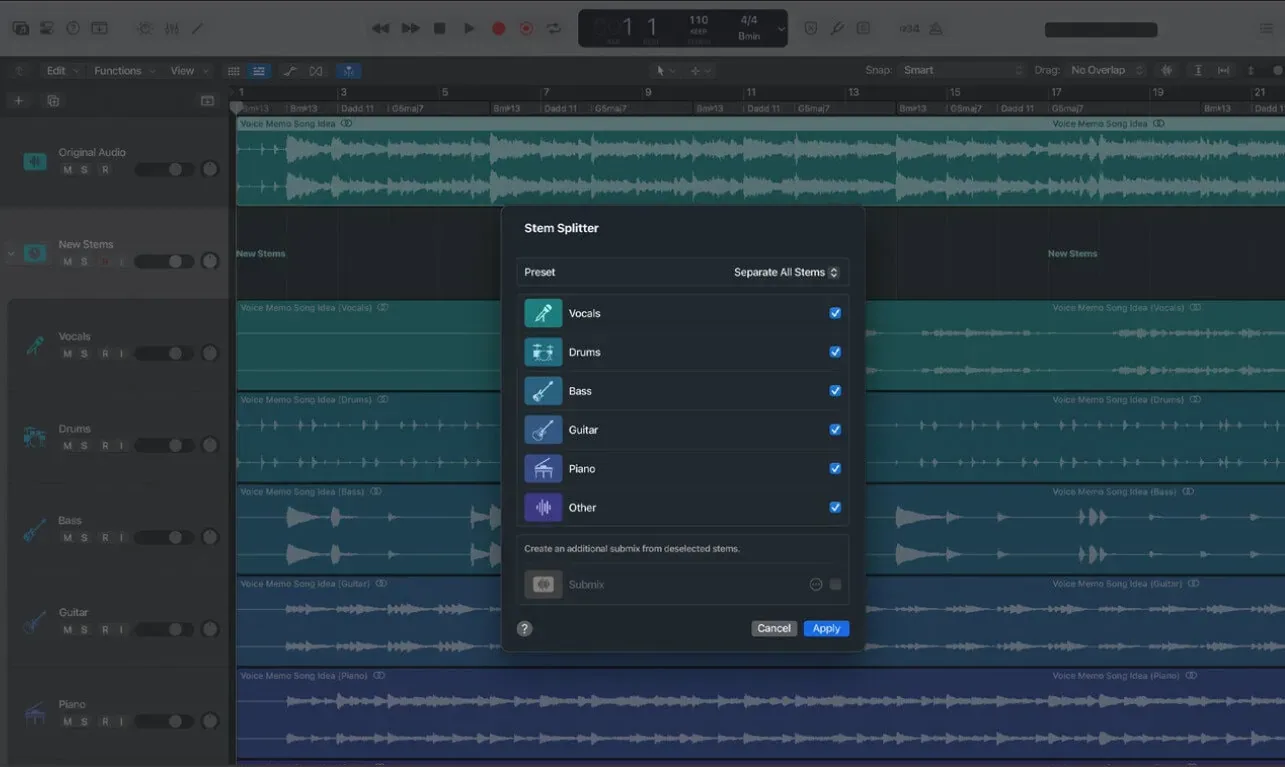
Logic Pro is a full music creation system, not a modular setup you build over time. It balances songwriting, beat-making, recording, and production in one place.
Apple pushes creativity first, with tools that help artists move from idea to finished track without switching apps or workflows.
Logic Pro isn’t about specializing, it’s about depth without fragmentation.
Specs
Minimum to run Logic Pro:
- macOS 13+
- Apple Silicon or Intel Mac
- 4 GB RAM
- About 6 GB storage plus sound libraries
Recommended for smooth work:
- Apple Silicon processor
- 8 GB RAM+
- SSD for projects and libraries
Pros
- All-in-one suite with instruments and effects
- Balanced for songwriting, beat-making, recording, production
- Smart features baked into the workflow
Cons
- Mac-only, no Windows support
- Large sound libraries eat up storage
My Take
Logic Pro is perfect if you want a DAW that handles writing, producing, and finishing without compromise. It’s for artists who want completeness and cohesion, not constant tweaking.
#3 - Ableton Live: The Electronic Producer & Performer
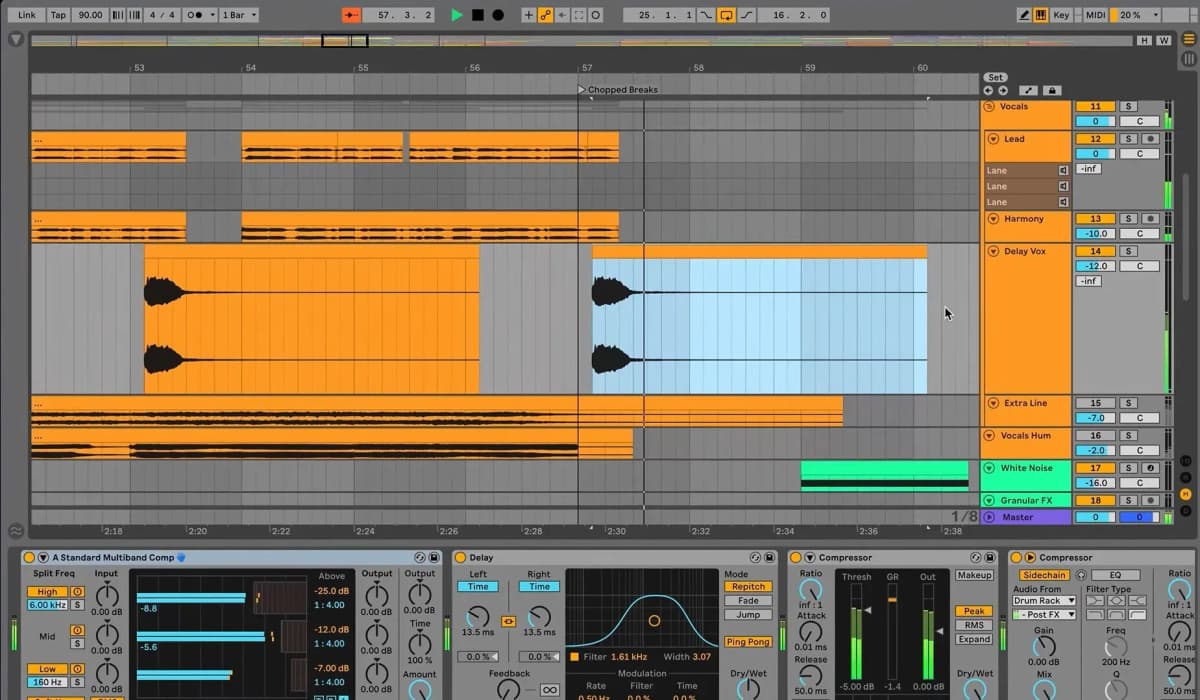
Ableton Live is made for making music in the moment. It’s all about speed, flexibility, and performance. You don’t just arrange tracks, you capture ideas fast, reshape them on the fly, and perform live.
Think of Live less as a studio desk and more like an instrument. It’s for artists who want to compose, improvise, and perform in one environment.
Specs
Minimum to run Ableton Live:
- Windows 10+ or macOS 11+
- Intel/AMD multi-core CPU, Apple Silicon supported
- 4 GB RAM
- About 3 GB storage plus packs
Recommended for live and big projects:
- 8 GB RAM+
- SSD for faster loading
Pros
- Fast idea capture and non-linear creation
- Built for live performance and real-time control
- Regular updates keep it fresh
Cons
- Workflow feels odd if you expect a traditional DAW
- Needs stronger hardware for best performance
My Take
If your music thrives on experimentation, performance, and quick fixes, Ableton Live is your DAW. It becomes part of the creative act, not just a place to arrange finished ideas.
#4 - Serato Studio: The Sample-Based Beatmaker
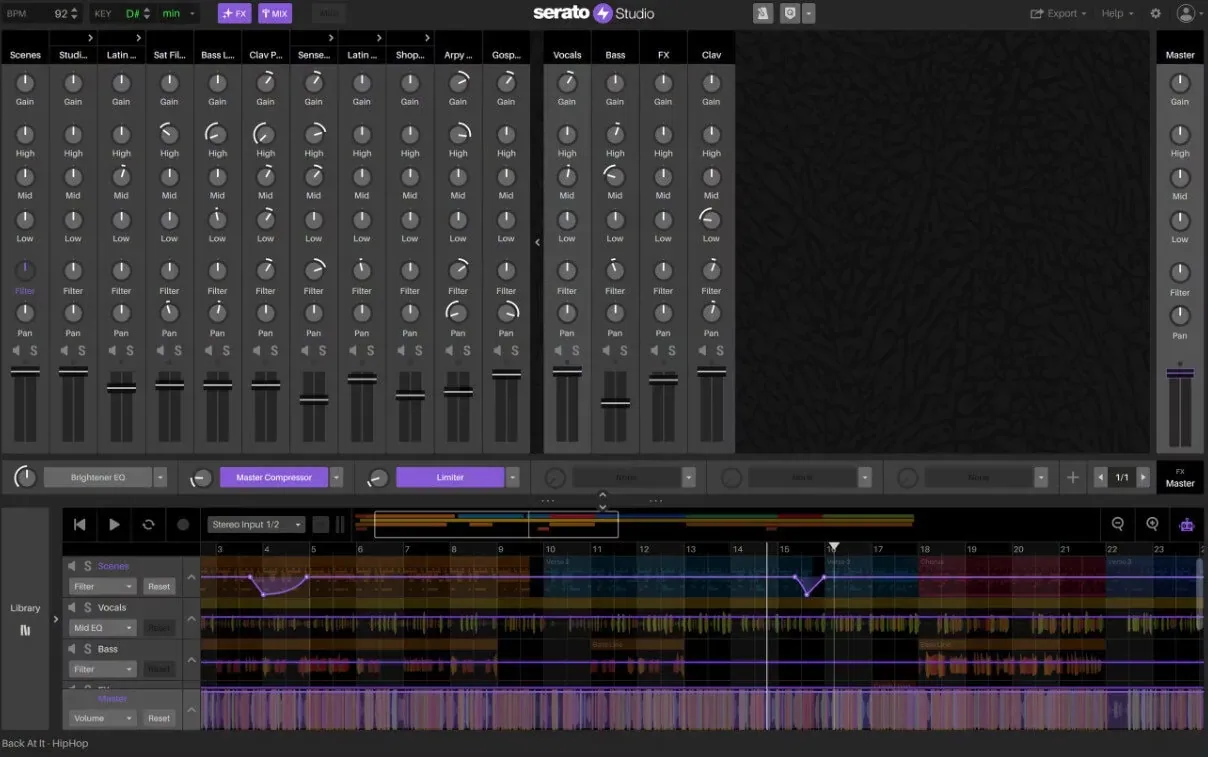
Serato Studio is all about samples first. It aims to turn loops and beats into tracks fast, no deep production skills needed.
The workflow is simple and music-focused, not technical.
It’s not trying to replace full DAWs. Instead, it’s a focused tool for beatmakers who want speed, simplicity, and tight sample control.
Specs
Minimum to run Serato Studio:
- Windows 10+ or macOS 11+
- Intel/AMD CPU, Apple Silicon supported
- 4 GB RAM
- About 5 GB storage
Recommended for smoother use:
- 8 GB RAM+
- SSD for faster sample loading
Pros
- Sample-first workflow built for beatmakers
- Clean interface minimizes setup fuss
- Clear product structure for beginners
Cons
- Limited for complex recording and mixing
- Narrow focus means less flexible for other workflows
My Take
If you start with samples and rhythm, not timelines and tracks, Serato Studio keeps you making instead of fiddling. That’s its biggest strength.
#5 - Avid Pro Tools: The Studio Professional
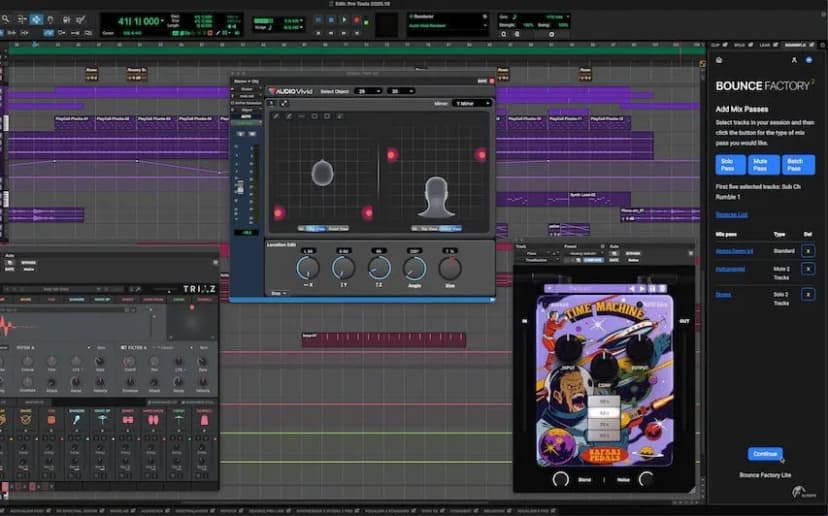
Pro Tools is the pro standard for recording and production. It’s all about capturing, editing, and mixing audio with precision. Workflows are built for studios and serious engineers. The focus is on reliability and scalability, not fast experimentation.
Specs
Minimum to run Pro Tools:
- Windows 10+ or macOS 12+
- Intel/AMD multi-core CPU, Apple Silicon supported
- 8 GB RAM
- About 15 GB storage
Recommended for pro studios:
- 16 GB RAM+
- High-speed SSD for sessions and audio
Pros
- Designed for professional recording, editing, mixing
- Scales from solo artists to full studios
- Emphasizes precision and control
Cons
- More expensive and demanding than beginner DAWs
- Workflow can feel rigid for fast, creative work
My Take
If serious recording, editing accuracy, and studio-grade control are your priorities, Pro Tools fits. It’s for environments where consistency beats experimentation.
#6 - Cockos Reaper: The Budget-Conscious DIYer
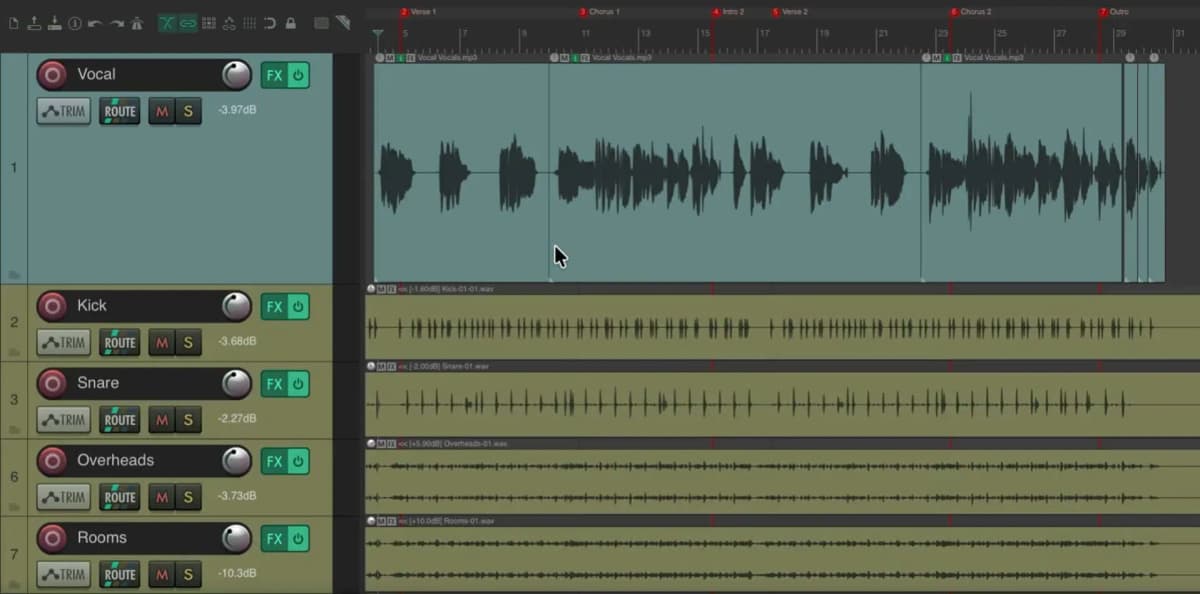
REAPER is budget-friendly and highly customizable. It’s about efficiency, flexibility, and user control, not flashy presets or hand-holding.
You shape the DAW around your process, not the other way around.
Its tone is practical and low-key, perfect for creators who want function over style and max control for minimal cost.
Specs
Minimum to run REAPER:
- Windows 10+ or macOS 10.15+
- Intel/AMD CPU, Apple Silicon supported
- 4 GB RAM
- About 100 MB storage
Recommended for bigger projects:
- 8 GB RAM+
- SSD for sessions and media
Pros
- Lightweight and efficient
- Deep customization for power users
- Low-cost licensing
Cons
- Minimal bundled instruments/content
- Steeper learning curve without guided workflows
My Take
REAPER is great if you want control without paying for extras. It rewards hands-on users who enjoy shaping their tools as much as making music.
#7 - Fender Studio Pro: The Workflow Optimizer
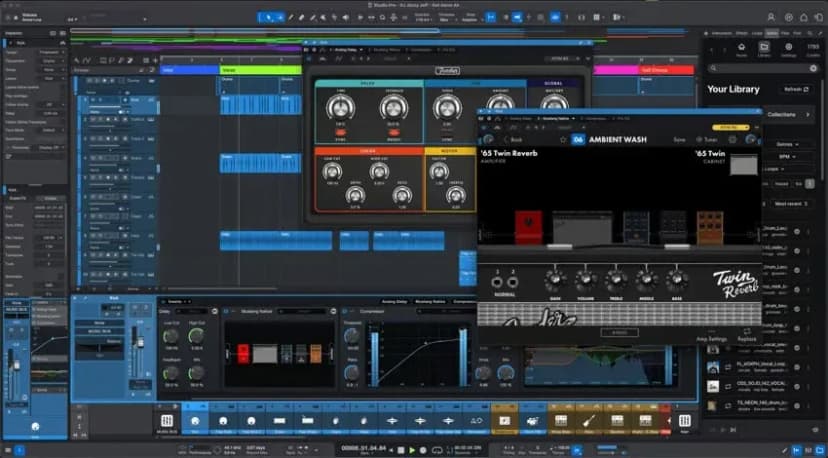
Fender Studio Pro focuses on clarity and momentum, not technical depth. It helps artists stay in creative flow by cutting setup time and keeping you focused on recording, writing, and refining.
It’s a modern, streamlined environment, not a traditional studio copy. It guides you through a simple workflow that fits your creative process naturally.
Specs
Minimum to run Fender Studio Pro:
- Windows 10+ or macOS 11+
- Intel/AMD CPU, Apple Silicon supported
- 8 GB RAM
- About 5 GB storage
Recommended for smooth use:
- 16 GB RAM
- SSD for faster loading
Pros
- Keeps artists in creative flow
- Simple, momentum-focused design
- Clean interface reduces friction
Cons
- Limited deep customization
- Better for streamlined projects than complex ones
My Take
If you value momentum over menus, Fender Studio Pro makes sense. It’s for artists who want to focus on creating, not managing tech.
#8 - Steinberg Cubase: The Film & TV Composer
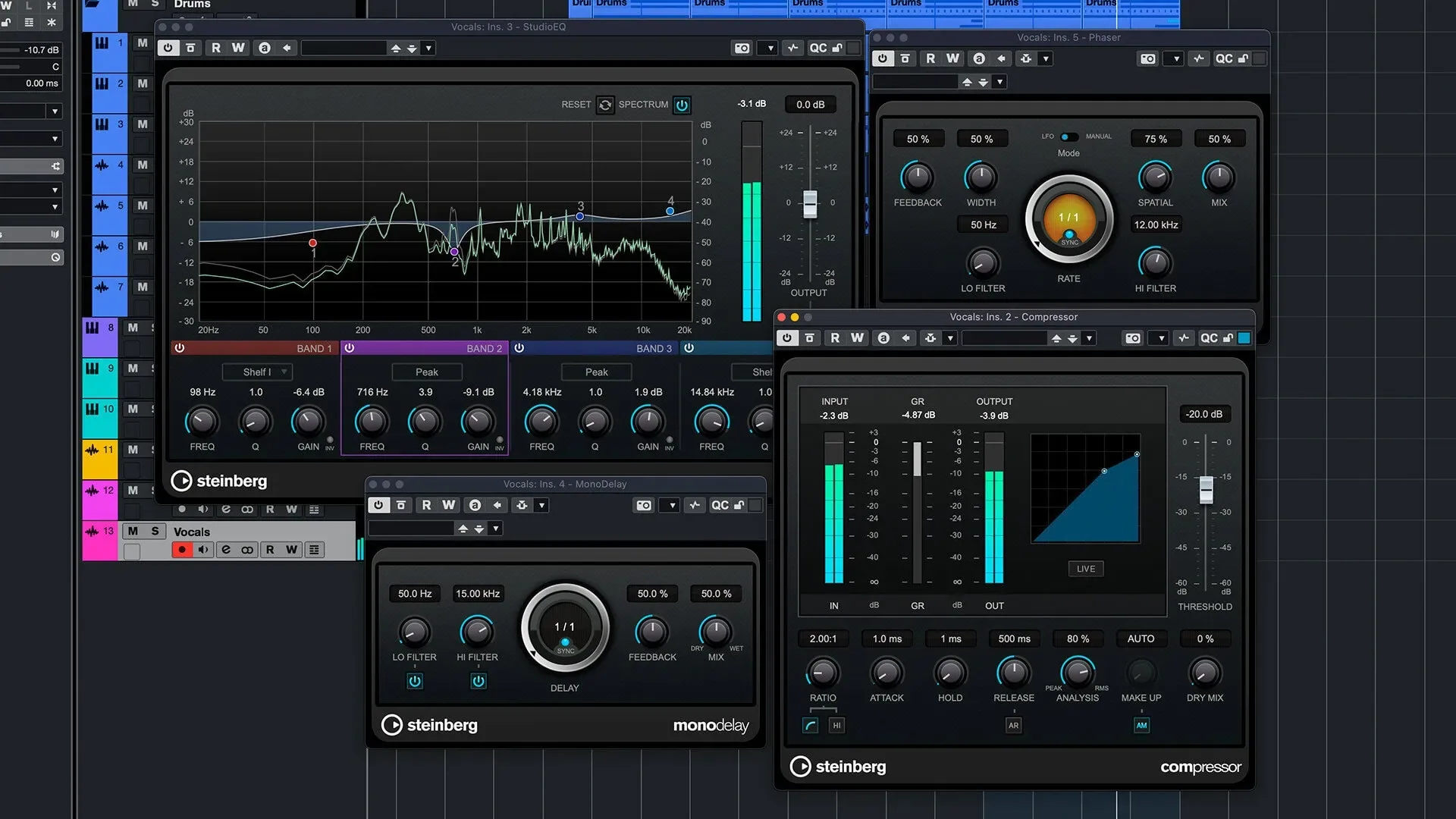
Cubase is all about composition, structure, and detail. It’s built to handle complex arrangements and long projects with precision.
It’s not about speed or minimalism. Cubase rewards composers who need reliability and deep control at every production stage.
Specs
Minimum to run Cubase:
- Windows 10+ or macOS 12+
- Intel/AMD multi-core CPU, Apple Silicon supported
- 8 GB RAM
- About 75 GB free for full install and content
Recommended for scoring and big projects:
- 16 GB RAM+
- SSD for libraries and projects
Pros
- Focus on composition, MIDI, and structure
- Handles large, complex projects
- Suitable for full production workflows
Cons
- Overwhelming for beginners
- Heavy storage needs
My Take
Cubase fits if your work demands precision and long-form control. It rewards composers who value detail over speed or simplicity.
#9 - Bitwig Studio: The Sound Designer
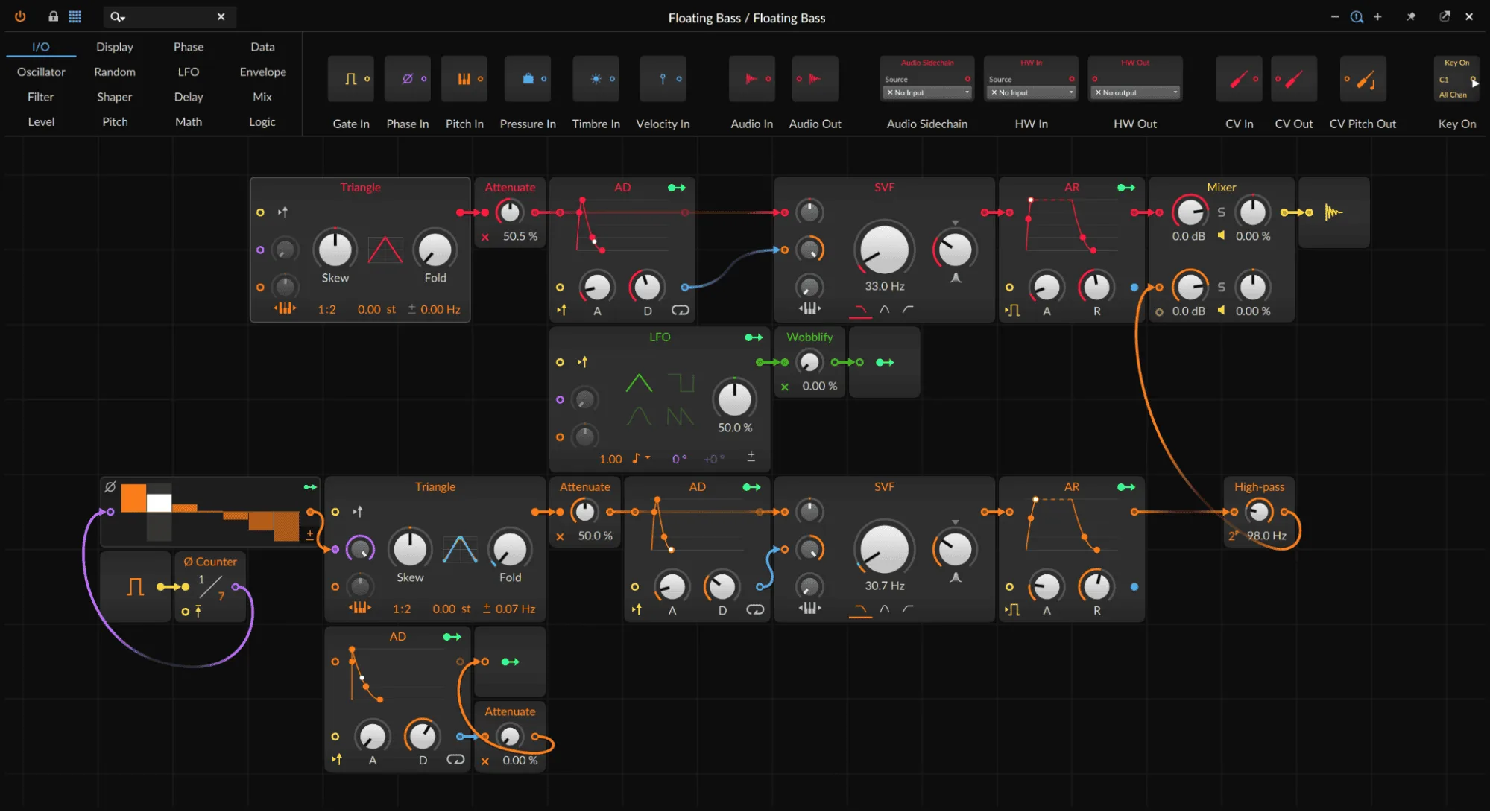
Bitwig Studio is modular and experimental. It’s made for sound design and manipulation, not just arranging tracks.
The workflow encourages exploration and flexibility. Bitwig appeals to artists who treat sound design as part of making music, not a separate step.
Specs
Minimum to run Bitwig Studio:
- Windows 10+, macOS 11+, Linux supported
- Intel/AMD multi-core CPU, Apple Silicon supported
- 4 GB RAM
- About 3 GB storage
Recommended for complex sound design:
- 8 GB RAM+
- SSD for faster access
Pros
- Modular, experimental sound design
- Flexible workflow encourages exploration
- Cross-platform, including Linux
Cons
- Less suited for traditional recording workflows
- Depth can intimidate new users
My Take
When your creativity comes from building and bending sounds, Bitwig becomes your playground. It shines when exploration beats convention.
#10 - BandLab: The On-the-Go Collaborator
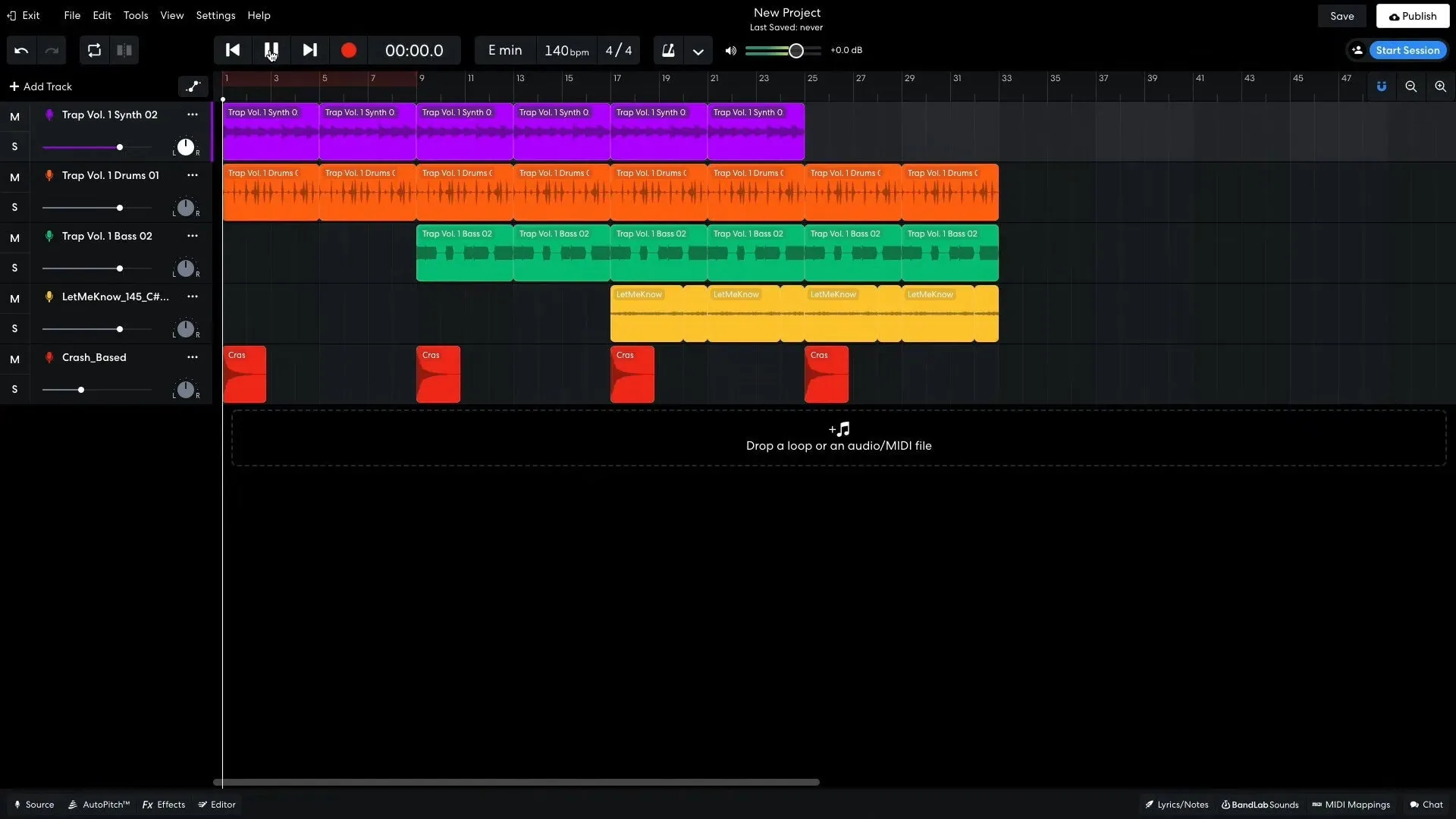
BandLab is cloud-first and collaboration-focused DAW. It makes music accessible anywhere, emphasizing sharing and working together across devices.
It’s not a traditional studio. Music-making here is social, flexible, and always available. Collaboration is built-in, no complex setup or file juggling.
Specs
Minimum to use BandLab:
- Windows 10+ or macOS 10.15+
- iOS and Android supported
- Browser access available
- 4 GB RAM
- Minimal local storage thanks to cloud workflow
Recommended for smoother use:
- Stable internet
- 8 GB RAM for bigger projects
Pros
- Create from anywhere with cloud workflow
- Collaboration and sharing front and center
- No heavy installs or hardware needed
Cons
- Not great for offline-first work
- Less depth than full DAWs
My Take
BandLab is your pick if you want collaboration, mobility, and quick access over studio depth. It’s best when music-making happens fast, social, and across devices.
Final Thoughts
There’s no best DAW. Just the one that keeps you creating without friction.
Pick your tool. Learn it well. Finish tracks.
Because making music is only half the job. Getting it heard is the other half.
That’s why we work every single day to build SoundCampaign, helping artists get their tracks in front of the relevant listeners via Meta Ads, get feedback from playlist curators, and finally get heard in the right places.
So, make the track and make sure it travels across the globe.

Fundador y CEO de SoundCampaign
Soy Nadav. Hacía música antes de construir todo esto, y de ahí viene realmente mi interés por el marketing. La parte de analítica es la que más me gusta: de dónde vienen las reproducciones, qué se movió y qué no. Fundé SoundCampaign para darles a los artistas una exposición realmente genuina. Me llevó mucho más tiempo y esfuerzo del que había previsto, y eso no ha cambiado demasiado.
Promociona tu música
Playlists reales, videos de TikTok y anuncios en Meta

La confianza de más de 100,000 artistas y sellos
Sin bots, nunca.
Caso real
Cómo SoundCampaign puso a Grant Knoche frente a 460,587 oyentes con WOOHOO
Leer la historia completa
¿Listo para que escuchen tu música?
Únete a miles de artistas independientes que usan SoundCampaign para llegar a playlists reales, creadores y fans, con comentarios honestos en cada paso.
- Sin bots, nunca
- Programa de Protección al ArtistaSi un curador o creador no reseña tu tema, te devolvemos el crédito. Tu presupuesto siempre está protegido.
- Conserva el 100% de tus regalíasSomos un servicio de promoción, no un sello. Nunca nos quedamos con un porcentaje de tus streams o regalías.