Music Promotion
Spotify Codes: An Effective Simple Tool for Music Artists

Azfar
Updated · 6 min read
Discover how Spotify Codes can boost your music promotion. Learn how to create, share, and use Spotify QR codes to grow your audience and streams.


A Spotify Code is a small, scannable tag that works like a QR code. It lets listeners open a specific song, album, or playlist on Spotify right away.
For artists, it’s a simple but effective way to share music.
You can add them to posters, social media posts, or even business cards.
When combined with a strong marketing plan, especially when you're running campaigns with SoundCampaign, this feature can get you more exposure.
In just a few minutes, I’ll show you everything you need to know about Spotify Codes and how to use them effectively.
What Are Spotify Codes and Why They Matter for Artists?
Understanding Spotify Codes
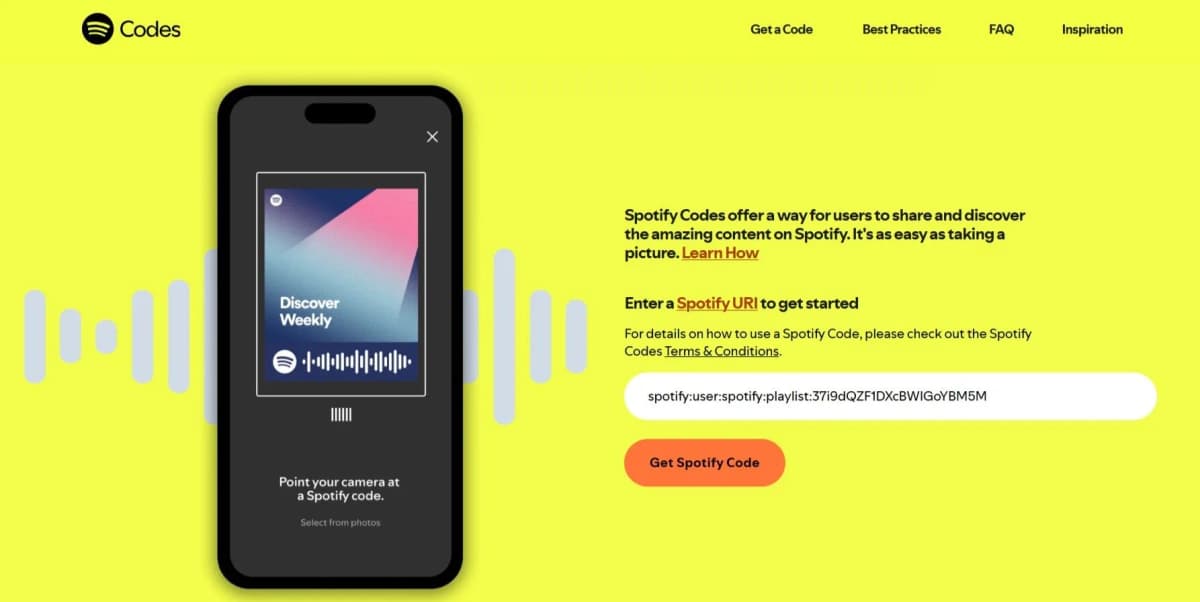
Spotify Codes are special scannable images that make sharing and discovering music super easy for both artists and fans.
Instead of sharing long links, fans scan the code in the Spotify app and start listening instantly. These codes work both digitally and in real life.
To scan, tap the camera icon next to the Search bar on Spotify app and point it at the code. It’s fast, simple, and a great way to turn even casual listeners into real fans.
How Spotify Codes Enhance Music Discovery?
Imagine a fan at your show scanning a code on your poster or merch and instantly playing your songs.
No searching. No typos. Just scan and listen.
Spotify Codes make it super easy to reach fans anywhere, online or in person.
Check out these real examples of how artists are using them to get their music heard. You might even get inspired to create your own.
Why Spotify Codes Should Be Part of Every Artist’s Toolkit?
For indie artists, using Spotify Codes is a no-brainer.
- They’re free to generate, easy to share anywhere, and help fans reach your music faster.
- They boost streams by making discovery frictionless, driving more engagement both online and offline.
- You can slap them on almost anything, including merch, business cards, posters, and festival wristbands. They give fans a cool, interactive experience even beyond Spotify.
- Plus, they help build your brand and keep your artwork looking tight, no ugly URLs in sight.
How to Create and Use Spotify Codes
Step-by-Step: How to Generate a Spotify Code
#1 - Click on the three dots that's right beside the download button.
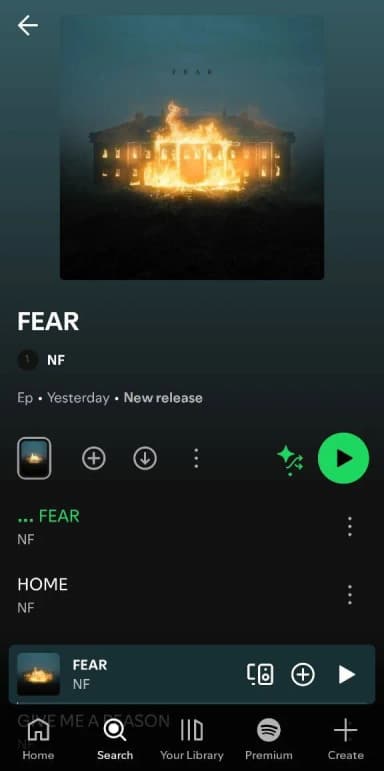
#2 - Click on share and copy the URL.
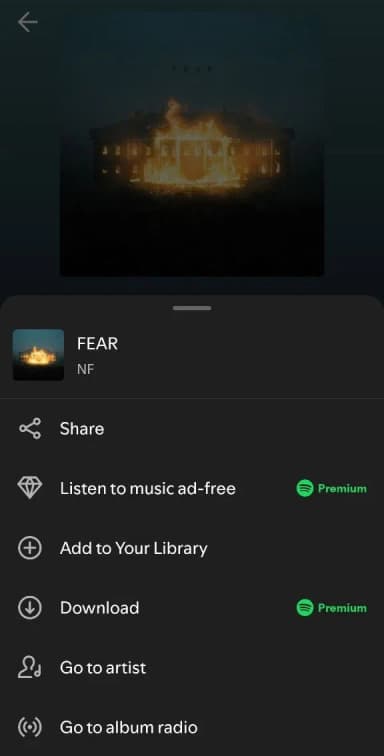
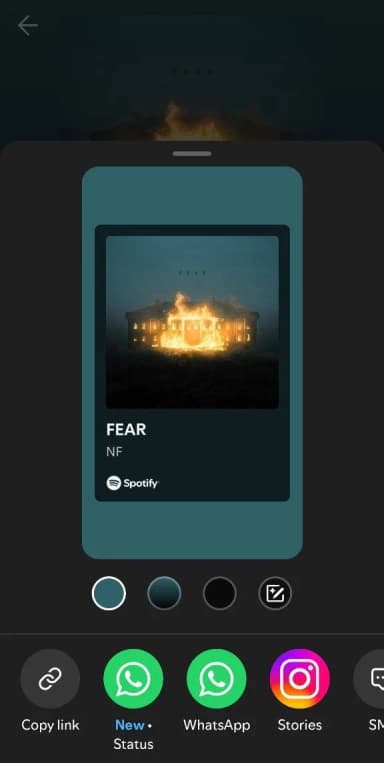
#3 - Paste the URI into SpotifyCodes.com and you'll have your code ready for download.
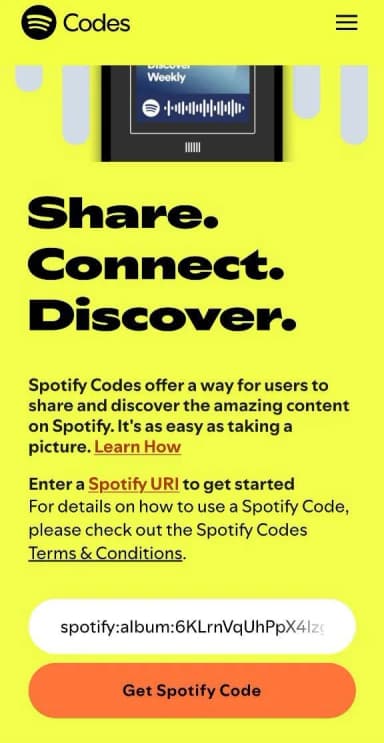
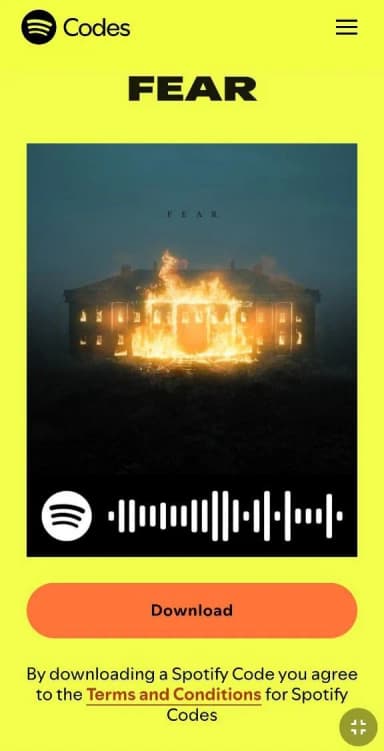
#4 - Adjust the color, size, and format to suit your needs, whether you’re designing flyers, posters, social posts, or stickers before downloading your code.
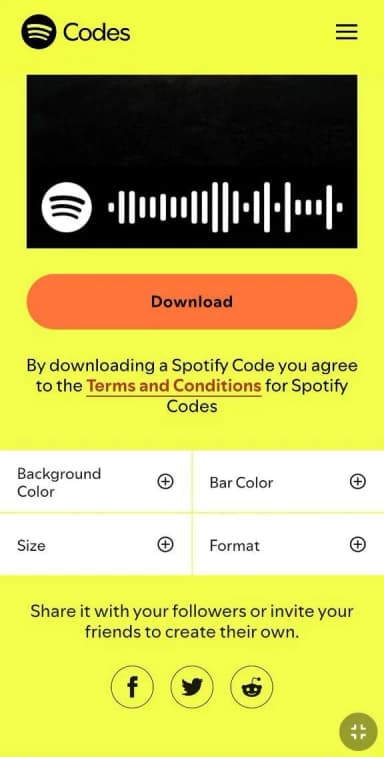
They also come in printable formats, so you can stick Spotify Codes to physical items.
Pro Tip: If you plan to put them on products for sale, make sure you have permission from the right holders.
3 Best Places to Use Spotify Codes
- Social media bios: Add your Spotify Code to your Instagram, TikTok, or YouTube bio. This lets followers find your music instantly.
- Physical merchandise: Include your code on flyers, posters, CD covers, or t-shirts. Fans can scan it and start listening right away.
- At gigs and events: Display your Spotify Code as a QR sign. Fans can scan it immediately and follow you, making it easy to grow your audience in person.
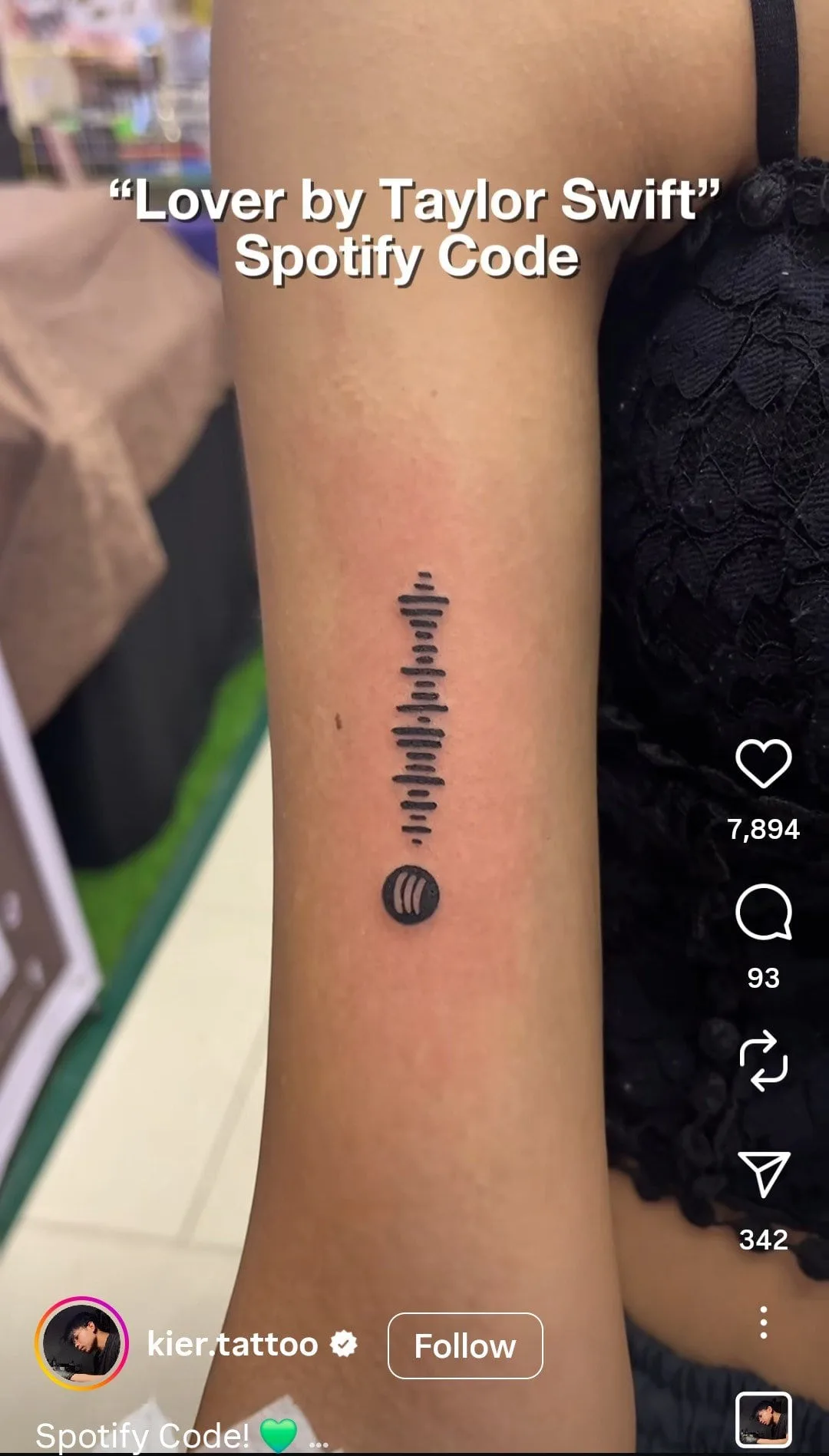
Some super fans even get tattoos of their favorite songs’ Spotify Codes, and it works. Just scan and see.
And if you have a sweet tooth like me, why not try cake? The possibilities are endless!
5 Tips for Maximizing Spotify Code Scans
1. Give it a trial run
Print a quick mockup at the actual size and in your final colors. If the code scans smoothly there, you’re safe to move ahead.
2. Tell people exactly what to do
Most folks don’t instinctively know how to use a Spotify Code. A short cue like “Scan with Spotify” helps them connect the dots instantly.
3. Match the size to the moment
Consider how close someone will be when they pull out their phone. The scanner can’t zoom, so make the code big enough to read from that distance.
4. Keep the frame clean
The code needs its distinct rectangular frame to be recognizable. If it blends into the background, the camera won’t lock onto it.
5. Place it where people can actually scan it
Spotify Codes thrive on close-range formats like posters or handouts. Anything meant to be seen from far away won’t give users a fair shot.
Integrating Spotify Codes Into Your Promotion Strategy
Combine Spotify Codes with Social Media Campaigns
Spotify Codes are cheap to make but can connect fans to your music in a way you can't even imagine.
You can share these codes on social media so followers can tap or scan to hear your latest songs or playlists right away.
Scanning a code feels like a personal invite, which makes fans more excited and feel closer to your music.
This easy access often results in higher engagement.
Leveraging Spotify Codes in Collaboration Campaigns
Want to promote joint playlists or feature songs? Spotify codes got your back.

Just like with the Baby Driver soundtrack, you can share a Spotify Code that links straight to a playlist or track. It makes promoting your music easy and fun.
With collabs, you can even put both artists’ Spotify Codes on posters or merch to get double the exposure.
Fans can scan one or both codes at events, parties, or online. It’s a simple way to reach more people and get everyone excited about your joint projects.
How SoundCampaign Amplifies Spotify Promotion
You can use SoundCampaign's TikTok, Instagram, or Spotify playlist placements to reach the right listeners.
And while you're doing that, I'd recommend throwing around some Spotify codes in your story or make it a part of your promotion.
This way you'll get an extra promo from your own fans and get an additional boost from the campaign you're running. The best part? You don't have to spend extra for it.
Common Mistakes Artists Make with Spotify Codes
Not Promoting Codes Effectively
Placing a code without context or instructions is like having a secret and never sharing it. Without clear direction, codes are often ignored.
Fans need a reason and guidance to scan it. Put your codes where fans hang out, at shows, on merch, or social media posts, but always tell them why and how to scan.
Poor Design or Low Visibility
Tiny codes or ones that blend into busy backgrounds are a huge no-no.
Whether on posters, flyers, or digital posts, codes must be clear and easy to scan.
Avoid clutter or design elements that make the code hard to see. Ensure codes have strong contrast with the background and are printed or displayed in high resolution.
Forgetting to Track Engagement
Many artists do not track how well their Spotify Codes perform.
Monitoring engagement shows which placements and promotions are most effective and helps improve your strategy.
Use Spotify’s analytics tools and campaign insights to reveal how often fans scan codes and go on to listen to your music.
Conclusion
The number of listeners you get from the algorithm after a release is only the start. Your next move is to create a Spotify code and push it everywhere your audience already hangs out.
After that, set up multiple campaigns through SoundCampaign so your track reaches listeners who actually care.
Once you have all that in motion, submit your track through Spotify for Artists and take your shot at playlists like Discover Weekly, Release Radar, or any other editorial spot that fits your sound.

Marketing brain, writer's heart, musician's soul. At SoundCampaign I run SEO, unclog whatever marketing bottleneck is in the way, and write the things that help artists actually get somewhere. I'm a musician too, so most of what I write comes from both sides. When I'm not doing any of that I'm in my broken office, writing and producing, still chasing a sound that might make the charts one day.
Promote your music
Real playlist placements, TikTok videos & Meta ads

Trusted by 100,000+ artists & labels
No bots, ever.

Real case study
How SoundCampaign Put Grant Knoche in Front of 460,587 Listeners for WOOHOO
Read the full story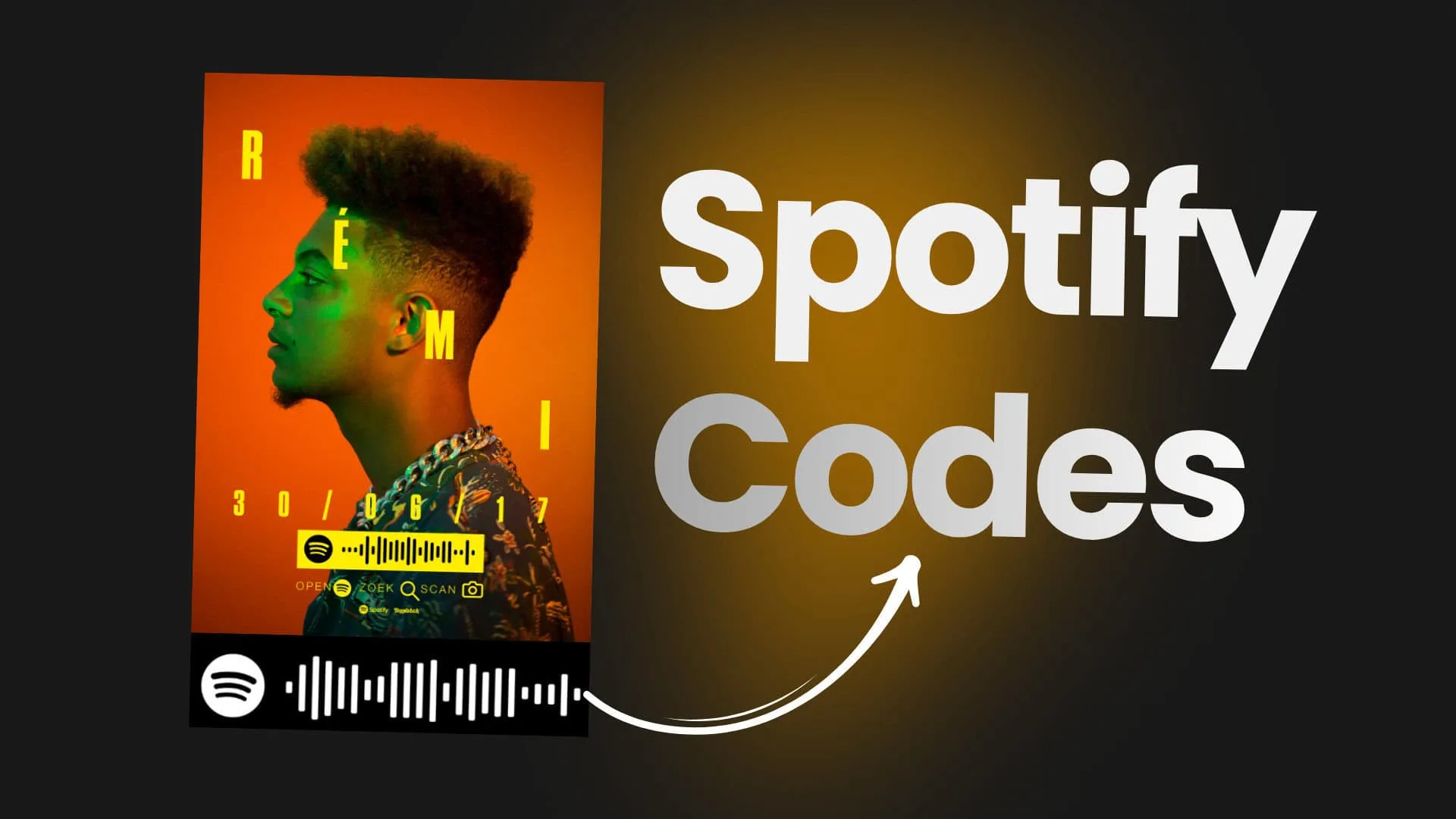
Ready to get your music heard?
Join thousands of independent artists using SoundCampaign to reach real playlists, creators, and fans, with honest feedback every step of the way.
- No bots, ever
- Artist Protection ProgramIf a curator or creator doesn’t review your track, we credit you back. Your budget is always protected.
- Keep 100% of your royaltiesWe’re a promotion service, not a label. We never take a cut of your streams or royalties.